Chapter 4 Element Management System (EMS) Cross Connections
© 2011 Harmonic Inc. 141 ProView 7000 v.2.4, Rev. A
4.6.4 EMS Connection Wizard
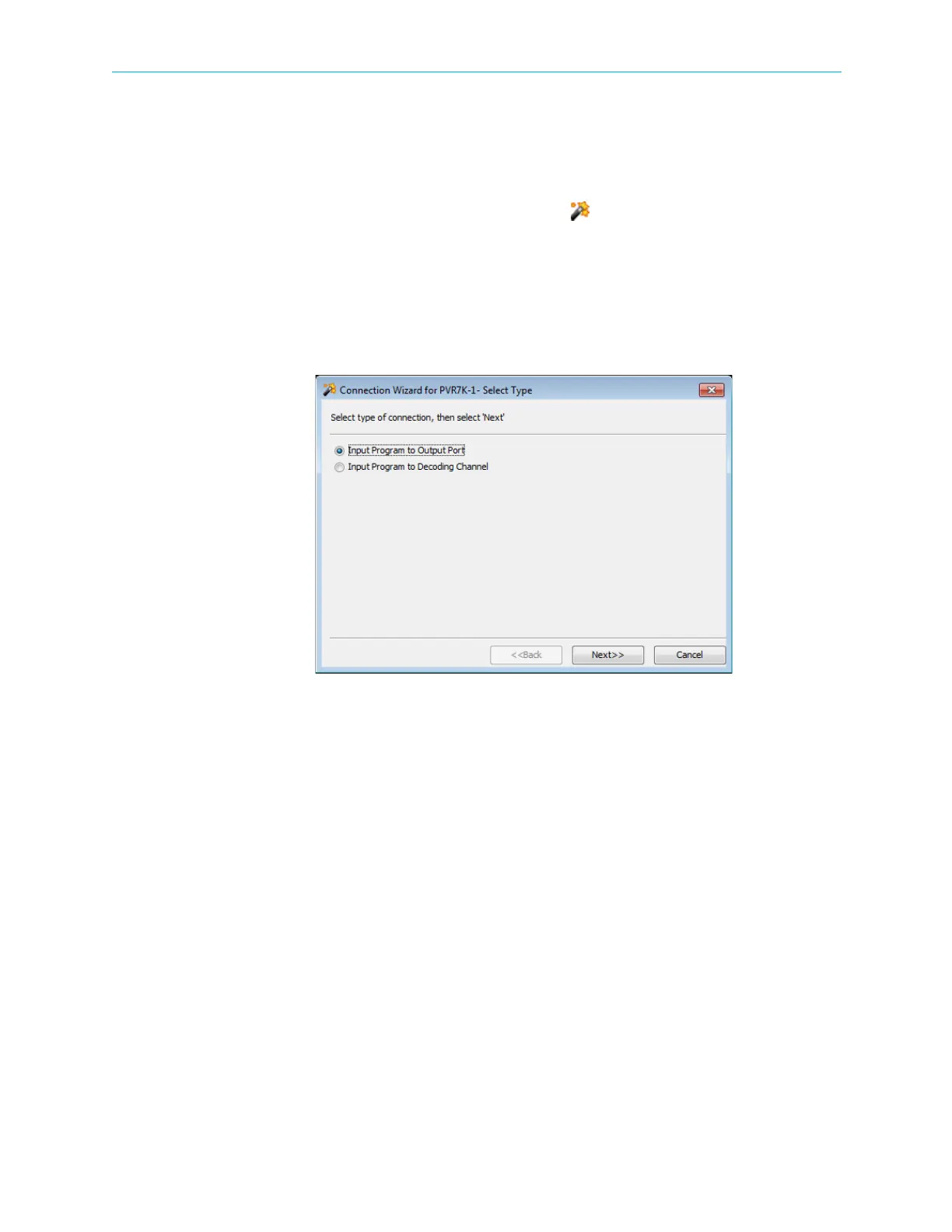
The ProView 7000 EMS Connection Wizard provides EMS guided input program cross
connection to any device output and device decoding channels.
1. The EMS Connection Wizard is activated from the EMS Menu tree, by selecting
Actions > Connection Wizard… option or by clicking Connection Wizard in the EMS
toolbar.
The displayed wizard select dialog provides access to the setting the following:
❑ Input Program Cross-Connections – For details, refer to 4.6.4.1 Setting Program
Cross-Connection using the Connection Wizard.
❑ Input Program Decoding Channel – For details, refer to 4.6.4.2 Setting Decoding
Channel using the Connection Wizard.
Figure 4–54: Connection Wizard dialog
4.6.4.1 Setting Program Cross-Connection using the Connection Wizard
To set a cross-connection by using the Connection Wizard:
1. Click Connection Wizard on the EMS toolbar.
2. Select Input Program to Output Port and click Next.
A list of multiplex inputs available for selection displays.
3. Select an Input Multiplex Port and click Next>>.
A list of programs available at the selected input displays.
4. Select an input program port and click Next>>.
A list of multiplex outputs available for selection displays.



 To Next Page