Chapter 4 Element Management System (EMS) Device Explorer
© 2011 Harmonic Inc. 67 ProView 7000 v.2.4, Rev. A
4.4.1 Physical Input Box
The Physical Input box of the Device Explorer tab presents a hierarchical tree-structure of the
ProView
7000 physical input ports for monitoring and configuring the features of each
element displayed in the tree.
Double-click the device icon then the branches to display the input physical tree structure.
The ProView 7000 features various types of inputs:
■ ASI input ports.
■ DVB-S/S2
1
RF modulated inputs.
2
When the DVB-S/S2’s carrier and demodulator are locked, the icon LEDs are green, when
they are not locked the icon LEDs are red. See
Figure 4–11.
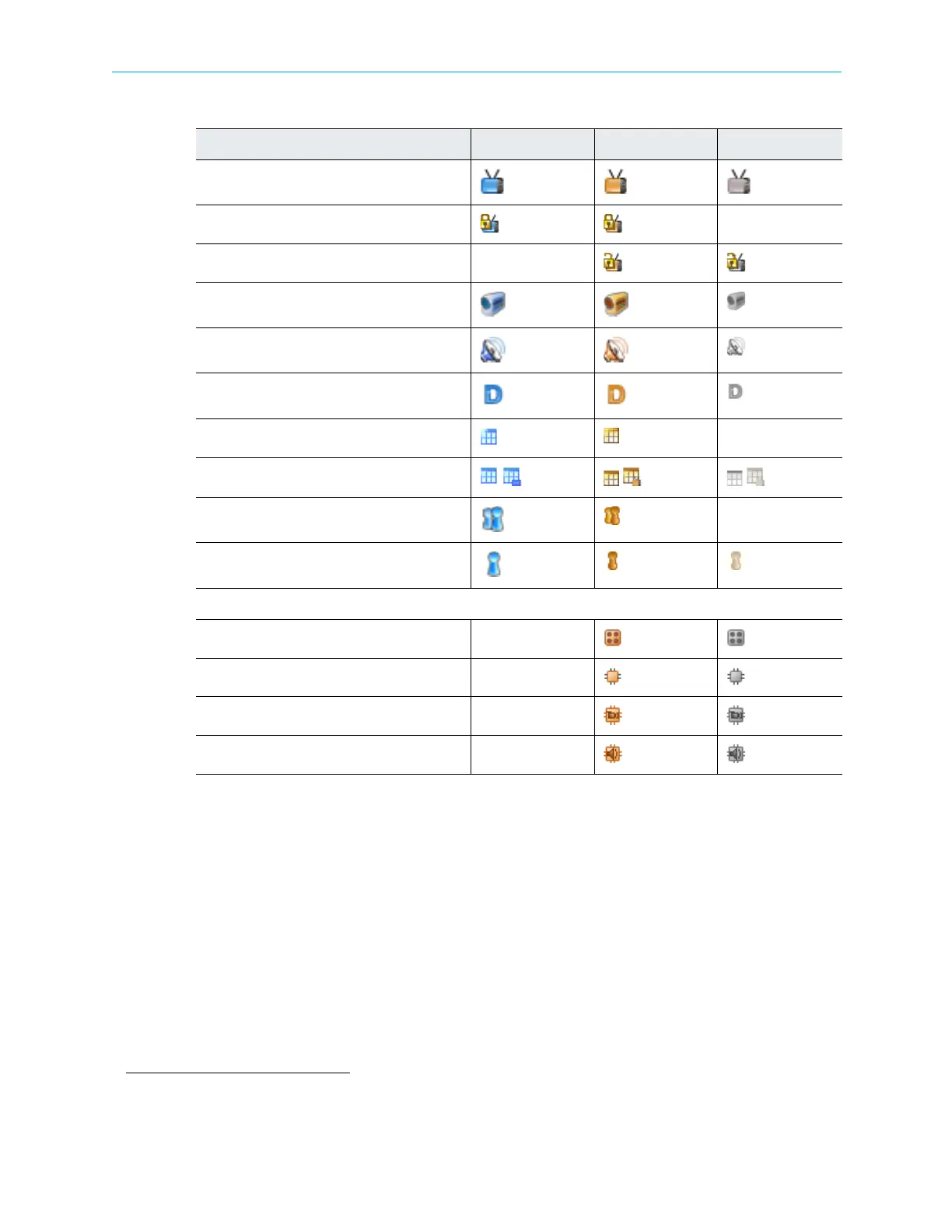
Video Type Program
Scrambled Video Program
Descrambled Video Program
Video ES
Audio ES
Data ES
Tables Holder
Tables
Unreferenced PID Group
Unreferenced PID
Decoding Icons
Decoding Channel
ES Decoding
Video ES Decoding
Audio ES Decoding
1. Requires a license with some hardware configurations, see Appendix C for details.
2. Not all hardware configurations support 4 demodulator ports, see Appendix C on page 185.
Table 4–8: Device Explorer Icons
Icon Description In Out Disconnected



 To Next Page