Chapter 4 Element Management System (EMS) Element Properties Configuration
© 2011 Harmonic Inc. 105 ProView 7000 v.2.4, Rev. A
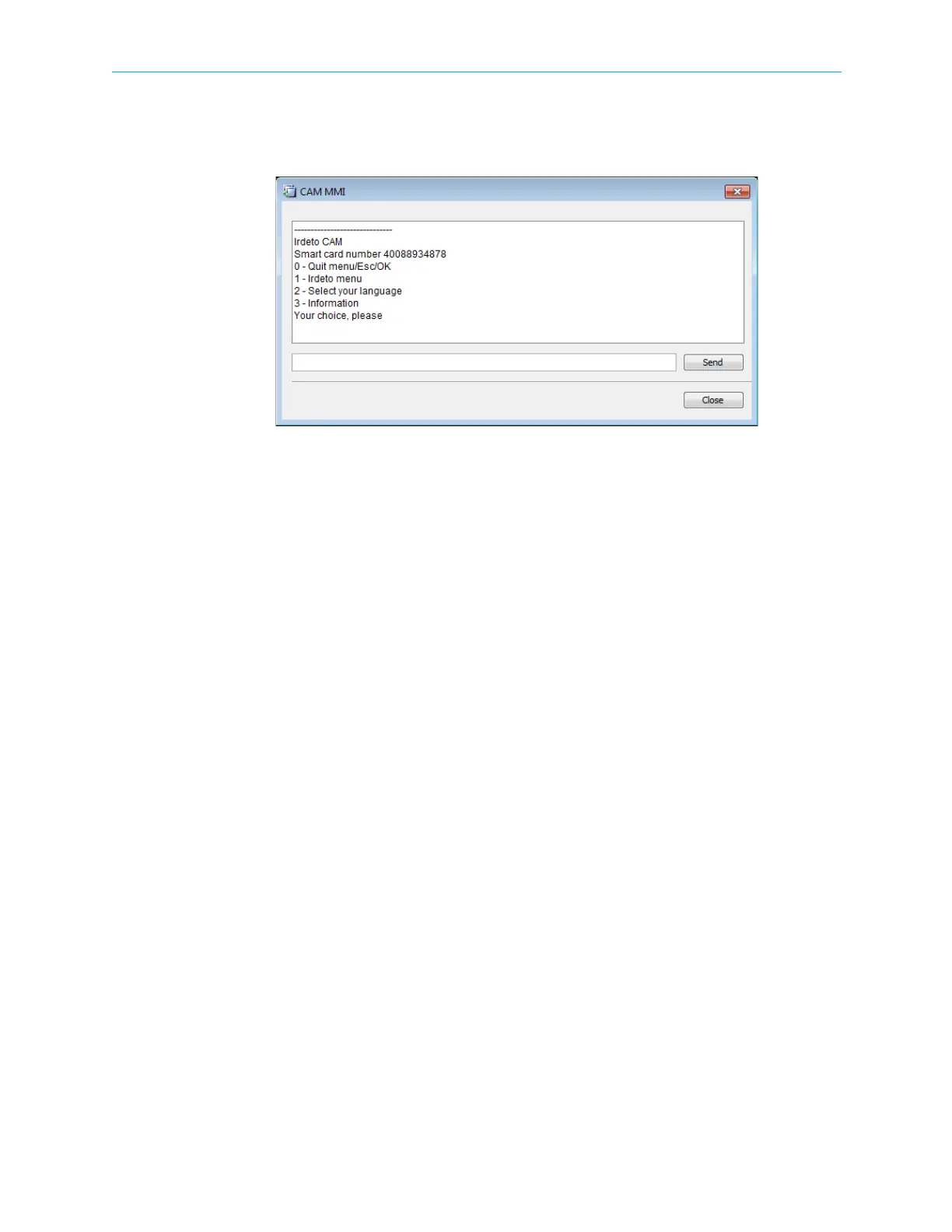
To display the CAM MMI menu:
❖ Click CAM MMI….
The CAM MMI dialog displays.
Figure 4–31: Sample CAM MMI dialog
Different CAM cards have different options.
4.5.3 Input Multiplex Properties
The Input Stream Multiplexing box of the Device Explorer tab presents a hierarchical tree-
structure of the multiplex inputs of the ProView 7000.
The Multiplex Input main branch properties dialog is detailed in 4.5.3.1 Multiplex Input
Properties. The branch features three branches; Input Programs (detailed in 4.5.3.2 Input
Program Properties), Input Tables (detailed in 4.5.3.5 Input Tables Properties) and
Unreferenced Input PIDs (detailed in 4.5.3.6 Input Unreferenced PID Properties), related to
the multiplex input.
Each branch can be drilled down to input stream element level for monitoring and
configuring the features of each element. The program elementary stream features (video,
audio, and others) are detailed in 4.5.3.3 Input Elementary Stream Properties while
4.5.3.4 Input Conditional Access Messages Properties details the features of the conditional
accessed ECMs.



 To Next Page