Chapter 4 Element Management System (EMS) ProView 7000 Device Management
© 2011 Harmonic Inc. 58 ProView 7000 v.2.4, Rev. A
3. Click Ping.
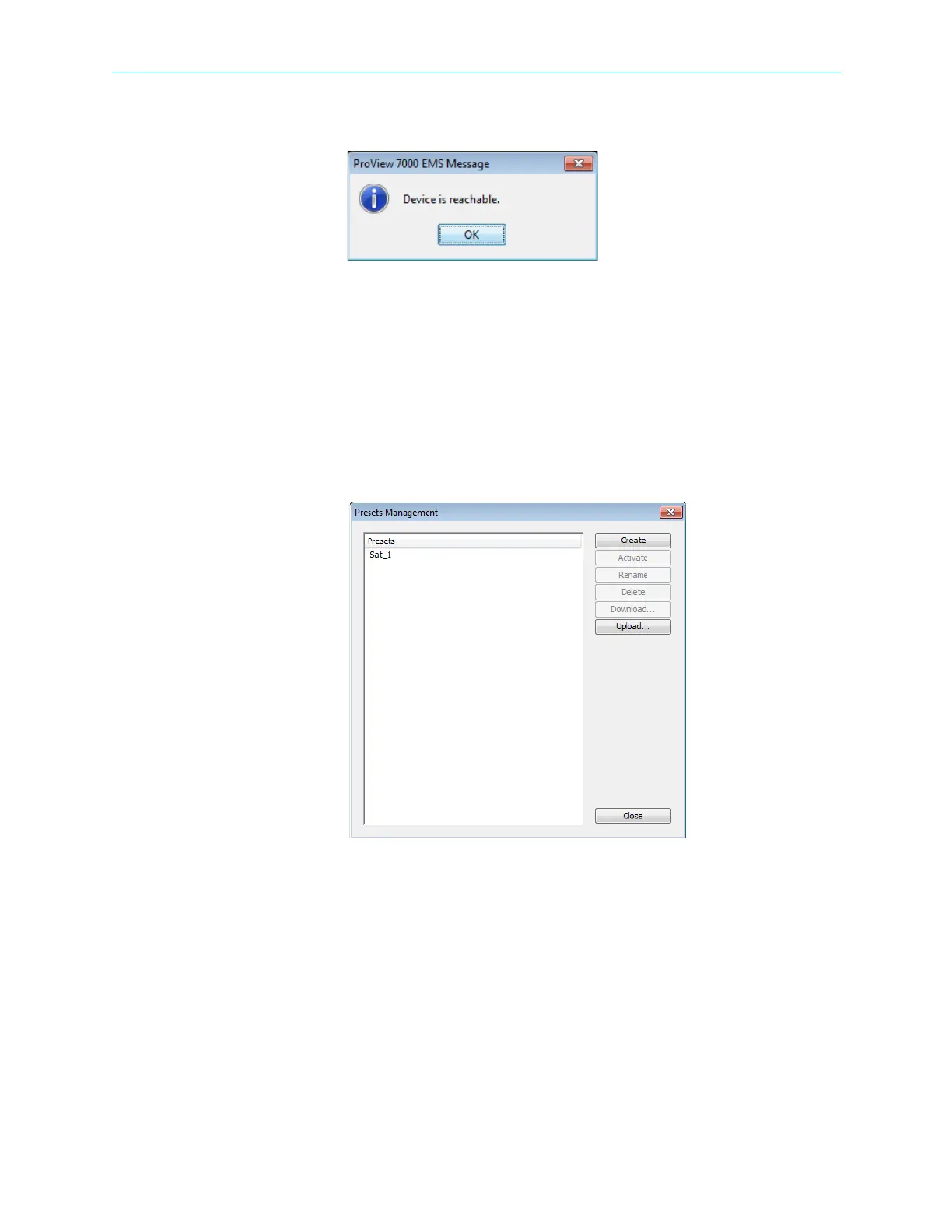
A message displays the response of the device to the test.
4. Click OK to confirm the test result.
5. Click Close to complete the ping test.
4.3.3.7 Manage Presets
Use the Manage Presets menu to display the Presets Management dialog and manage
multiple configuration files. If you use several satellites, you can create a preset file for each
satellite configuration and activate the appropriate preset when you switch transponders.
You can download preset files to your management PC and upload them to other
ProView 7000s with the same hardware configuration, firmware version and licenses. See
Figure 4–8.
Figure 4–8: Presets Management dialog
The Presets Management dialog contains the following buttons:
■ Create — see Creating a Preset
■ Activate — see Activating a Preset
■ Rename — see Renaming a Preset
■ Delete — see Deleting a Preset
■ Download — see Downloading Presets
■ Upload — see Uploading a Preset



 To Next Page