Chapter 4 Element Management System (EMS) ProView 7000 Device Management
© 2011 Harmonic Inc. 51 ProView 7000 v.2.4, Rev. A
4.3 ProView 7000 Device Management
In order to manage a ProView 7000 device using the ProView 7000 EMS, the user must first
initiate a connection between the required device and the EMS interface. The connected
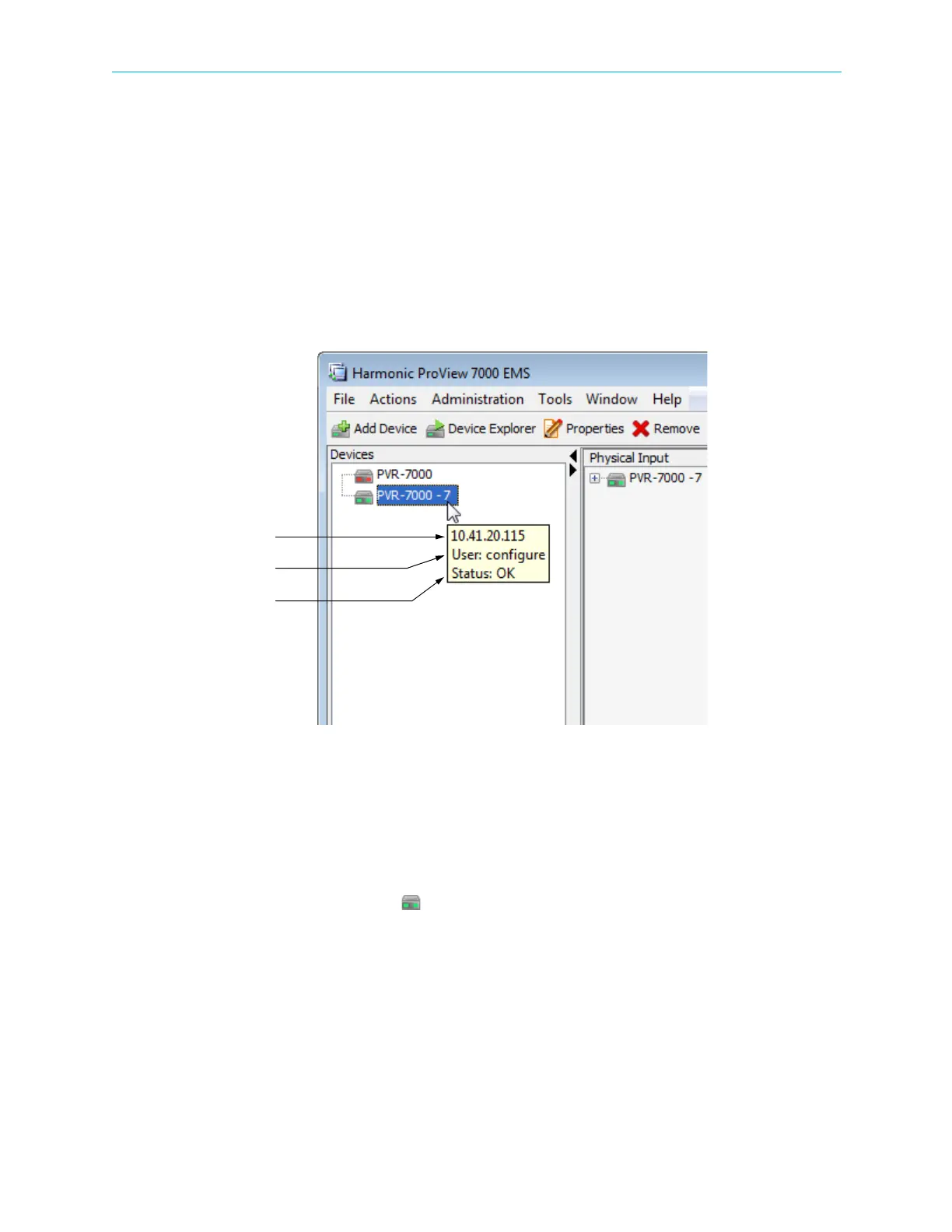
devices are listed and displayed in the Devices box of the ProView
7000 EMS. Hover the
mouse pointer over a device icon to display the display tip. See
Figure 4–5. The three text
rows display the following:
■ IP Address
■ Username
■ Status
Figure 4–5: Device tooltip
4.3.1 Accessing the ProView 7000 Device Management Functions
You can access the ProView 7000 device management functions in the following ways:
■ From the EMS menu
■ From the EMS toolbar
■ Right-click the device icon ( ) to display the devices management context menu
To display the device management context menu:
❖ Right-click the ProView 7000 device icon in the Devices box.



 To Next Page