Chapter 4 Element Management System (EMS) Element Properties Configuration
© 2011 Harmonic Inc. 89 ProView 7000 v.2.4, Rev. A
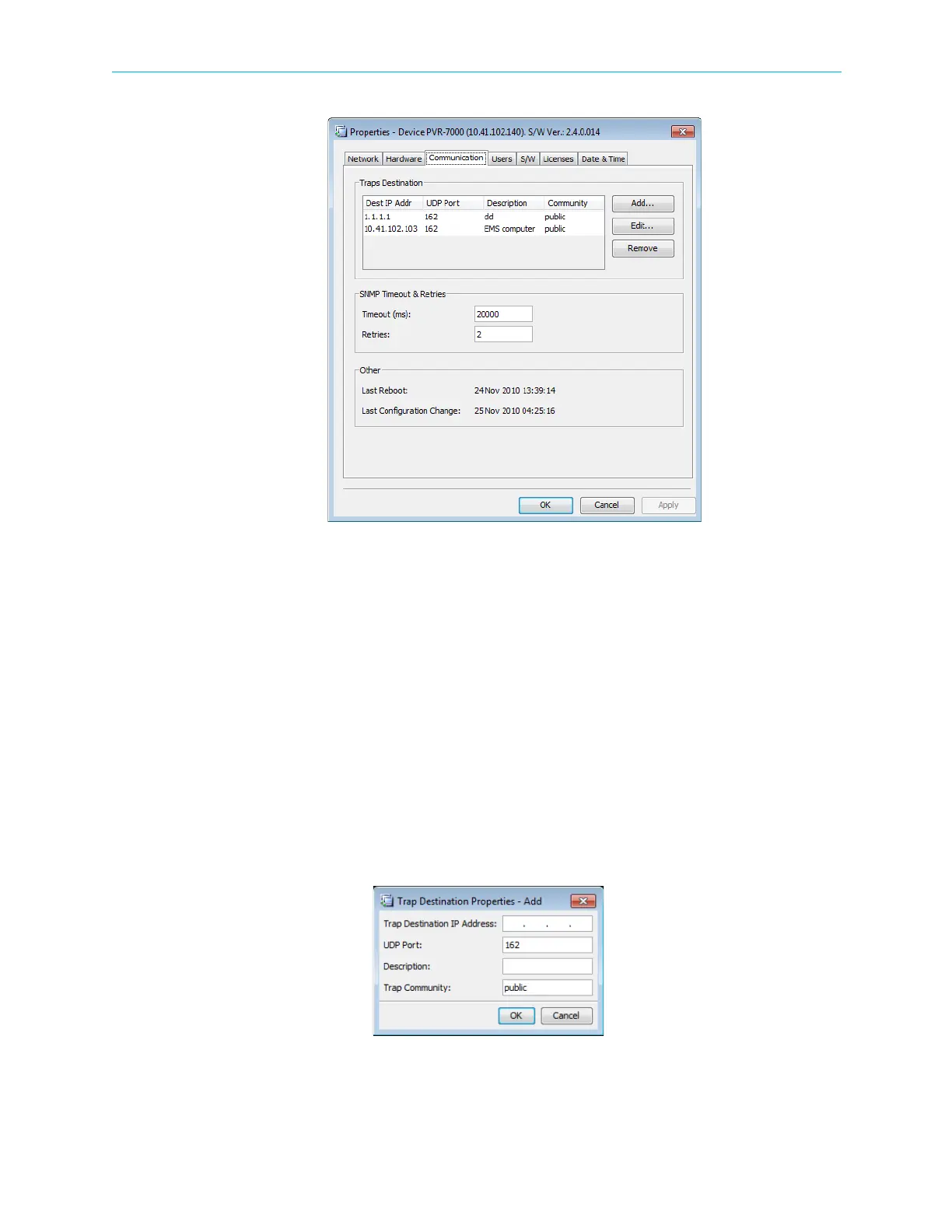
Figure 4–19: Device Properties dialog – Communications tab
To configure the trap destination:
1. Right-click the requested device and select Properties on the context menu.
The Device Properties dialog displays.
2. Select the Communications tab.
3. On the Communications tab, click Add….
The Trap Destination / Add dialog displays.
4. Fill the following fields in the Trap Destination – Add dialog.
❑ IP Address – Sets the IP address of the trap destination
❑ UDP Port – Sets the UDP port number of the trap destination
❑ Description – Optional parameter, describing the trap destination
❑ Trap Community – Set the trap community
5. Click OK.
6. Click Apply.



 To Next Page