Chapter 4 Element Management System (EMS) ProView 7000 Device Management
© 2011 Harmonic Inc. 52 ProView 7000 v.2.4, Rev. A
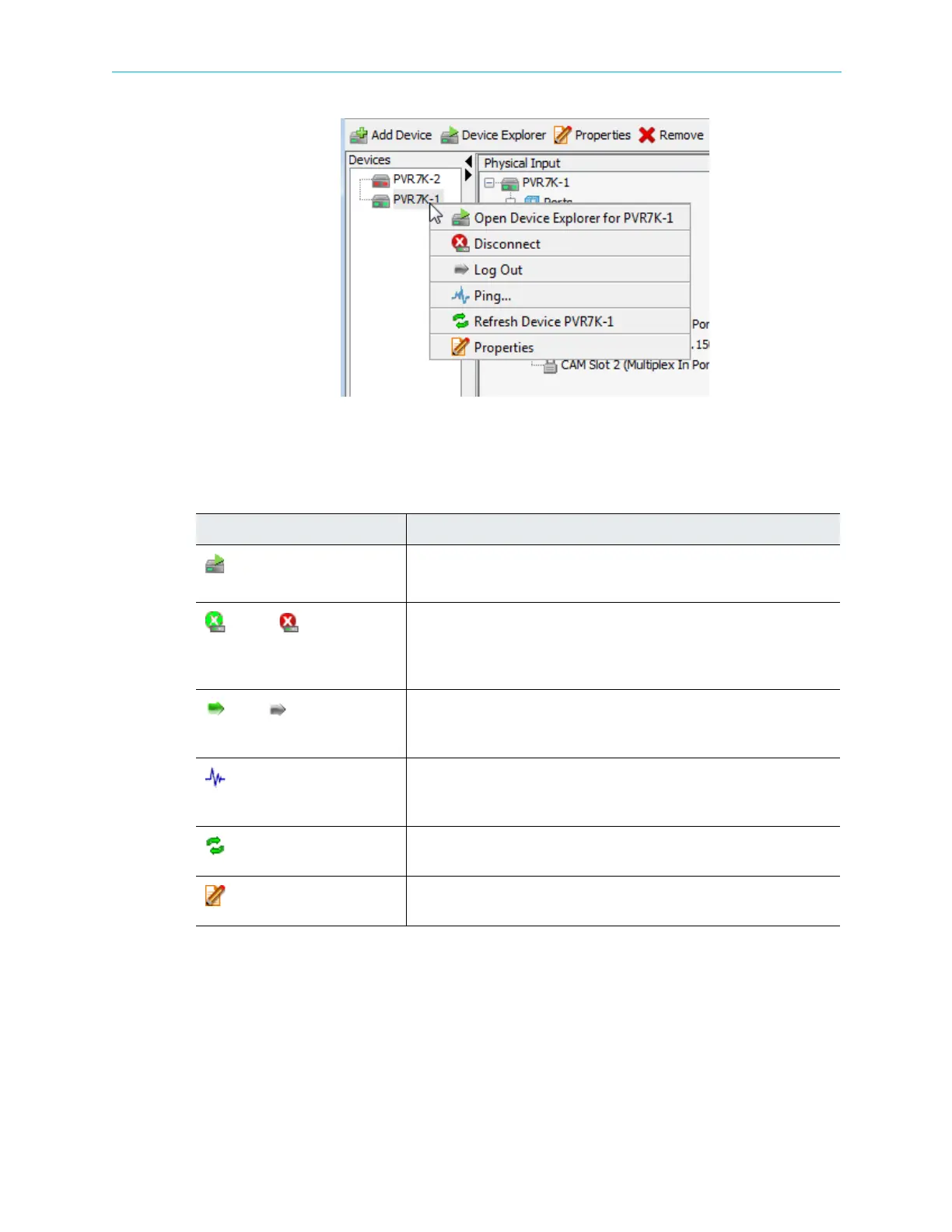
Figure 4–6: Device context menu
The Device Management context menu features the following commands:
Table 4–7: Device Management Context Menu Items
Item Description
Open Device Explorer for
ProView 7000 Device
Opens the Device Explorer tab for the selected device. For details, refer to
4.3.3.5 Displaying the Device Explorer Tab.
Connect/ Disconnect
A dynamic command, changing according to the selected device’s
connection status. Allows connecting or disconnecting the device to the
ProView 7000 EMS. For details, refer to 4.3.3.2 Connecting a Device and
4.3.3.11 Disconnecting a Device, respectively.
Log In/ Log Out
A dynamic command, changing according to the selected device's log
status. Allows logging in or out to the device. For details, refer to
4.3.3.3 Log-In / Log-Out Control to the Device.
Ping
Opens the Device Connectivity check dialog to ping the device. For
details, refer to 4.3.3.6 Checking Device Connectivity (Pinging the
Device).
Refresh Device
Updates the EMS screen. For details, refer to 4.7 Refreshing the EMS
Screen.
Properties
Displays the device properties dialog. For details, refer to 4.5.1 Device
Properties.



 To Next Page