Chapter 4 Element Management System (EMS) Element Properties Configuration
© 2011 Harmonic Inc. 91 ProView 7000 v.2.4, Rev. A
NOTE: The factory default passwords are:
■ User: configure – configure
■ User: monitor – monitor
Only a Configure user can change the passwords.
It is warmly recommended to change the passwords once the device is installed to prevent unwanted
tamper with the device.
Resetting the password of the device requires restoring the factory access passwords. For details, see
4.3.3.9 Restoring the Factory/Default Device Access Passwords.
4.5.1.5 Device Software Upgrade Properties
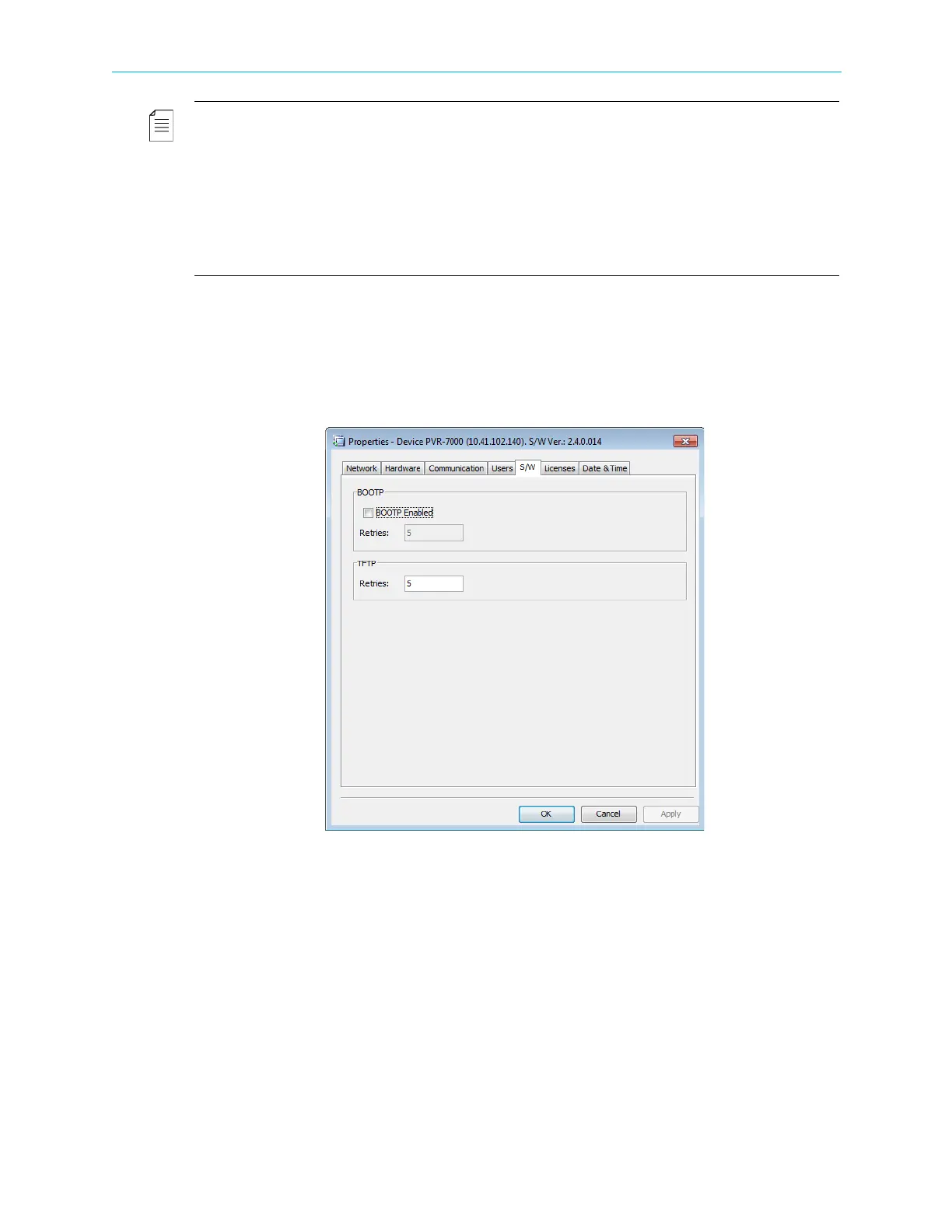
The ProView 7000 device software can be upgraded using non EMS managed tools, consisting
of BOOTP and TFTP industry standard tools.
The S/W Upgrade tab sets the number of retries for each one of these two upgrade tools.
Figure 4–21: Device Properties dialog – S/W Upgrade tab
The EMS enables the user to view and switch between the current and last software version
for the device. This feature is very useful when the user selects to return to the last software
version after a software upgrade. For details, refer see E.1 Active Version Management. The
EMS provides a Software Upgrade Manager tool. For details, see E.2 Software Upgrade
Manager.



 To Next Page