Chapter 4 Element Management System (EMS) Element Properties Configuration
© 2011 Harmonic Inc. 122 ProView 7000 v.2.4, Rev. A
❑ Dolby Digital Plus
1
(E-AC-3) – (Audio 1 channel only)
❑ AAC LC – (Audio 1 channel only)
❑ HE AAC – (Audio 1 channel only)
❑ Dolby E
1
/ Linear PCM Pass Through – (Audio 2 channel only)
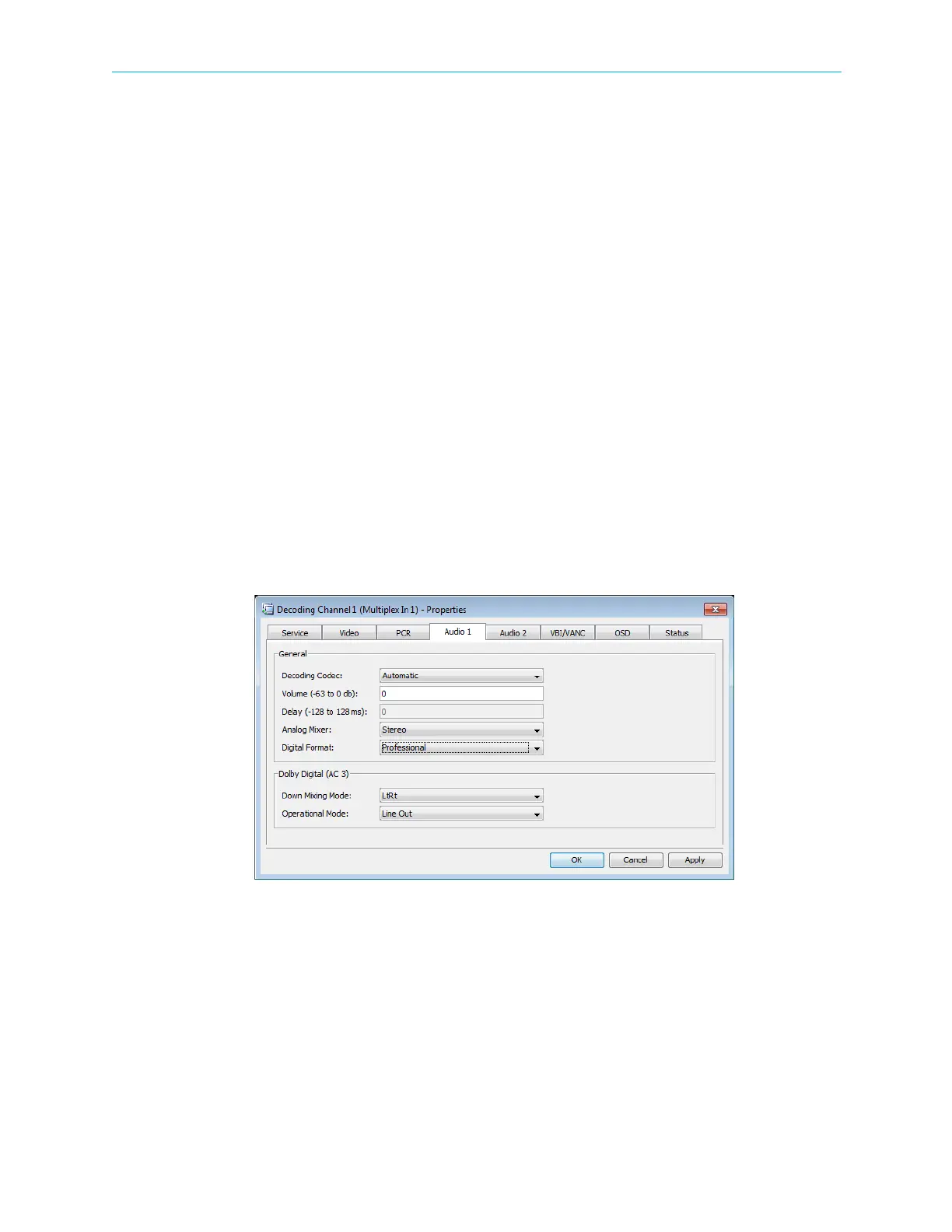
■ Volume – sets the audio volume.
Range: −64 to 0 dB
■ Delay – the delay.
Range: −128 to +128 msec.
■ Analog Mixer – selects the mixing L/R inputs to outputs.
Options:
❑ Stereo
❑ Mono
❑ Both Left
❑ Both Right
■ Digital Format – selects the audio format mode.
Options:
❑ Professional
❑ Consumer
Figure 4–40: Decoding Channel Properties – Audio tab
Dolby Digital (AC-3) processing parameters:
■ Down Mixing Mode – selects the mixing mode for the output.
Options:
❑ LoRo
❑ LtRt



 To Next Page