Chapter 4 Element Management System (EMS) Element Properties Configuration
© 2011 Harmonic Inc. 121 ProView 7000 v.2.4, Rev. A
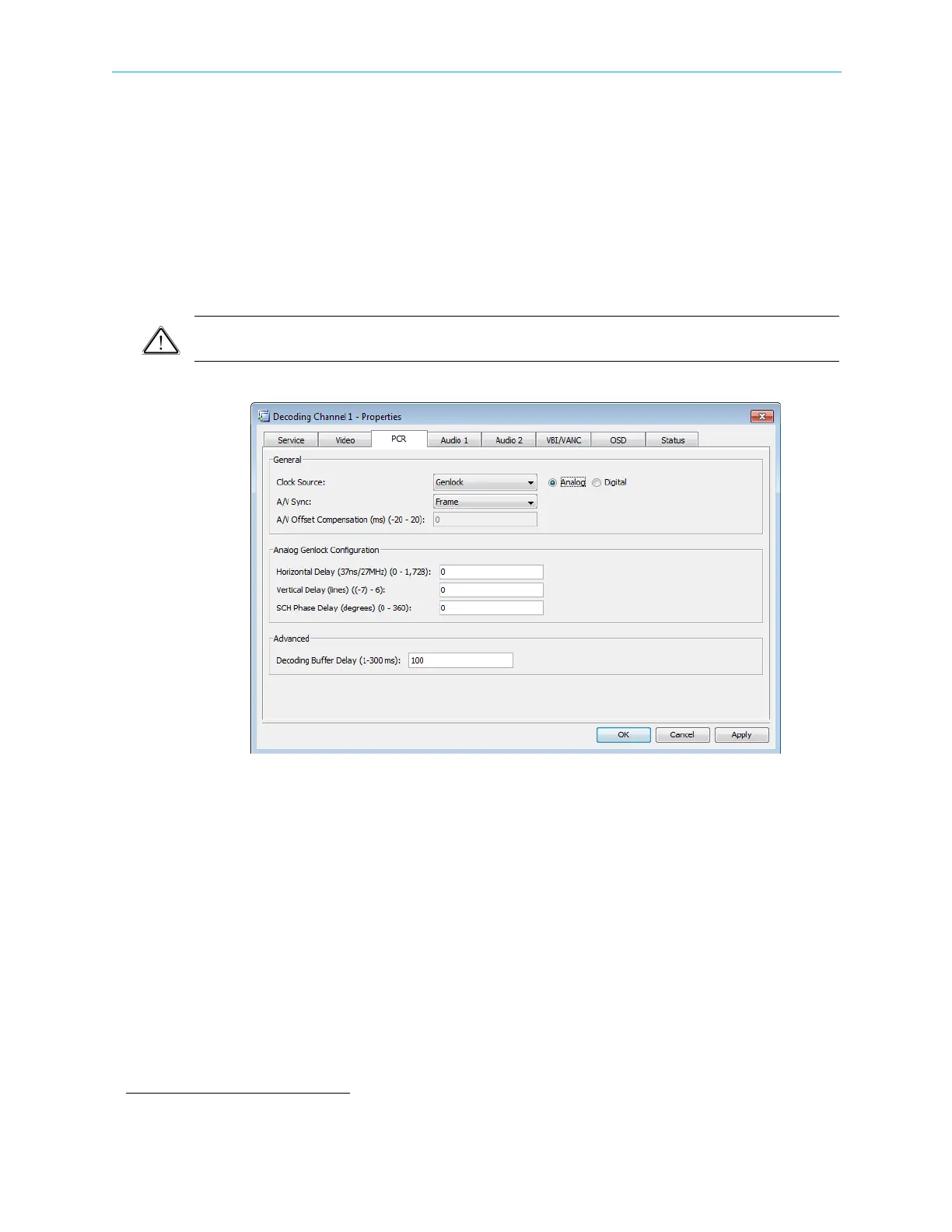
■ A/V Sync – You can select one of the following audio/video synchronization parameters:
❑ Off
❑ Frame – Select this parameter to limit the audio/video sync jitter to 1 frame.
❑ 5 ms – Select this parameter to limit the audio/video sync jitter to 5ms when the clock
source is set to Original PCR.
■ A/V Offset Compensation – sets the A/V offset compensation. You can only use this
parameter with the 5 ms parameter. The range is -20 – 20 ms. The default is 0.
■ Decoding Buffer Delay – sets the delay time for the buffer. Range: 1 – 300 msec. The
default is 100.
CAUTION: Changing the Decoding Buffer Delay value may cause unpredicted implications in the
operation of the device. Consult Harmonic support before changing this parameter.
Figure 4–39: Decoding Channel Properties – PCR tab
Audio 1/2 Parameters Tab
The Audio 1/2 parameters tab provides the EMS user the following information and set-up
capabilities:
General Audio processing parameters:
■ Decoding Codec – selects the audio decoding mode.
Options:
❑ Automatic
❑ Musicam
❑ Dolby Digital
1
(AC-3)
❑ Dolby Digital (AC-3) Pass Through
1. Dolby, Dolby E, Dolby Digital and Dolby Digital Plus are registered trademarks of Dolby Laboratories.



 To Next Page