Chapter 4 Element Management System (EMS) Element Properties Configuration
© 2011 Harmonic Inc. 82 ProView 7000 v.2.4, Rev. A
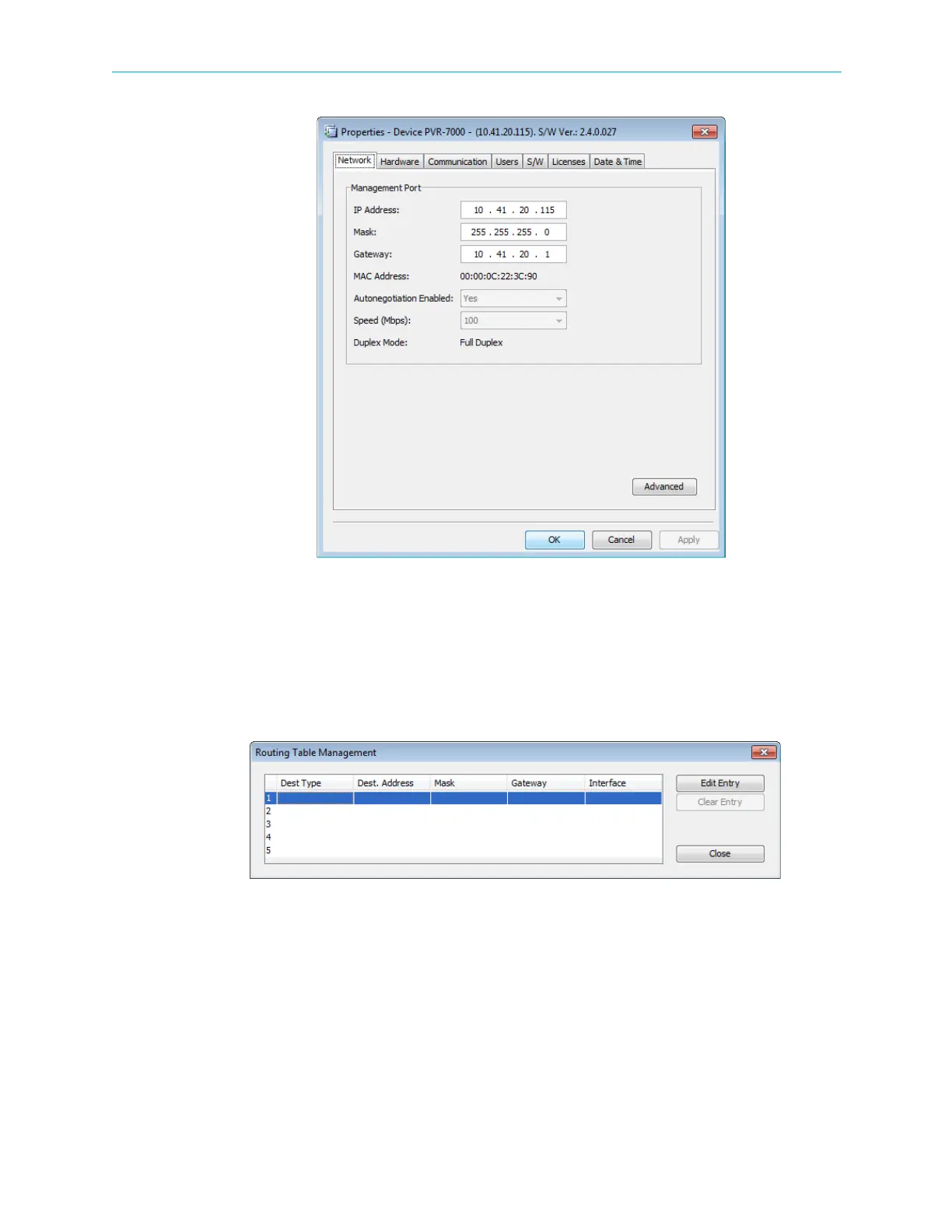
Figure 4–13: Device properties dialog – Network tab
Routing Table Management
Use the Routing Table Management dialog to manage up to five routing destinations for GbE
mode In when the sender is on a different network.
To display the Routing Table Management dialog:
❖ Click Advanced on the Network tab of the device properties dialog.



 To Next Page