Chapter 4 Element Management System (EMS) Device Explorer
© 2011 Harmonic Inc. 69 ProView 7000 v.2.4, Rev. A
4.4.2 Multiplex Input Box
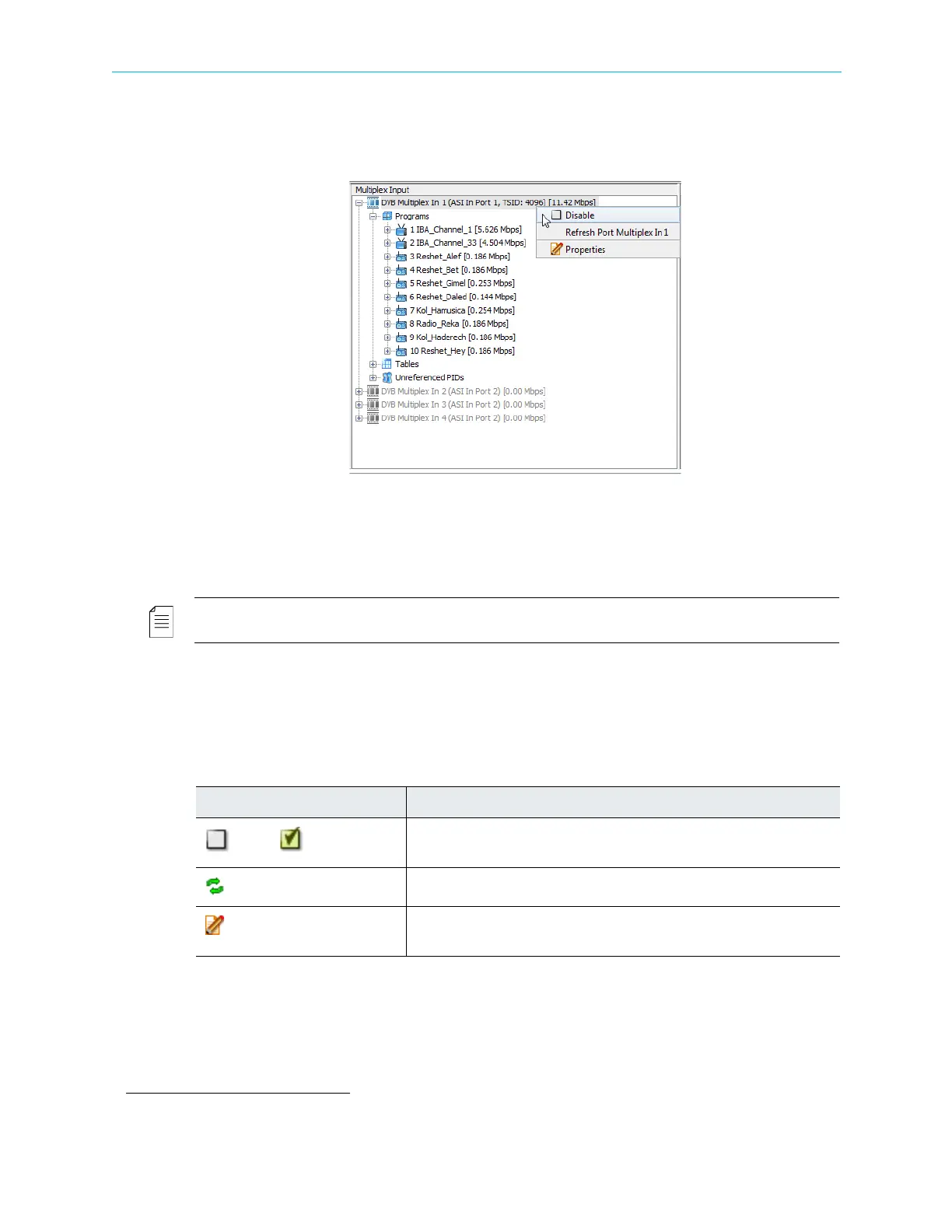
The Multiplex Input box of the Device Explorer tab presents a hierarchical tree-structure of
the multiplex inputs of the ProView
7000.
It provides monitoring and configuring options for the features of each element in the tree:
■ Input programs and elementary streams related to the multiplex input.
■ Input tables related to the multiplex input.
■ Unreferenced PIDs related to the multiplex input.
NOTE: The Multiplex Input tree displays the transport rate level (in Mbps), summed at the tree highest
level.
The ProView 7000 supports up to four multiplex inputs.
1
Right-click the Multiplex Input icon to display a context menu which features the following
options:
1. A license is required for more than one multiplex input.
Table 4–10: Multiplex Input Icon Context Menu
Command Description
Disable/ Enable
A dynamic command, changing according to the multiplex input
operational status.
Refresh
Updates the selected element.
Properties
Displays the properties dialog for the marked element. For details, see
4.5.3 Input Multiplex Properties.



 To Next Page