Chapter 4 Element Management System (EMS) Cross Connections
© 2011 Harmonic Inc. 134 ProView 7000 v.2.4, Rev. A
3. Click Create to create the program cross-connect.
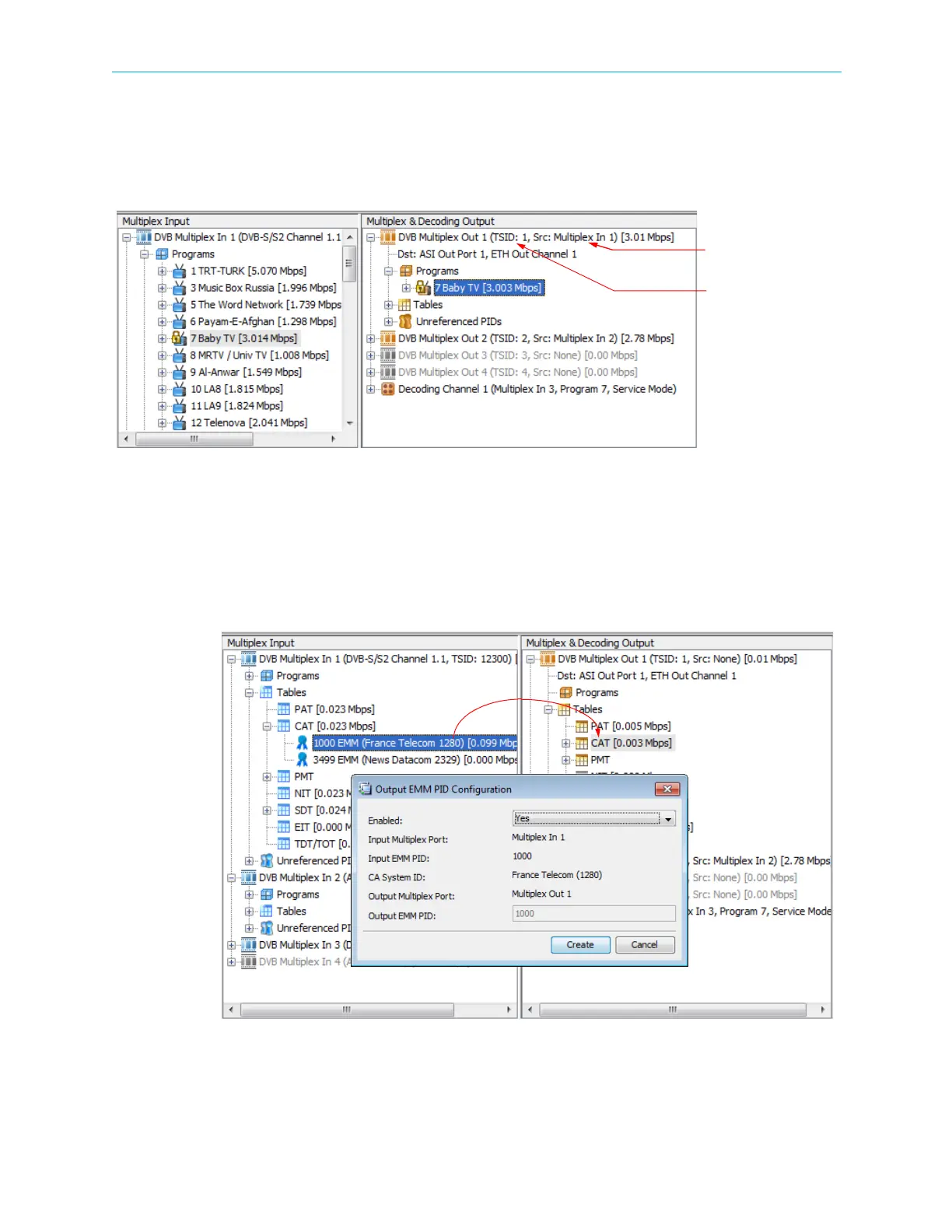
The program name displays under Programs in the Multiplex & Decoding Output box. The TS
identity and source multiplex numbers display after the output multiplex name. See
Figure 4–49.
Figure 4–49: Dynamic Program Cross Connection
4.6.1.3 CAT EMM Cross Connection
To create a new CAT EMM cross connection:
1. From the Multiplex Input box, drag the icon of the required EMM and drop it into the CAT
icon in the Multiplex and Decoding Output box.
Figure 4–50: CAT EMM Cross Connect
Source multiplex no.
TS identity no.



 To Next Page