Chapter 3 Configuration and Monitoring The ProView 7000 EMS
© 2011 Harmonic Inc. 25 ProView 7000 v.2.4, Rev. A
3.2.2 Installing EMS
The ProView 7000 EMS is stored in the ProView 7000 for easy installation using a web
browser.
To install the ProView 7000 EMS:
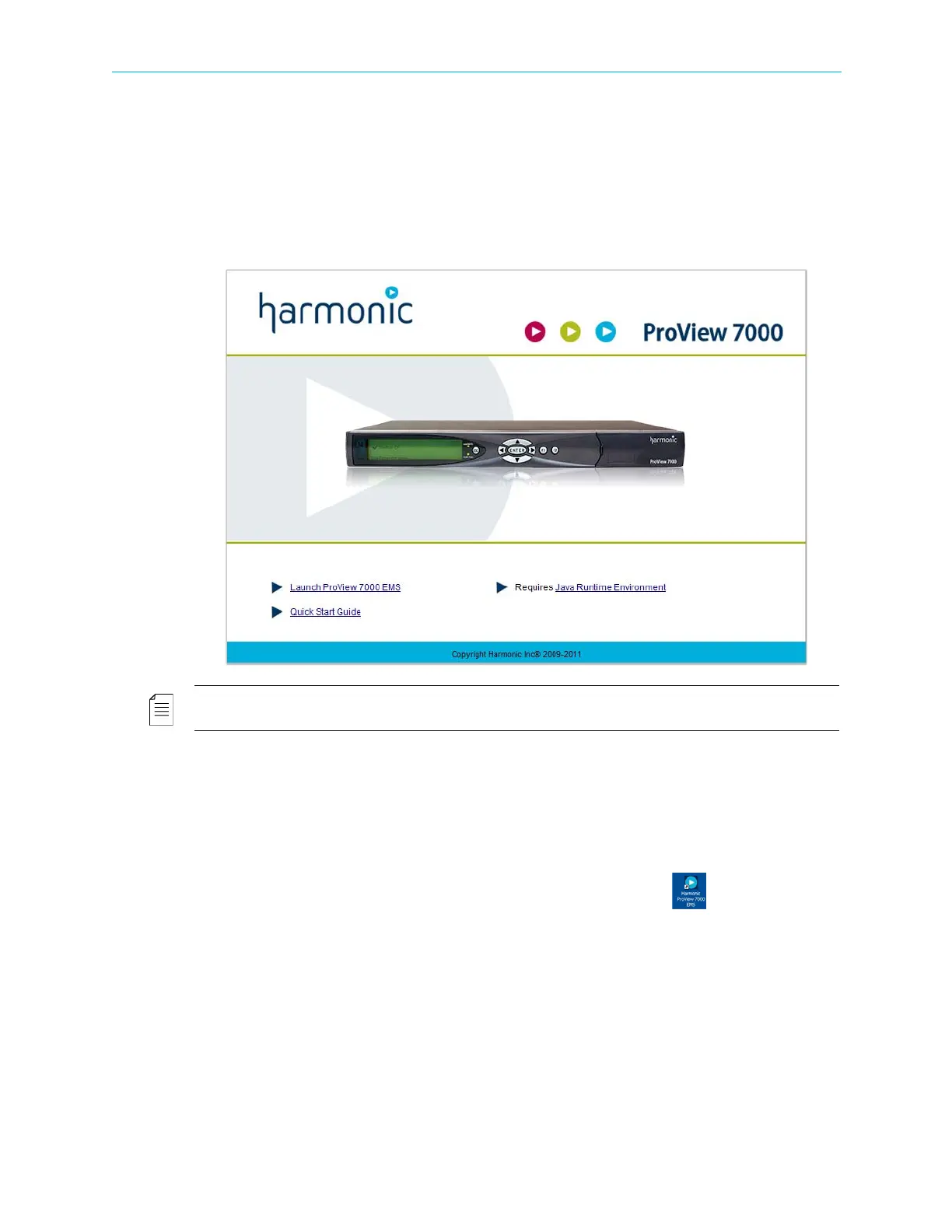
1. Run a web browser and enter the ProView 7000 IP address.
The initial ProView 7000 dialog displays.
NOTE: The EMS application is a Java-based program which requires Java Runtime Environment version
1.6. If needed, install Java Runtime Environment 1.6, using the link provided on the Java Web start page
To check the ProView 7000 EMS Java version:
aRun cmd in Windows.
bEnter
Java -version and press Enter to check which version is currently on your
station. Update if necessary from the Java Web start page.
2. Click
Launch ProView 7000 EMS on the ProView 7000 web page to install the EMS.
The EMS application installs. Shortcuts are added to the desktop and the start
menu.



 To Next Page