© 2011 Harmonic Inc. 144 ProView 7000 v.2.4, Rev. A
Chapter 5
Front Panel Interface
The front panel of the ProView 7000 Integrated Receiver and Stream Processor Platform
provides a managing interface for local monitoring and configuring the operation of the
ProView
7000 unit. This chapter describes the operation and capabilities of managing the
ProView
7000 unit through the front panel interface.
The sections are:
■ ProView 7000 Front Panel Operation
■ Front Panel Root Menu
5.1 ProView 7000 Front Panel Operation
5.1.1 Main Elements and Structure
The ProView 7000 front panel displays information regarding the input streams and output
streams and to perform basic tasks.
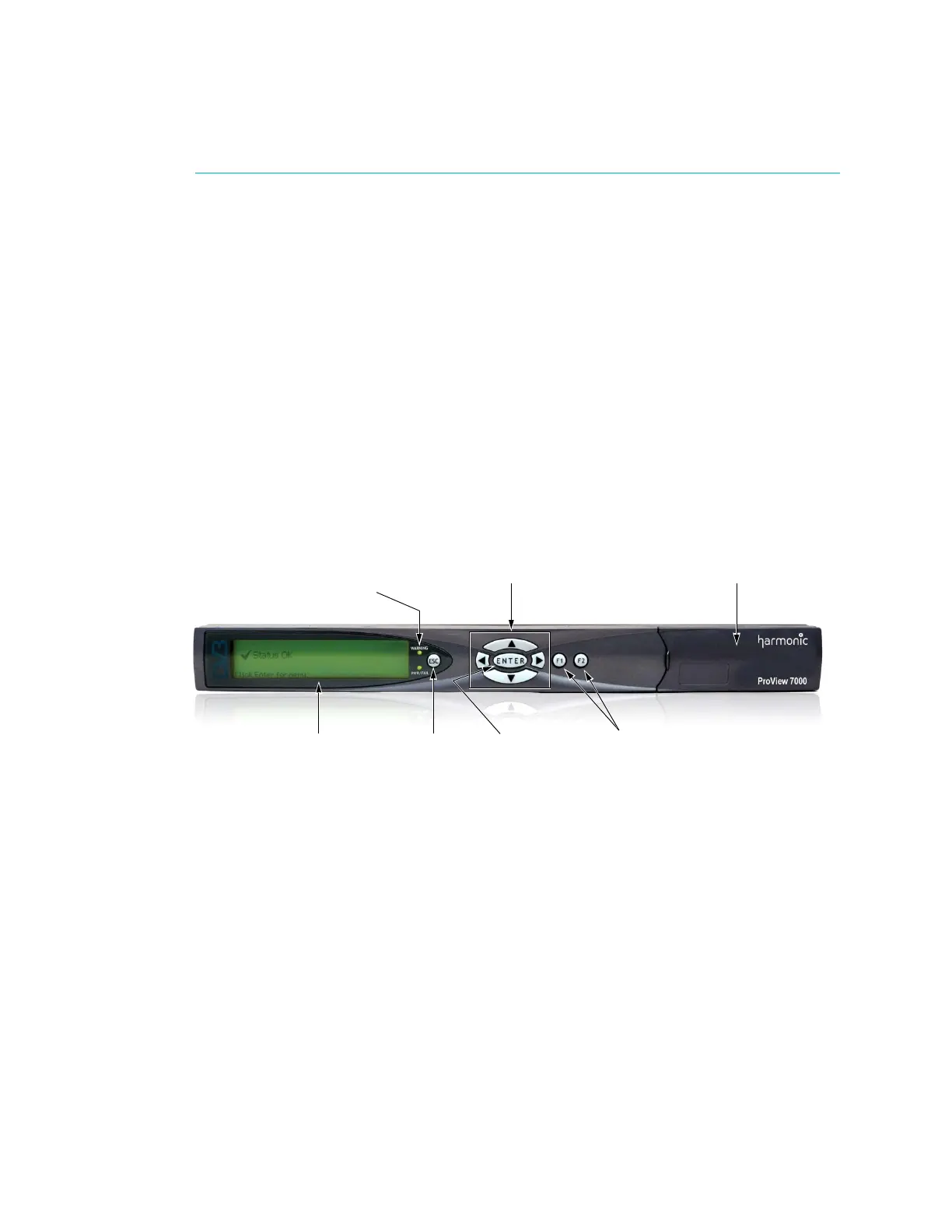
Figure 5–1 illustrates the ProView 7000 front panel.
Figure 5–1: ProView 7000 front panel
The ProView 7000 front panel contains the following display and control elements:
■ Large LCD display – The large LCD display provides enhanced menus with graphical
interface such as charts, radio buttons, tables and icons.
■ Warning and Pwr/Fail indicators – LED status indicators.
■ Arrow keys – The four direction arrow keys are used to navigate amongst the different
menu items and sub-menus and edit the parameters displayed on the menus.
The
Enter and the Esc keys are used to approve/escape the selections and set-ups.
■ Function Keys – The F1 key lists the decoder services and the F2 key displays the satellite
status report.
■ A two slot DVB-CI (DVB Common Interface/Smart Card interface) enables using up to two
Conditional Access Modules (CAMs) for stream descrambling.
Alpha-Graphic LCD ESC and ENTER
control keys
Function keys
WARNING, PWR/FAIL
LEDs
Four direction
touch-pads
DVB Common Interface/
Smart Card interface



 To Next Page