Chapter 4 Element Management System (EMS) Element Properties Configuration
© 2011 Harmonic Inc. 119 ProView 7000 v.2.4, Rev. A
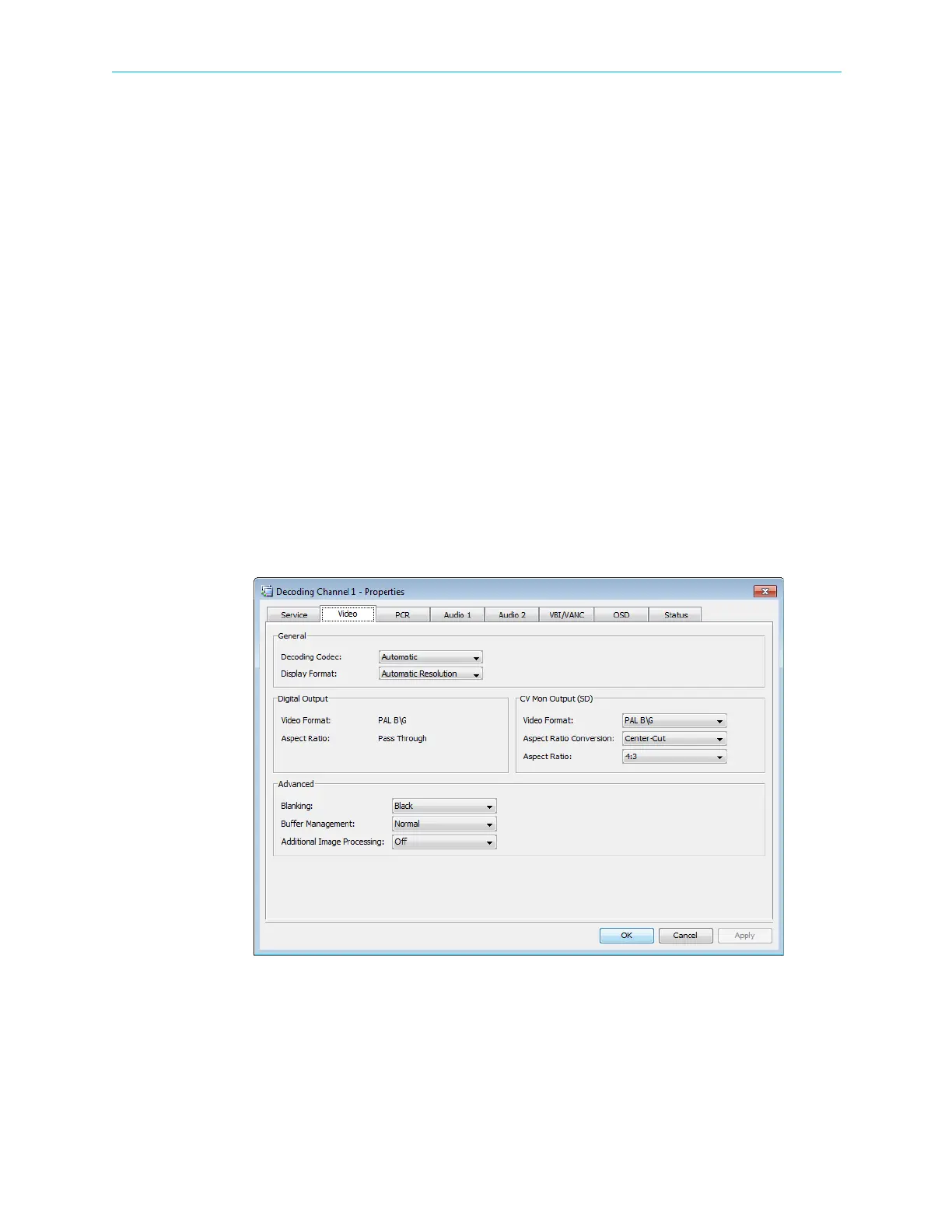
The video output set-up depends on the display format selected:
Standard Definition (SD) Digital and Analog Output parameters:
■ Video Format – selects the video format.
Options:
❑ NTSC
❑ PAL-B/G, -I, -D, -M, -N
❑ French SECAM – The CV monitor output—outputs Russian SECAM as French SECAM.
■ Aspect Ratio Conversion – selects the aspect ratio conversion for the output stream. To be
performed if the incoming stream aspect ratio is not the same as the configured output
aspect ratio.
Options (related to selected aspect ratio):
❑ 4:3 Aspect ratio: Center-cut, Letterbox, Full Screen, AFD
❑ 16:9 Aspect ratio: Pillarbox (Side-bars), Center-cut, Full Screen, AFD
■ Aspect ratio – selects the aspect ratio.
Options:
❑ 4:3
❑ 16:9
❑ Pass Through
Figure 4–38: Decoding Channel Properties – Video tab



 To Next Page