Chapter 4 Element Management System (EMS) ProView 7000 EMS Menu Bar
© 2011 Harmonic Inc. 50 ProView 7000 v.2.4, Rev. A
4.2.5 Window Menu
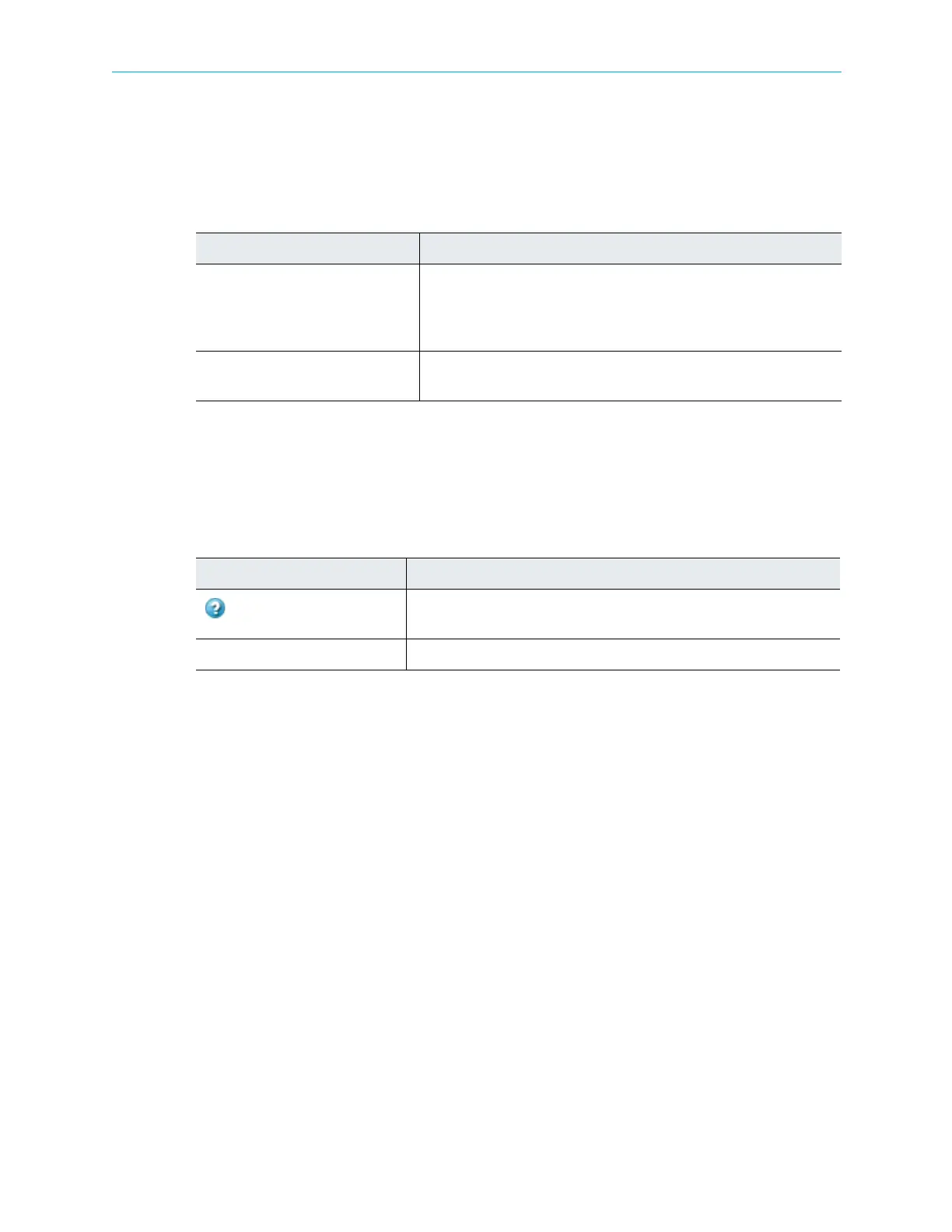
The Window menu allows the user to manage Device Explorer tabs.
The Window menu consists of the following items:
4.2.6 Help Menu
The Help menu provides product version information and online help access.
The Help menu consists of the following items:
Table 4–5: Window Menu Items
Command Description
Close Selected Device Explorer
Window
Allows the user to close the currently-active device explorer tab. The
open device explorer tabs are organized in the main area. The tab of the
currently displayed device is displayed in white, all other tabs are gray
and display in the background.
Close All Device Explorer Windows Allows the user to close all currently-open device explorer tabs with a
single command.
Table 4–6: Help Menu Items
Command Description
Help Contents
Launches the help window, allowing the user to query for help issues
within the help contents.
About ProView 7000 EMS… Displays information about the ProView 7000 EMS version.



 To Next Page