Chapter 4 Element Management System (EMS) Element Properties Configuration
© 2011 Harmonic Inc. 83 ProView 7000 v.2.4, Rev. A
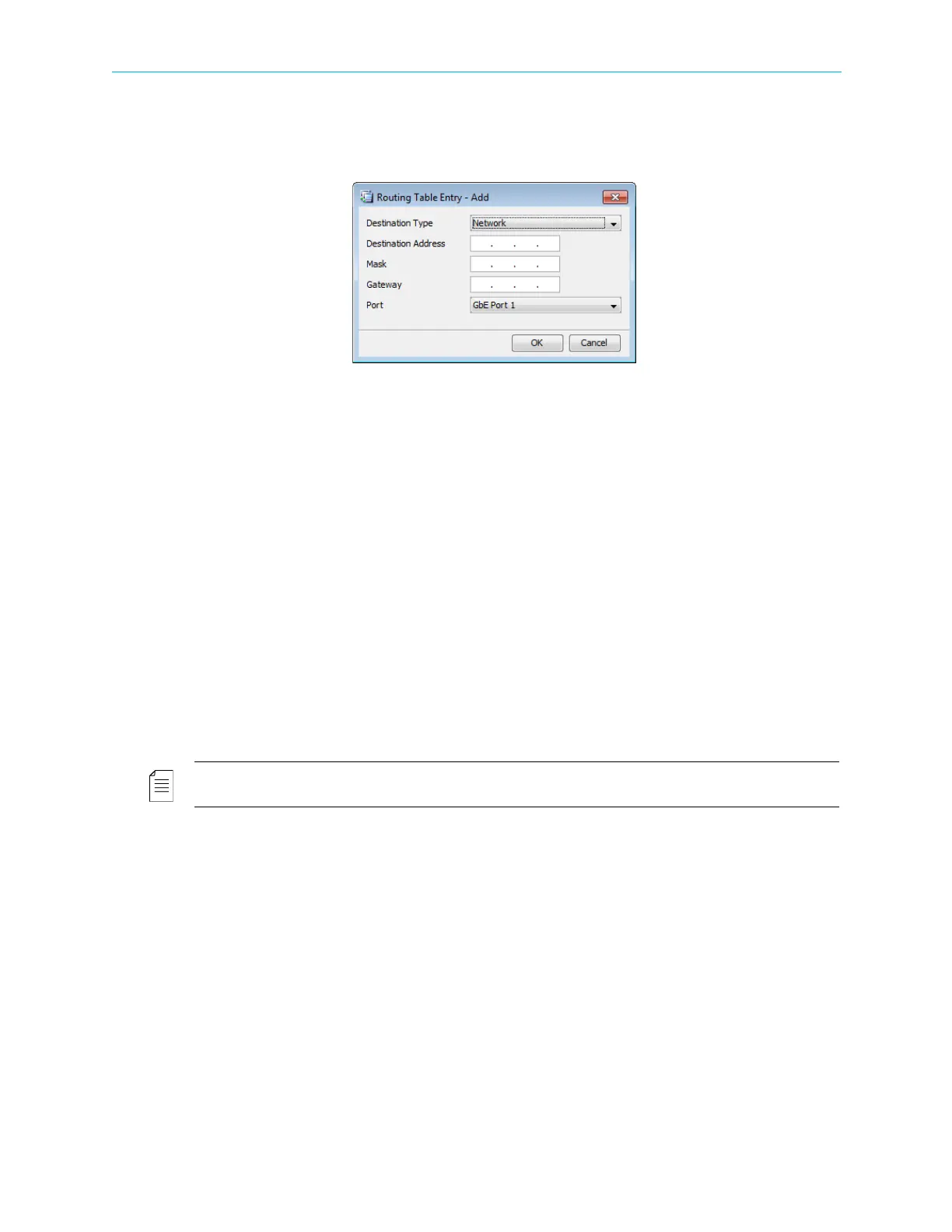
To add or edit a routing entry:
1. Click Edit Entry.
The Routing Table Entry dialog displays.
2. Select the destination type, network or host.
3. Enter the following:
❑ Destination Address
❑ Mask
❑ Gateway – Enter the managing IP address for this device.
4. Select the Port.
5. Click OK.
To clear a routing entry:
1. Select a routing entry.
2. Click Clear Entry.
3. Confirm.
4.5.1.2 Hardware Properties
The Hardware properties tab provides the EMS user the ability to monitor the following
parameters related to the ProView
7000 unit, arranged in the following groups / sub-tabs:
NOTE: Each Hardware Properties sub-tab also displays the highest active alarm level related to the
ProView 7000 device.
Device Box
The Device box displays the device model name.
Hardware Inventory Box
The Hardware Inventory Box contains the following tabs:
■ Platform
■ Main Board
■ Front End
■ Bottom Card
■ Top Card



 To Next Page