Chapter 4 Element Management System (EMS) ProView 7000 Device Management
© 2011 Harmonic Inc. 57 ProView 7000 v.2.4, Rev. A
NOTE: Displaying the Device Explorer tab for a connected ProView 7000 device in the Devices box can
also be done in any one of the following ways:
■ Drag the active ProView 7000 icon from the Device box to any box to the right of the Device box.
■ Select File > Open Device Explorer > [ProView 7000 Name] in the ProView 7000 EMS Menu bar.
■ Select the device icon in the Device box and click Device Explorer in the EMS toolbar.
4.3.3.6 Checking Device Connectivity (Pinging the Device)
The EMS allows performing a connectivity check for a ProView 7000 device (pings the device
for Ethernet connectivity).
To test the device connectivity:
NOTE: Ping connectivity test can be performed on any ProView 7000 device managed by the EMS (i.e.,
listed in the Device Managing window), disregarding its status; connected (full color icon), disconnected
(gray icon) or even a not responding device (red marked icon).
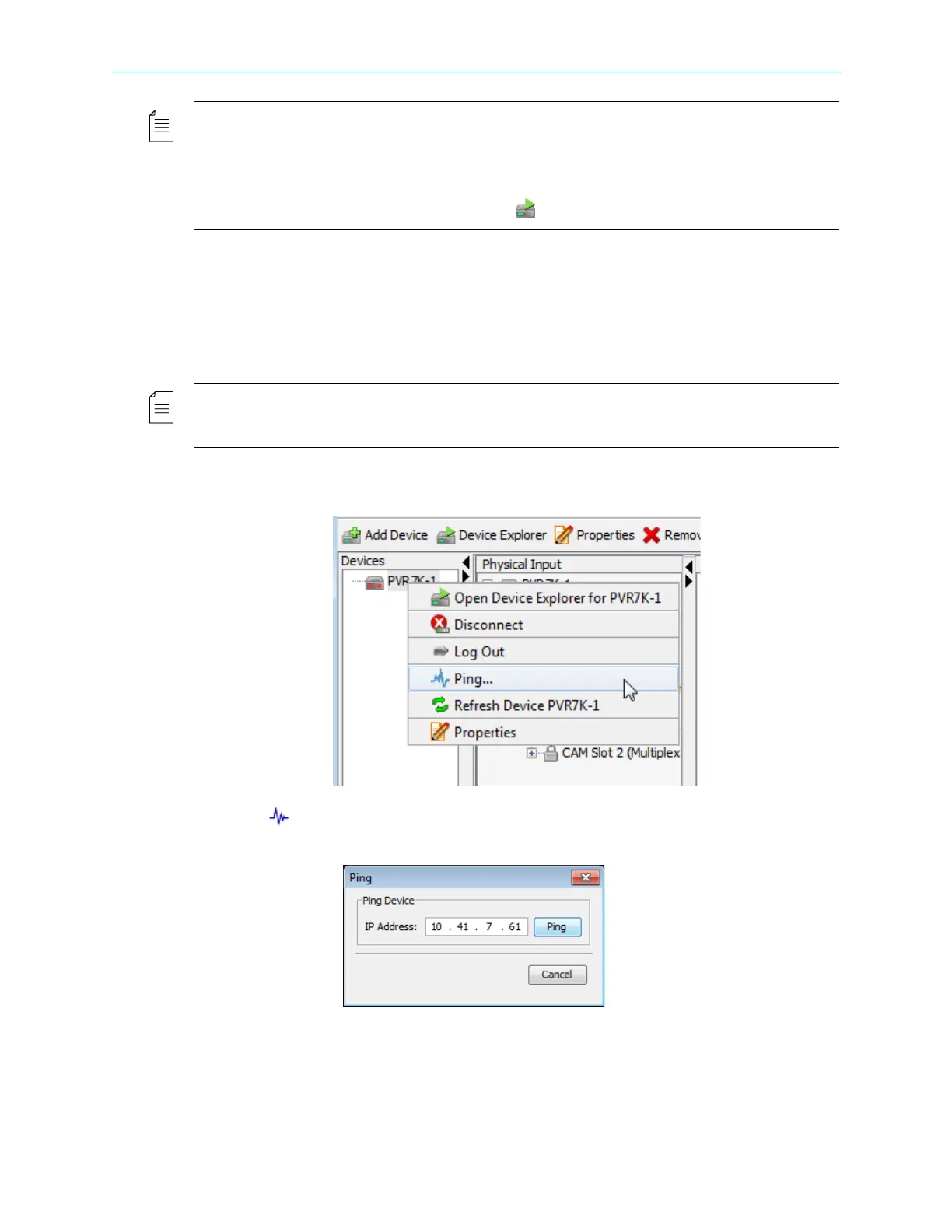
1. Right-click the icon of the ProView 7000 device in the Device box.
A Device context menu displays.
2. Select Ping… in the menu.
The Ping test dialog displays with the IP address of the device.



 To Next Page