Chapter 4 Element Management System (EMS) ProView 7000 Device Management
© 2011 Harmonic Inc. 56 ProView 7000 v.2.4, Rev. A
4.3.3.3 Log-In / Log-Out Control to the Device
A connected ProView 7000 device needs to be logged-in before enabled for EMS
management. The EMS user management is set at two levels:
■ Monitoring level, where the user can view the device parameters and status.
■ Configuring level, where the user is enabled to monitor and configure the device
parameters.
Logging in is password protected. Refer to 4.5.1.4 Device Users Access Properties for setting
up and changing the device access password and to 4.3.3.9 Restoring the Factory/Default
Device Access Passwords for restoring factory passwords. Logging out leaves the device
connected to the EMS, yet disables access to the device.
4.3.3.4 Setting Up/Changing the Device Log-in Password
Setting up or changing the device log-in password is enabled for Configuring level users. For
details on password set-up, refer to
4.5.1.4 Device Users Access Properties.
4.3.3.5 Displaying the Device Explorer Tab
Displaying the Device Explorer tab for an EMS managed ProView 7000 device displays the
collapsible information trees in the four stream information boxes (physical input tree, input
multiplexing tree, output multiplexing and decoding tree and physical output tree) and
populates them with the respective tree top-level interface information (refer to 4.4 Device
Explorer for expanding and using the stream information trees).
NOTE: Opening the Device Explorer tab is only enabled for connected and logged in devices (full color
device icons in the Device box).
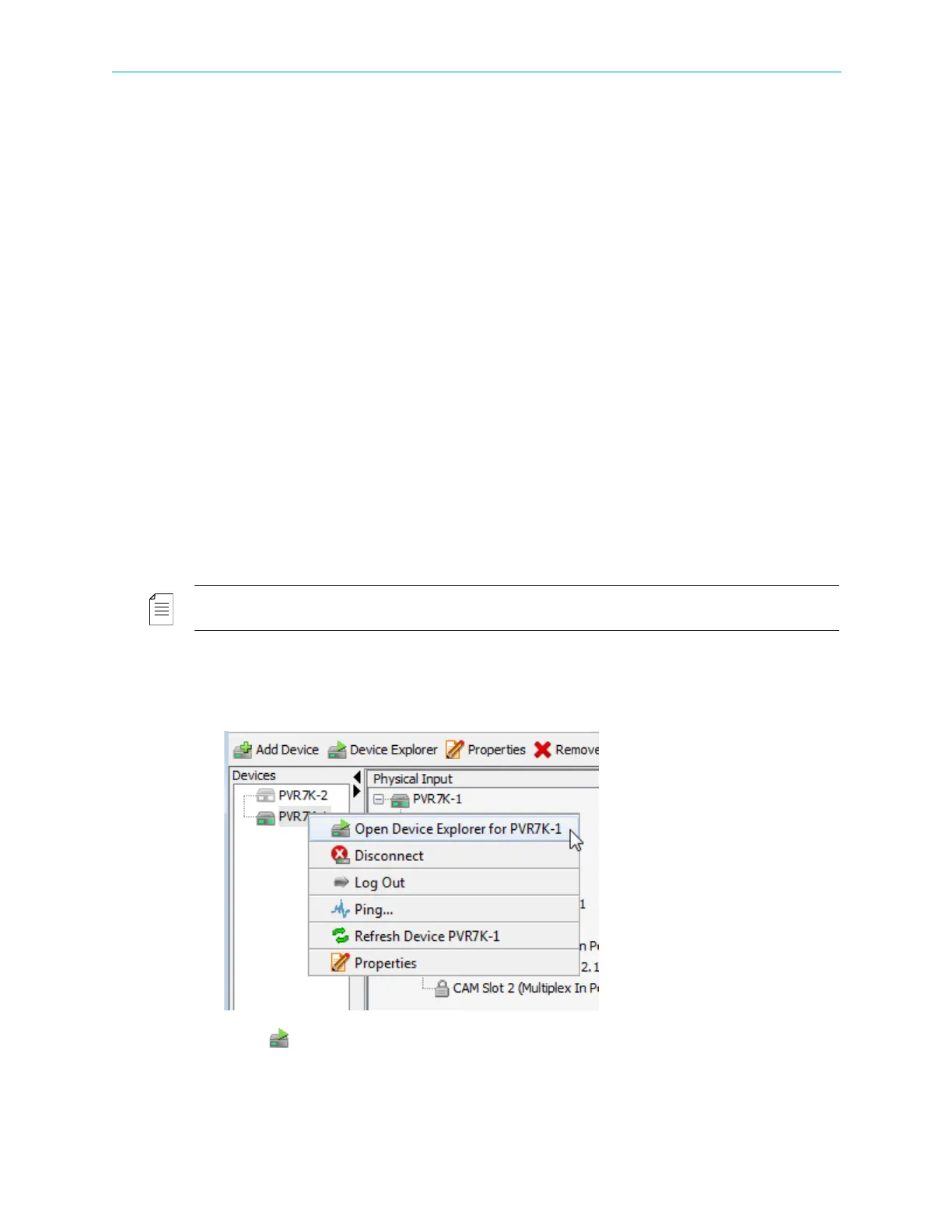
To display the Device Explorer tab for a connected EMS managed ProView 7000 device:
1. Right-click the icon of the ProView 7000 device in the Device Management box.
The Device context menu displays.
2. Select Open Device Explorer for {ProView 7000 Name} in the menu.
The Device Explorer tab for the selected device displays. Refer to 4.4 Device Explorer for
details on using this tab to monitor and control the stream operation.



 To Next Page