Chapter 4 Element Management System (EMS) Device Explorer
© 2011 Harmonic Inc. 73 ProView 7000 v.2.4, Rev. A
4.4.3.1 Multiplex Output
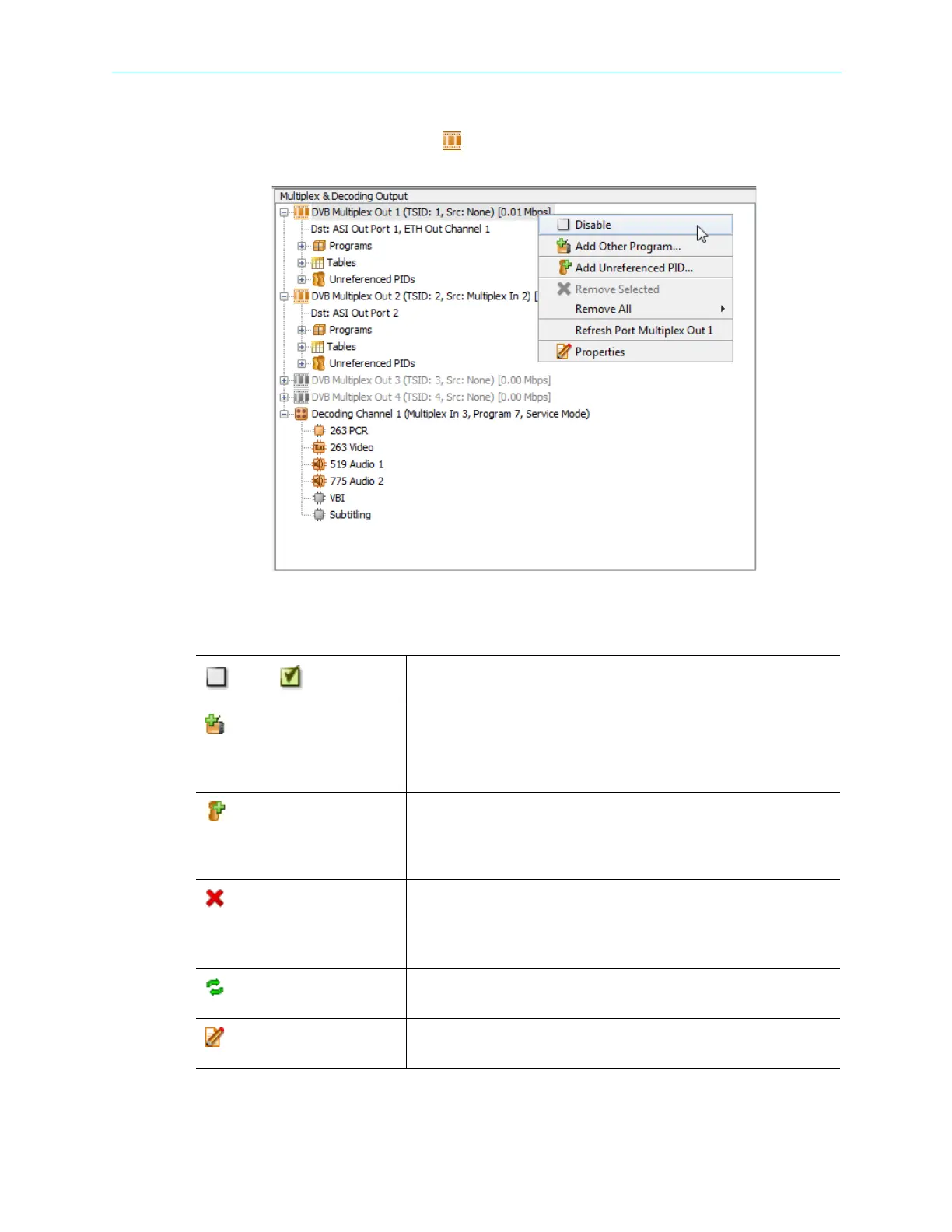
Right-click a Multiplex Output icon ( ) or any of the sub elements to display a context menu
which comprises the following:
Table 4–11: Multiplex Output Context Menu
Disable/ Enable
A dynamic command, changing according to the multiplex output
operational status.
Add Other Program…
Enables adding a program from the multiplex input to the multiplex output
programs.
NOTE: Not available when the device is configured to pass-through the
input stream to the output port.
Add Unreferenced PID…
Enables adding a specific PID from the multiplex input to the multiplex
output unreferenced PIDs.
NOTE: Not available when the device is configured to pass-through the
input stream to the output port.
Remove Selected
Removes the selected element.
Remove All Removes all output programs or all output unreferenced PID from the
multiplex output.
Refresh
Updates the EMS screen. For details, see 4.7 Refreshing the EMS
Screen.
Properties
Displays the marked element properties dialog. For details, see
4.5.4 Multiplex & Decoding Output Properties.



 To Next Page