305
Troubleshooting
1.1.4 Checking by means of the 7-segment display
Simple checking procedure by means of the 7-segment display
1. Turn on the indoor unit connected to the outdoor unit.
2. Turn on the outdoor unit.
3. Auto-addressing starts.
During the auto-addressing, the following items can be checked by means of the 7-segment display of the outdoor unit.
● Disconnection of the power supply to the Indoor Unit.
● Disconnection of the operating line between the outdoor and the indoor units.
●
Normal case:
The 7-segment display of the outdoor unit is not indicated.
●
Abnormal case:
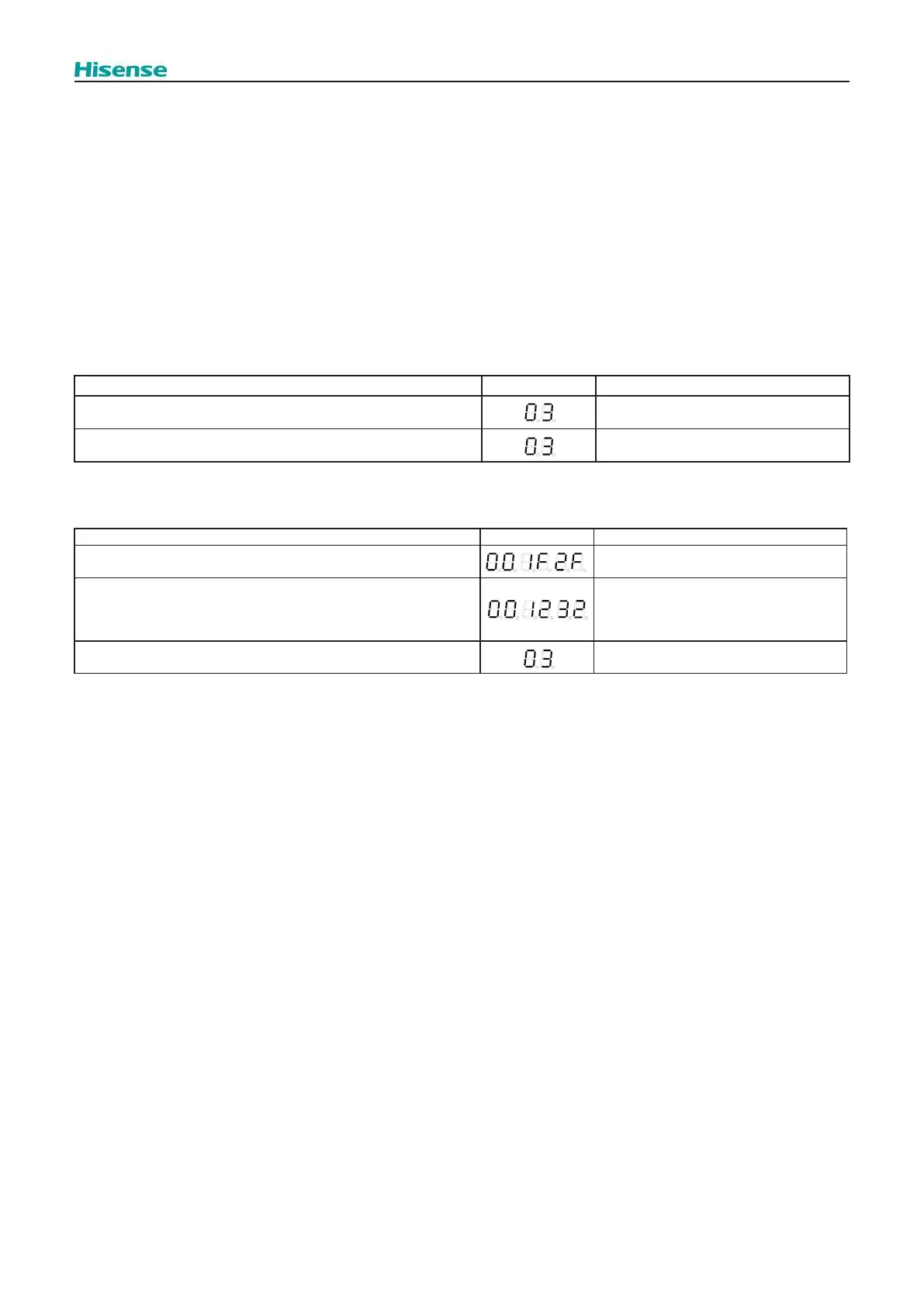
If there is something wrong, the 7-segment display of the outdoor unit displays the following indications:
O.U.
Cause Indication Remarks
A. The indoor unit is not supplied with power. Continues to ash after 30 seconds.
B. Disconnection of the operating line between the outdoor units. Continues to ash after 30 seconds.
I.U.
During the auto-addressing, the following items can be checked by means of the 7-segment display of the indoor unit.
Items Indication Remarks
Transmission between indoor and outdoor unit has been successfully
connected
Enter normal operation display on I.U.
PCB1.
Transmission failure between indoor and outdoor unit
ROM Number of Indoor unit.
Outdoor unit power o or disconnection of
the operating line between the outdoor and
the indoor units.
Transmission failure between indoor and outdoor unit and Switch ON
any functions on master controller
Continues to ash after 40 seconds.



 To Next Page