443
Hi-Therma Monobloc System (AHZ-044/080HCDS1)
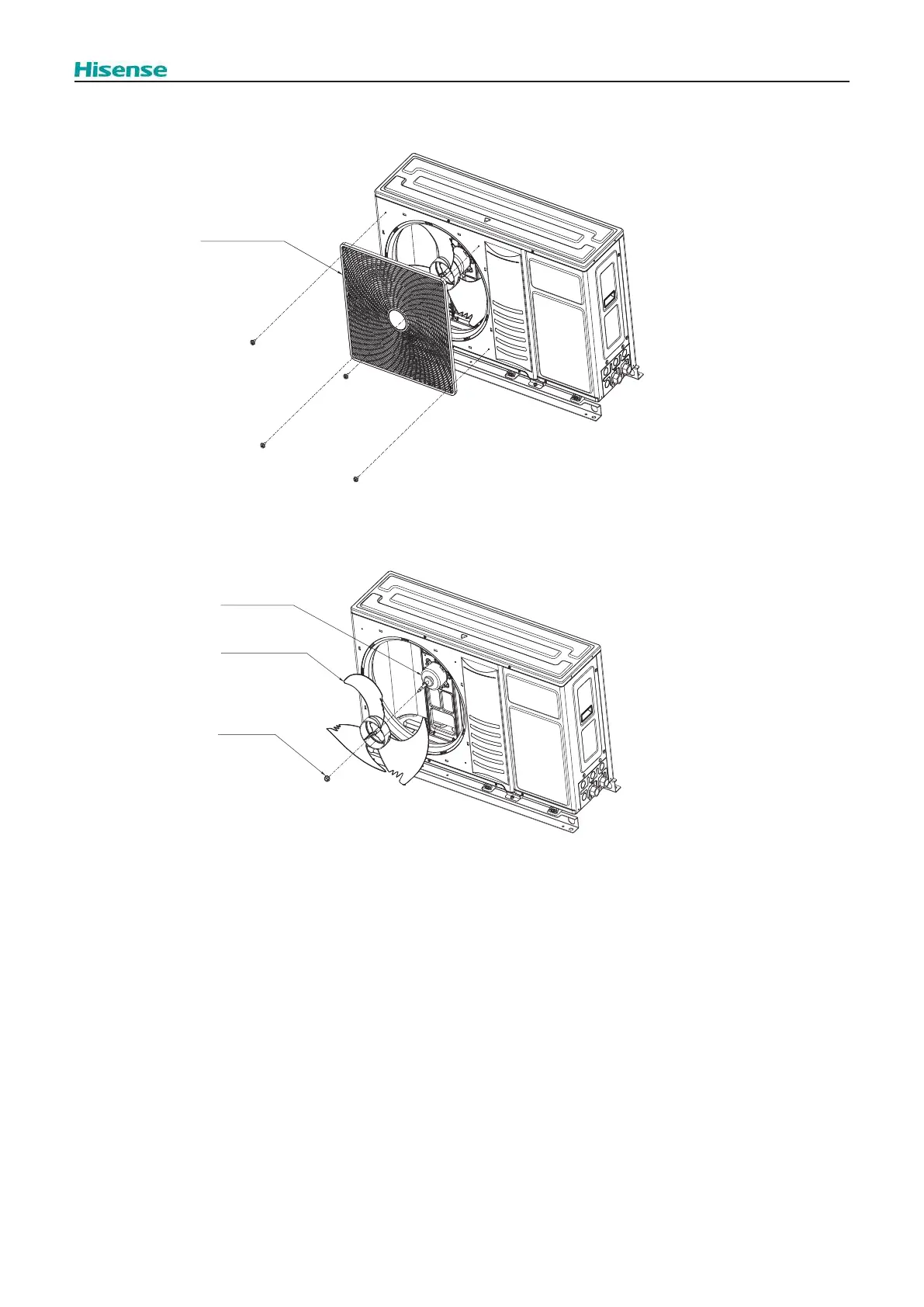
2.4.2 Removing the Fan Grille
1.
2. Pull the fan grille backwards and remove it.
Fan grille
2.4.3 Removing the Propeller Fan
1. Remove the Fan grille, as explained in “2.3.2 Removing the Fan grille”.
2.
3. Pull the propeller fan backwards and remove it.
Fan motor
Propeller Fan
Cap nut
2.4.4 Removing the Fan Motor
Remove the Upper cover, as explained in “2.3.1.1 Removing the Upper cover”
Remove the service cover, as explained in “2.3.1.2 Removing the Service cover”
Remove the electrical box cover, as explained in “2.3.1.3 Removing the electrical box cover”
Remove the front cover, as explained in “2.3.1.4 Removing the Front cover”
Remove the propeller fan, as explained in “2.3.3 Removing the Propeller fan”
Then,
1. Disconnect the CN14 connector from the O.U. main PCB.
2.
3.
4. Remove the fan motor.
? NOTE
Be sure to place the lead wire outlet downward when assembling the motor.
Fix the motor lead wire onto the motor clamp using a cord band as before to avoid obstructing the propeller fan.
Connect the motor lead wire to O.U. main PCB. (Insert into the connector (CN14) on the O.U. main PCB).



 To Next Page