402
Hi-Therma Split system - Outdoor unit (AHW-044/060/080HCDS1)
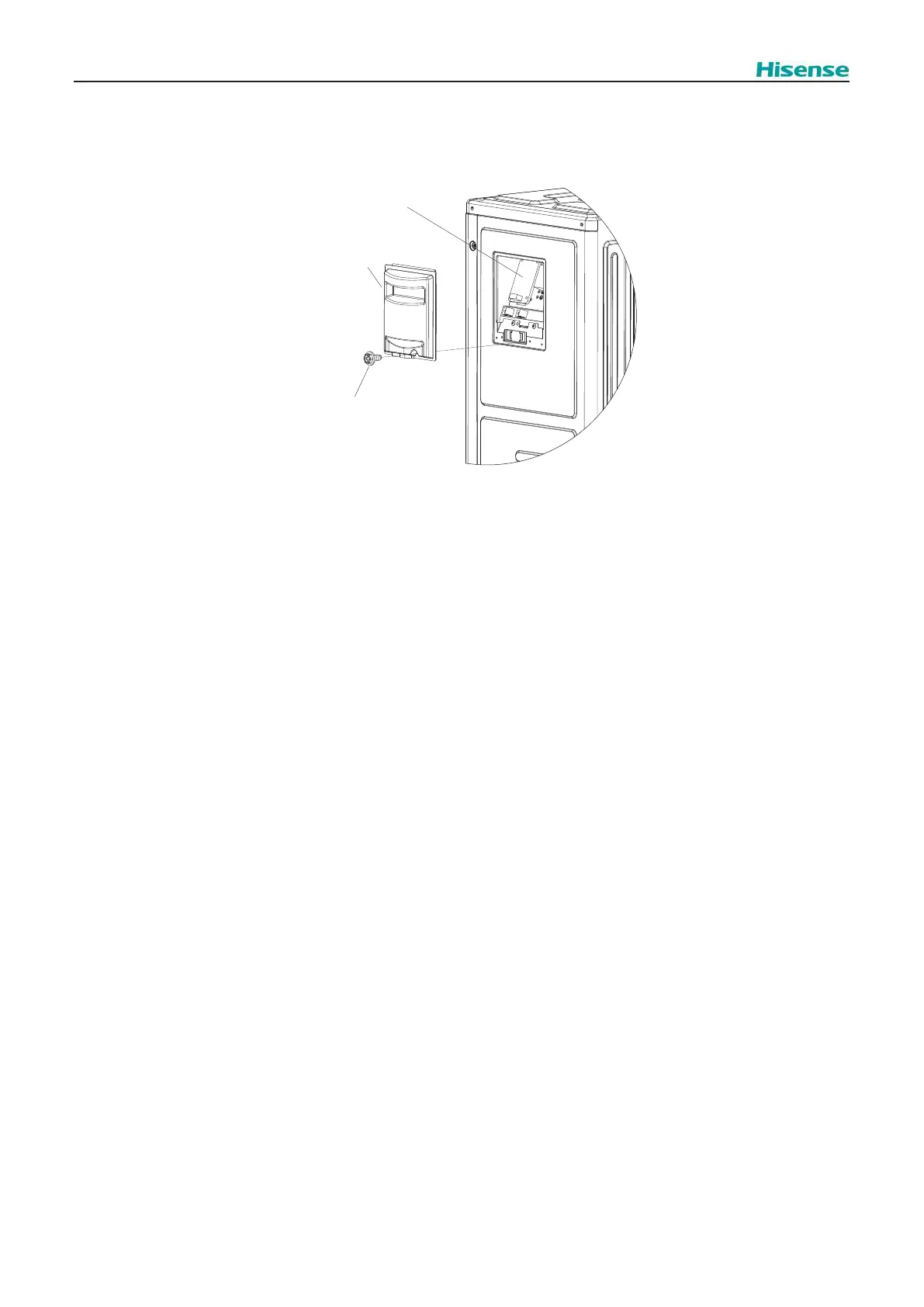
2.1.11 Removing Display PCB
1.
2. Disconnect all the wiring connected to the O.U. display PCB.
3. Hold the upper part of 4 holders with long nose pliers and remove the O.U.display PCB.
? NOTE
DO NOT touch electrical components on the O.U. display PCB. Pay attention not to bend or apply much force onto O.U. display PCB in
order to avoid O.U. display PCB failure.
To connect wiring at reassembling ensure that the terminal numbers and wiring mark band codes are matched. Incorrect wiring may
result in malfunction or damage of electrical components.
Pay attention not to clamp any wiring between plates or electrical components when closing electrical box cover or front cover at
reassembling.
Display PCB
Side electrical
box cover
Screw
Fig.2.14 O.U. display PCB



 To Next Page