322
Troubleshooting
(2) Checking by 7-Segment Display
Only an authorized person can check using this method.
● Before Checking
(1) Turn ON the main power supply. Wait for more than 20 seconds to start checking.
(2) Checking Items
* Parameters of I.U.
* Operation Status
* Conguration of Inputs and Outputs, and Operation Status
(3) Check the locations of 7-segment and push switches.
(4) High voltage is applied to the I.U. PCB1 and electrical parts. Never touch electrical parts and wires without appropriate
personal protective equipment (PPE) when checking.
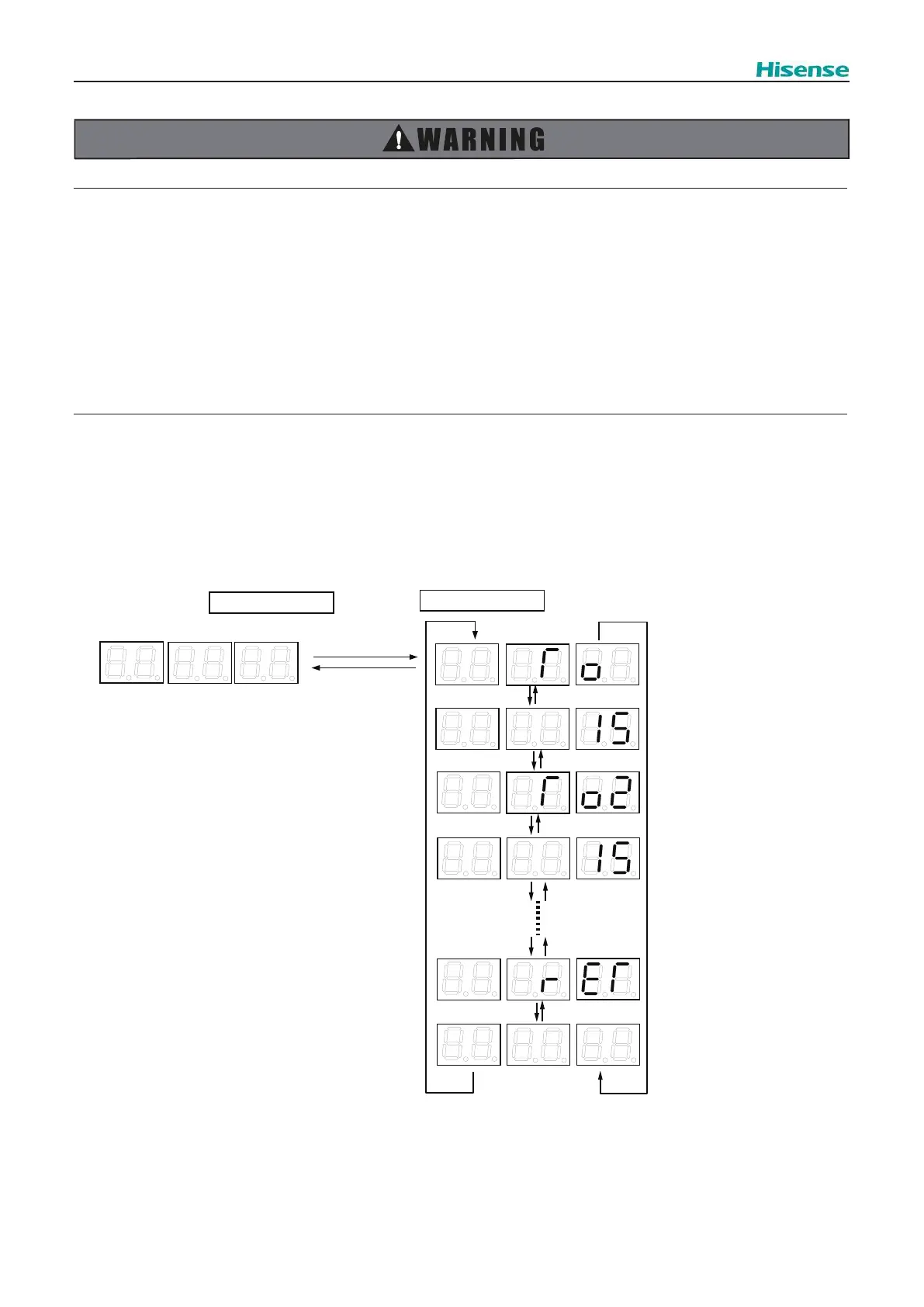
You can check the operating conditions by 7-segment display (SEG1,2,3,4,5,6) on the indoor unit PCB and push switches
(PSW).
To start the checking mode: Press PSW2 for 3 seconds
To move the checking item forward: Press PSW2
To move the checking item backward: Press PSW1
To cancel the checking mode: Press PSW2 for 3 seconds
Normal Mode
Checking Mode
PSW2 for 3sec.
PSW2 for 3sec.
• • • Index of Check Item No.1
• • • Information of Check Item
No.1
• • • Index of Check Item No.2
• • • Information of Check Item
No.2
• • • Index of Last Chack Item
• • • Information of Last Check
Item
PSW2
PSW2
PSW2
PSW2
PSW2
PSW2
PSW2
PSW1
PSW1
PSW1
PSW1
PSW1
PSW1
PSW1



 To Next Page