Chapter 5: Console Operation
Smart Faders (SFADs): Configuration
Eclipse User Guide 2.0 151/ 526
Configuration
To use Smart Faders, they must be configured on your surface.
This is a two stage procedure:
• Define the SZONE – from the Personal Console
Builder. For ease of operation, the Smart Fader zone
must use contiguous Fader, or Smart Panel, strips. Only
one zone is allowed but it can use any number of strips.
• Patch the Smart Fader Inputs – from the PATCH
INPUT display. For each SVCA you can create the slave
channels you need by patching sources across the
SZONE. Slave channels can appear at any position
within the SZONE.
In this section we will deal with the operation of Smart Faders. If
you don’t have any Smart Fader inputs on your console, then
please see Page 223 for details on how to configure a Smart
Fader zone (from the Personal Console Builder), and Page
242 to patch Smart Fader inputs (from the PATCH INPUT grid).
Identifying Smart Faders
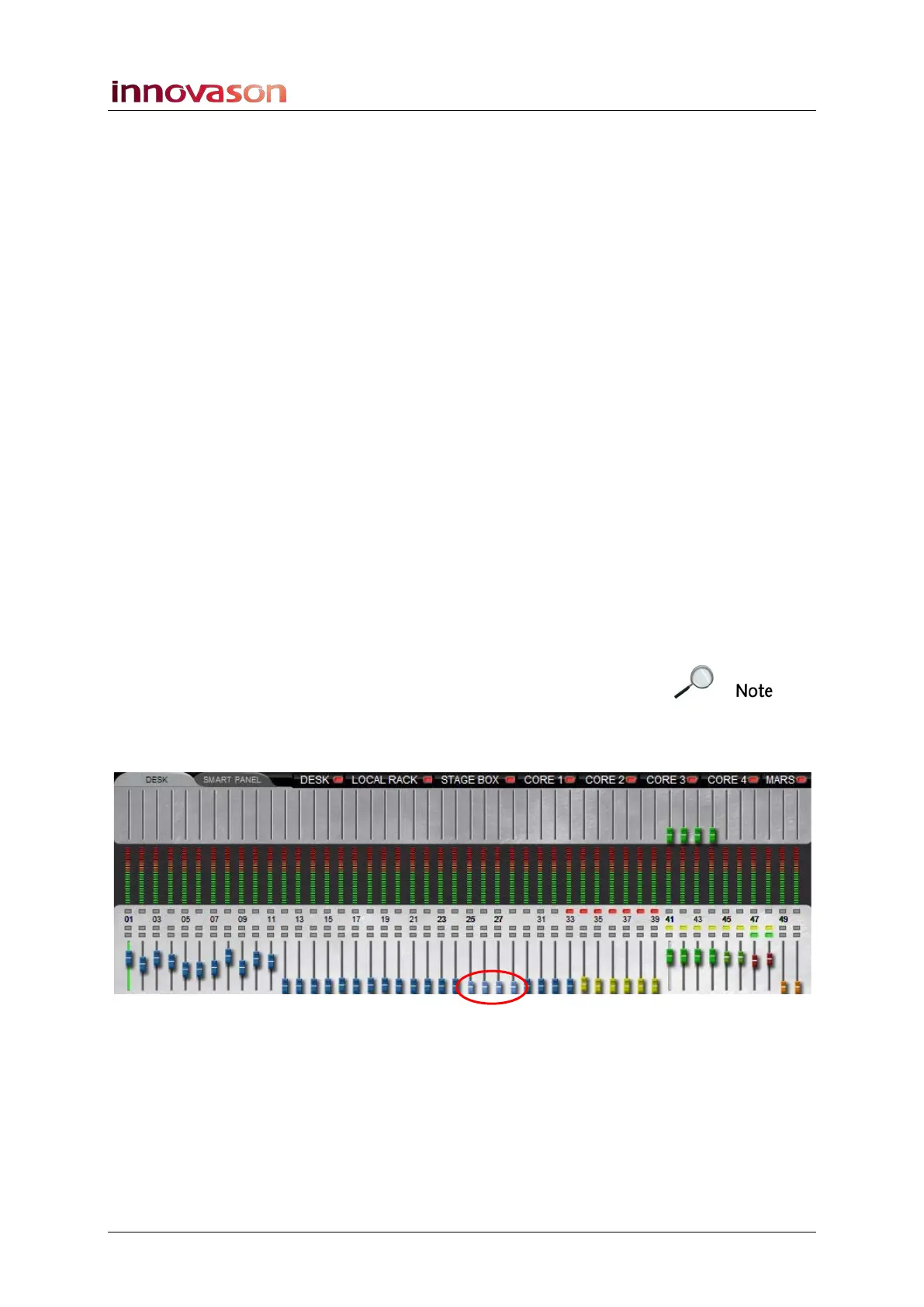
You can interrogate whether your console has a Smart Fader
zone (SZONE) from the ID colours used on the Fader Strips,
Smart Panel and/or Main Mix display.
Note that for ease of operation, the Smart Fader zone must use
contiguous Fader, or Smart Panel, strips and only one zone is
allowed.
The Smart Fader slaves (SZONE) are shown with a light blue
ID – in our example, Faders 25 to 28:



 To Next Page