Chapter 5: Console Operation
Output Channels: UM8 Processed Outputs
178/ 526 2.0 Eclipse User Guide
Controlling UM8 Processing
1. Select the output channel (mix bus) you want to process
(press SEL on the fader or Smart Panel controller).
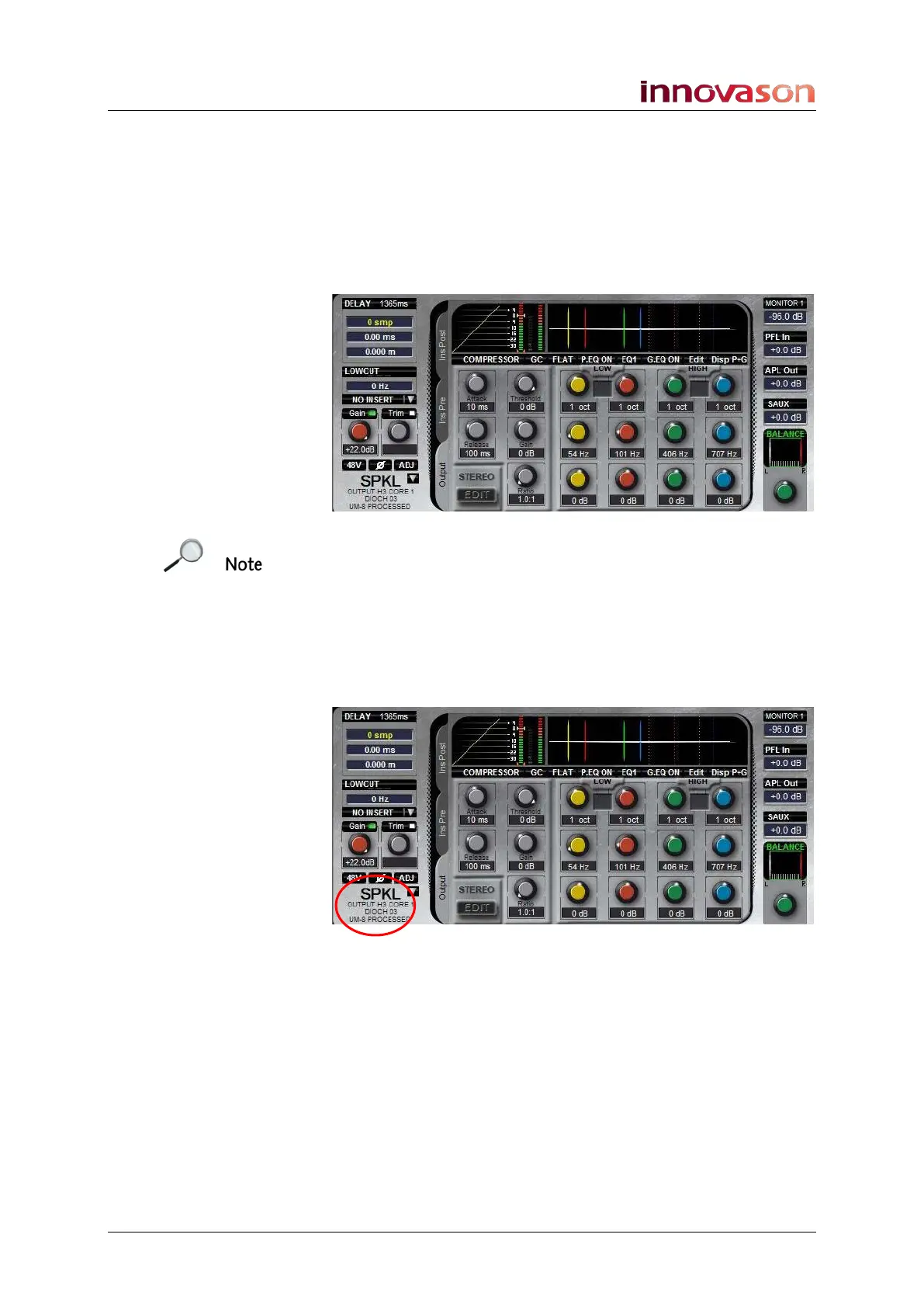
2. Then click on the Output tab on the Main Mix display:
The Selected Channel controls (DYNAMIC, PARAM EQ, etc.)
update to show and control the output processing:
Note that you can only access output processing if the mix bus
is patched to a UM8 output. If there is no patch, then the display
shows No Patch.
If the mix bus is patched to multiple outputs:
3. Press the SEL button to cycle through each output.
Use the output Label, alias and system description to make
sure you are controlling the desired output:
If your output channel is a stereo LR or LRC bus, then use the
STEREO EDIT button to access the Left, Right or Centre
component channels, see Page 189 for details.



 To Next Page