Chapter 6: Console Configuration
The Patch Output Display
Eclipse User Guide 2.0 251/ 526
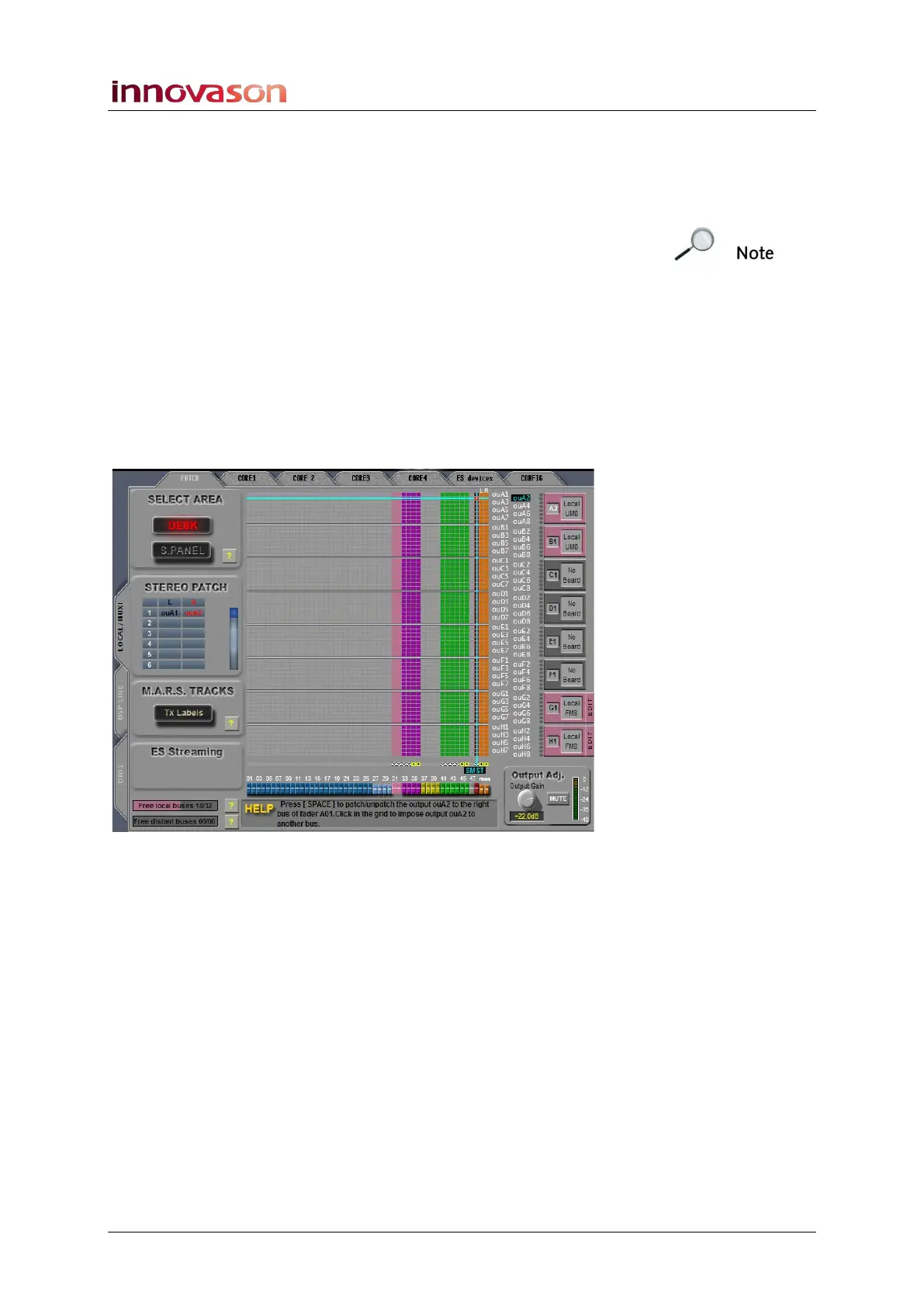
Stereo Output Patching
If the output channel (mix bus) is stereo, then you will need to
patch the individual components (left, right and centre).
Note that you can only patch the centre channel if the bus is
configured for LRC (see Page 225).
1. Repeat steps 1 to 6 from the previous section to patch
the left output.
A black triangle indicates that this is a left patch point.
2. With the same fader selected, position the cursor to
select the destination for the right output.
3. Press the [SPACE bar] on the console keyboard, or
right-click, to make the patch.
A red triangle indicates the right patch point:
4. If the output channel (mix bus) is LRC, then repeat the
process to patch the centre channel.
A green triangle indicates the centre patch point.
5. To remove an existing patch, select the crosspoint and
press the [SPACE bar] or right-click again.
The patch is removed; the triangle disappears.



 To Next Page