Chapter 8: Utilities & Preferences
Linking
414/ 526 2.0 Eclipse User Guide
Interrogating and Editing Link Groups:
Having configured some link groups, you can interrogate and
edit them from the console as follows:
1. Press down on the LINK rotary control to enter Smart
Link mode.
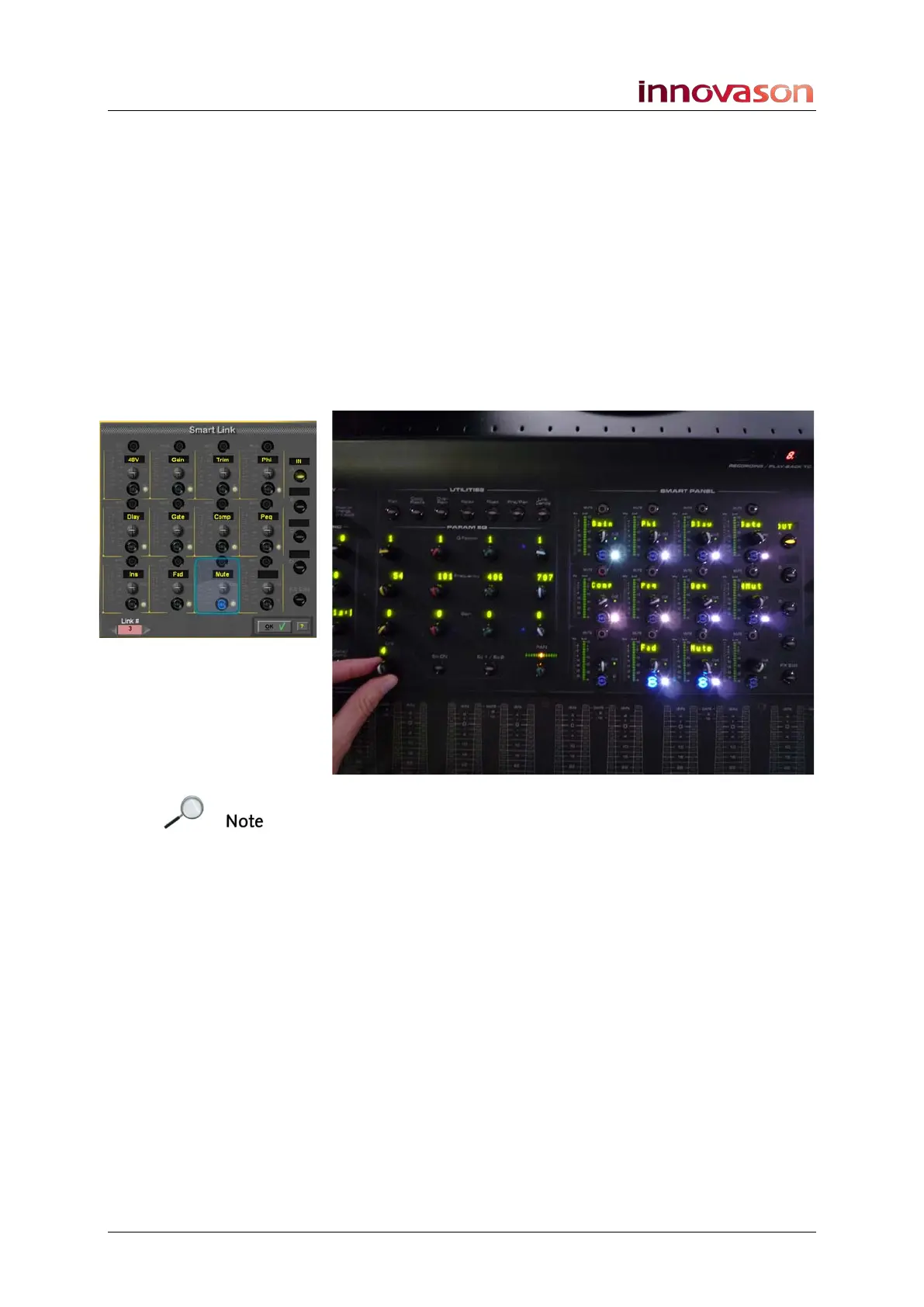
The Smart Link window opens and the Smart Panel on the
console updates to reflect the linking selections.
2. Turn the rotary control to select the link group number.
The console updates; the channel SEL buttons indicate which
channels are linked, and the Smart Link window and Smart
Panel show the linked parameters:
Note that the Link group number at the bottom of the Smart
Link window is pink if the group is used, and white if it is free.
Note also that the Smart Panel shows the type of channel
parameters – IN or OUT in the A Label display.
3. Use the channel SEL and Smart Panel SEL buttons to
edit the link group as before.
You can edit several link groups in one visit if you wish.
4. Press OK or press down on the LINK rotary control to
exit Smart Link mode.
Alternatively, you can view and edit link groups from the LINK
display, see Page 416.



 To Next Page