Chapter 3: Operating Principles
Routing, Sends and the SEL Button
Eclipse User Guide 2.0 77/ 526
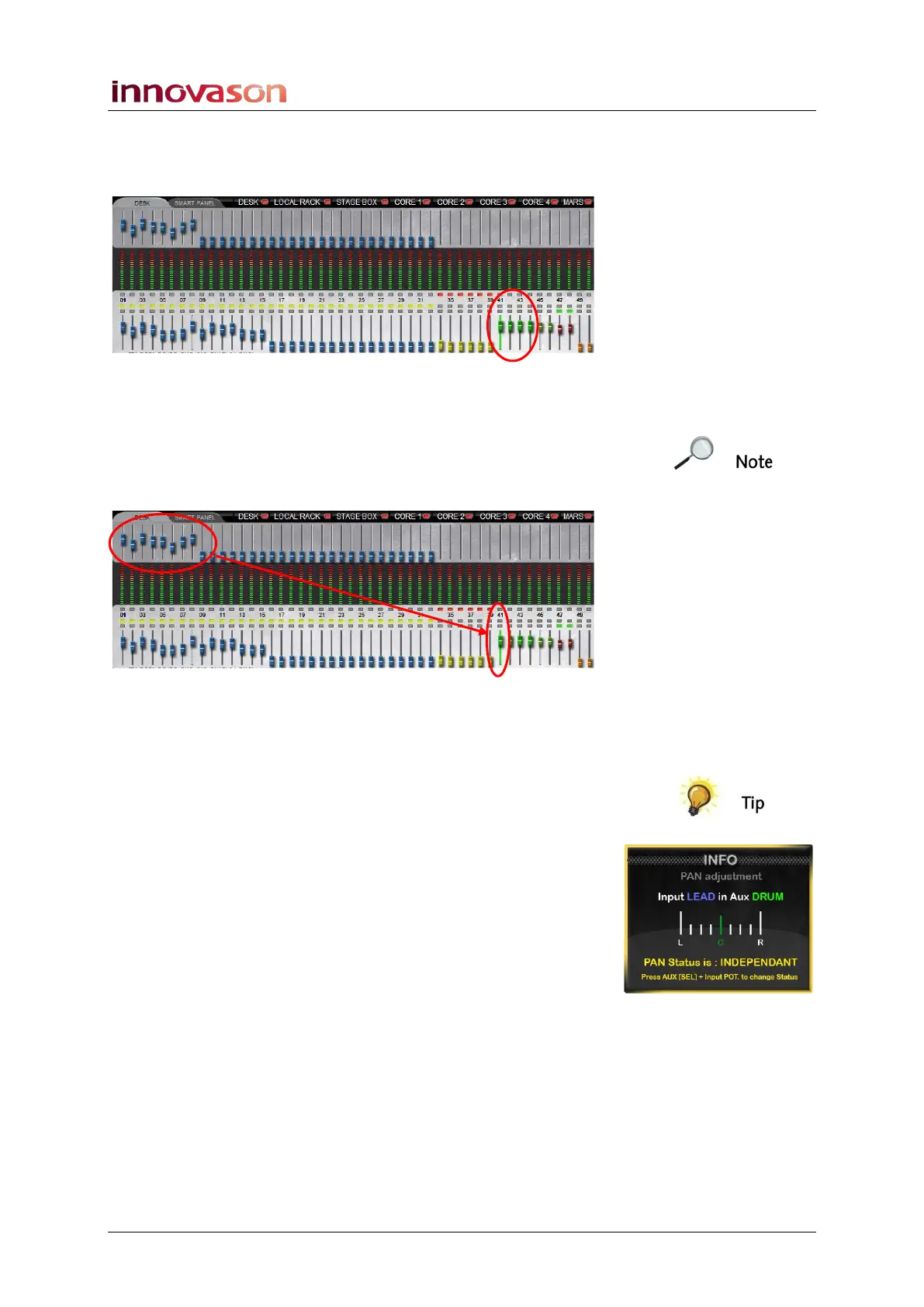
5. Now move any of the Aux faders – you are controlling
the main level of the Aux output (Aux master level).
You can confirm this by looking at the Main Mix display
6. Move some of your input faders – in our example,
Faders 1 to 8.
Rather than controlling the main channel level, these faders are
adjusting the Aux send levels to the selected Aux. You can
confirm this by looking at the upper row of faders on the Main
Mix display:
7. Now press SEL on a different Aux fader.
The input faders jump. This is because they are now controlling
the Aux send levels to a different Aux output.
So to mix Monitors, simply press the SEL button on each Aux
and reach out for your input faders to set the levels sending to
each wedge.
Note that Aux sends can be pre-fader, post-fader or
independent of channel panning. If panning is independent and
you have a stereo Aux selected, then turning the Pan control on
an input channel sets the pan position for the aux send. See
Page 164 for more details.
You can also set a General Preferences option so that when
an input is routed to an Aux, the Aux send is automatically set
to 0dB, see Page 428.



 To Next Page