support.dell.com Dell PowerEdge Systems — Microprocessor Upgrade Guide 1-13
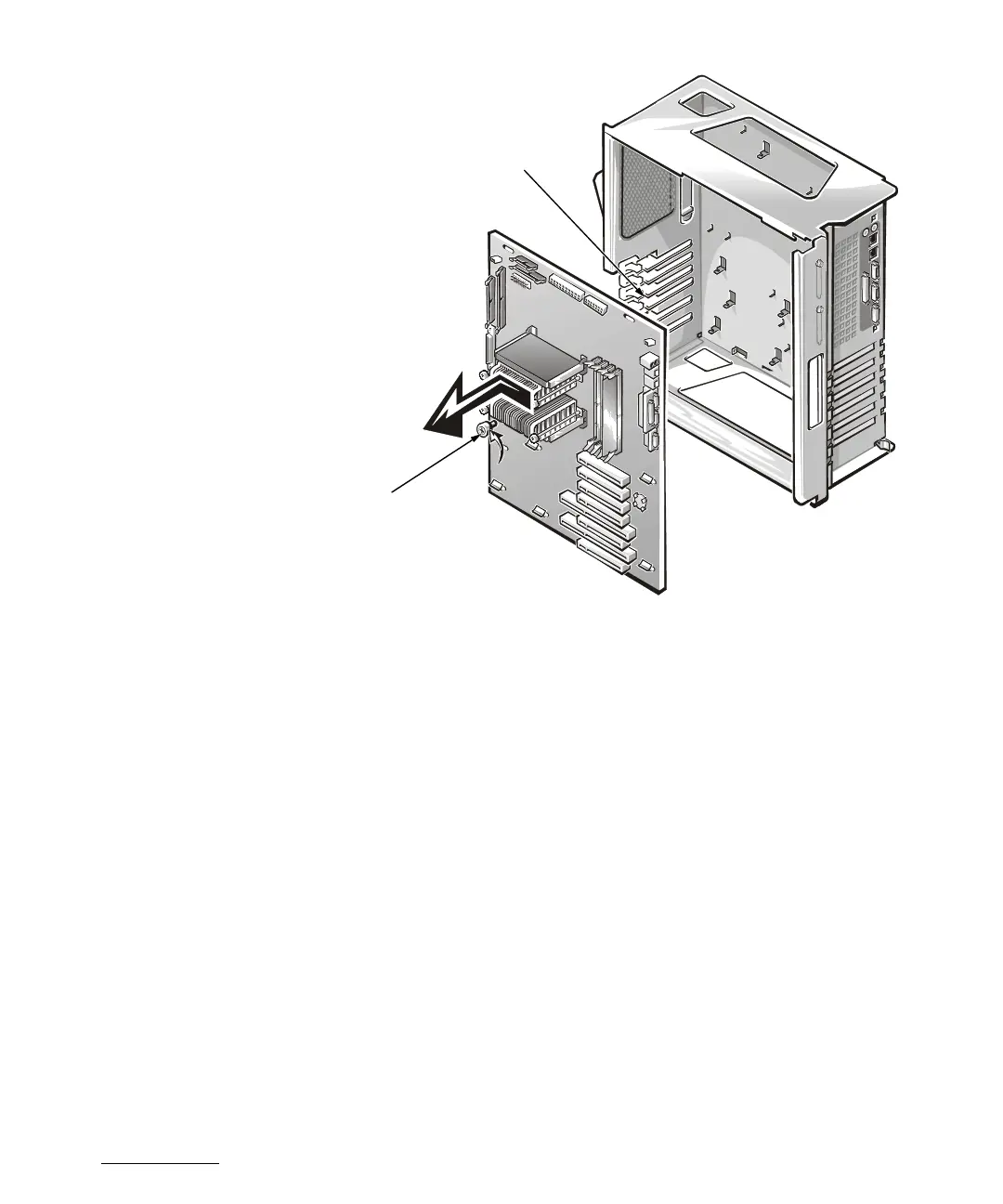
Figure 1-5. Removing the System Board
Installing Upgrade Microprocessors in the
PowerEdge 4350
To upgrade to Pentium II or Pentium III microprocessors in the PowerEdge 4350, per-
form the following steps:
1. Access the system board, which involves the following steps:
a. Disconnecting power and peripheral cables.
b. Removing the covers.
c. Removing the front bezel.
d. Removing the cooling fan shroud.
See your system Installation and Troubleshooting Guide for specific instructions,
if needed.
thumbscrew
inner card-guide
brackets (6)


 To Next Page