3/24/97 2-10 Architectural Overview
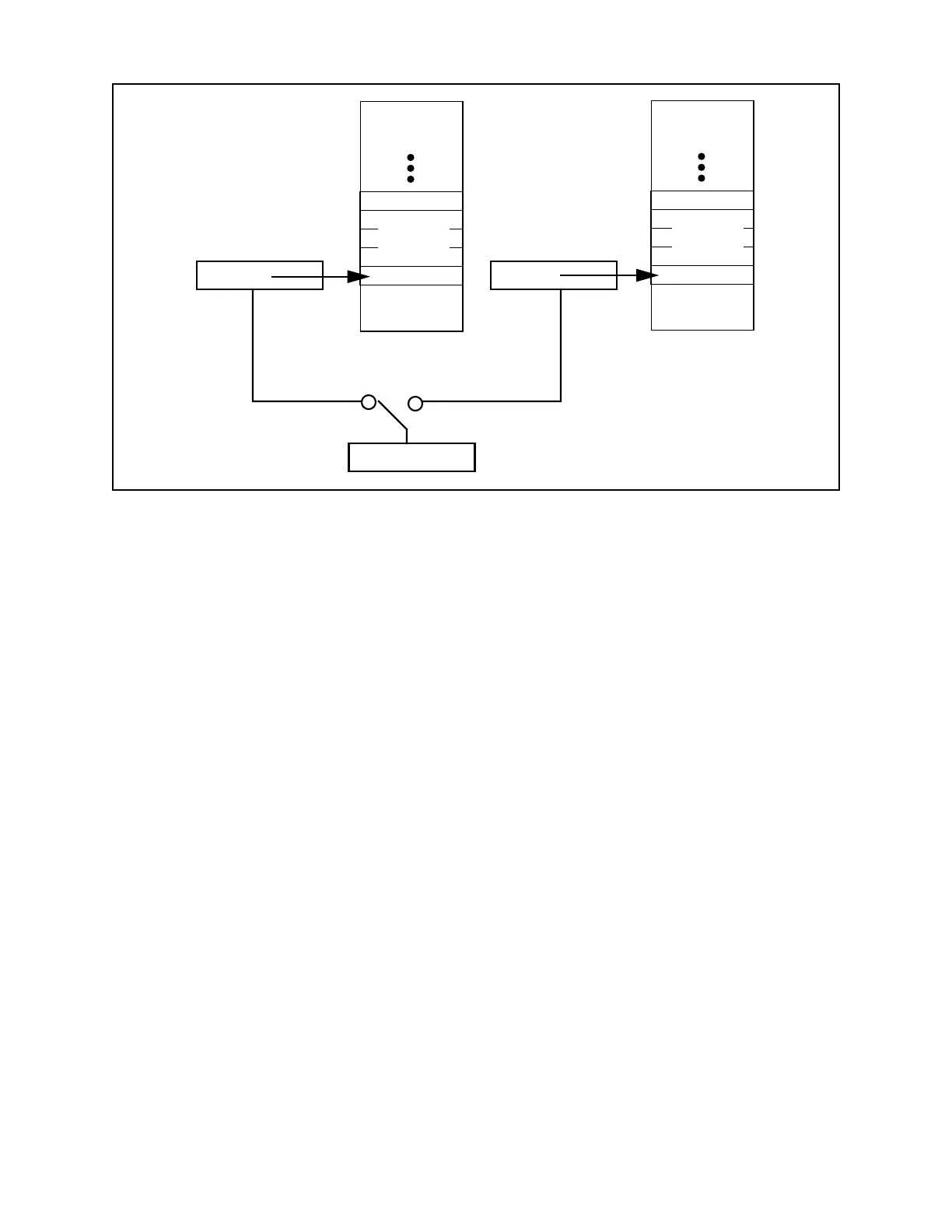
segment 0. The user stack resides in the data memory segment identified by the current value of
the data segment (DS) register. Executing code has access to only one of these stacks at a time,
via the Stack Pointer, R7. Since each stack resides in a single data memory segment, its
maximum size is 64K bytes. The purpose of having two stack pointers will be discussed in more
detail in the section on Task Management below.
The XA stack grows downwards, from higher addresses to lower addresses within data memory.
The current stack pointer always points to the last item pushed on the stack, unless the stack is
empty. Prior to a push operation, the stack pointer is decremented by 2, then data is written to
memory. When the stack is popped, the reverse procedure is used. First, data is read from
memory, then the stack pointer is incremented by 2. Data on the stack always occupies an even
number of bytes and is word aligned in data memory.
Debugging Features
The XA incorporates some special features designed to aid in program and system debugging.
There is a software breakpoint instruction that may be inserted in a user’s program by a debugger
program, causing the user program to break at that point and go to the breakpoint service routine,
which can transmit the CPU state so that it can be viewed by the user.
The trace mode is similar to a breakpoint, but is forced by hardware in the XA after the
execution of every instruction. The trace service routine can then keep track of every instruction
executed by a user program and transmit information about the CPU state to a serial port or other
peripheral for display or storage. Trace mode is controlled by a bit in the PSW. The XA is able to
alter the trace mode bit whenever an interrupt or exception vector is taken. This gives very
flexible use of trace mode, for instance by allowing all interrupts to run at full speed to comply
with system hardware requirements, while single stepping through mainline code.
Figure 2.7 XA Stacks
System Stack
Pointer
System
Stack
User Stack
Pointer
User
Stack
R7
Stack Pointer
System Mode
User Mode
in Segment 0 in DS Segment


 To Next Page