MDP-621/641/640 Chapter 7
Operation manual Radar operation
93161022-03 7-13
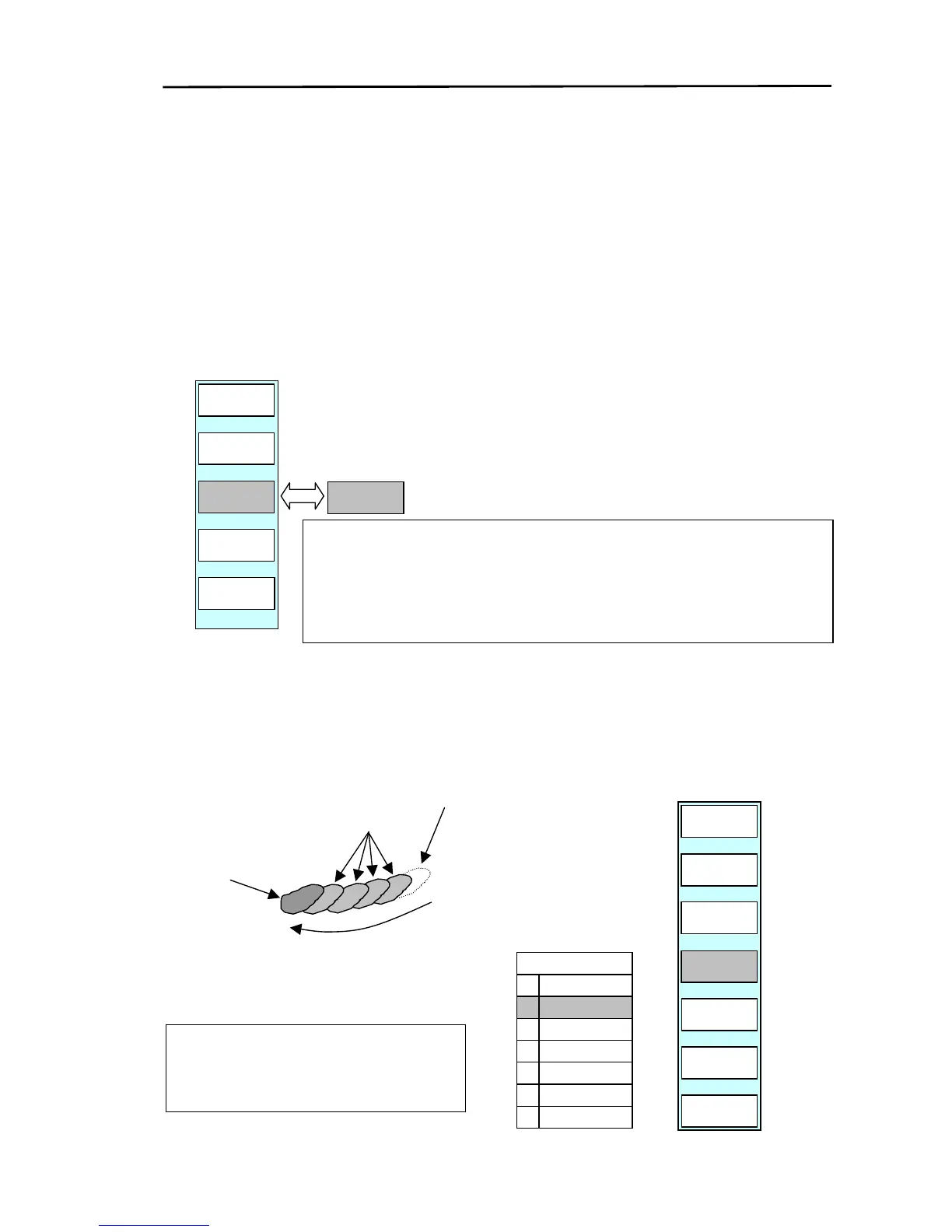
7.4.10 Changing the pulse length (PULSE)
The pulse length is automatically changed if the range setting is changed. However, 2 types of pulse
lengths can be selected when operating in middle range.
Short pulse (SHORT) has a high range discrimination giving a sharp image.
Long pulse (LONG) gives less range discrimination but through a higher sensitivity displays targets
bigger making them more easily recognizable.
Display the soft menu (RADAR/PAGE1 (2)/R FUNC/ECHO).
Every time the pulse key is pressed the pulse length changes from SHORT⇔LONG.
7.4.11 Displaying the ship’s trail (TRAIL)
If the ship’s trail interval is set, the trail will be displayed at the set time intervals. To do so:
(1) Display the soft menu (RADAR/PAGE1 (2)/R FUNC/ECHO).
(2) Press the “TRAIL”key to display the setup menu for the ship’s trail interval.
(3) Set up the interval by using the up / down key.
RADAR/PAGE1(2)/R FUNC/ECHO
PULSE
LONG
ZOOM
OFF
TRAIL
OFF
ST
OFF
RADAR
PAGE1
PULSE
SHORT
RADAR/PAGE1(2)/R FUNC/ECHO
TRAIL
0
1
2
3
4
5
6
15S
30S
1M
3M
6M
CONT
OFF
Direction of movement
Target trail
Real echo
Deleted after the set time
Each pulse code has a series of pulse lengths that are selected in
the Image/Pulse table by the numbers 0,1 and 2. Default: Pulse
table 1. For available effective range scales and pulse lengths,
refer to Para. 10.4.2.
The ship’s trail is displayed in light blue. If the
range is changed, the old trail data is deleted
and the ship’s trail display is started anew.
PULSE
LONG
ZOOM
OFF
OFF-C
RETURN
TRAIL
30S
ST
OFF
RADAR
PAGE1
OFF



 To Next Page