MDP-621/641/640 Chapter 10
Operation manual MENU operation
For feet
20 30 40 50 60 80 100 120 140 160
180 200 220 240 260 280 300 320 340 360
380 400 440 480 520 560 600 640 680 720
760 800 840 880 920 960 1000 1040 1080 1120
1160 1200 1240 1280 1320 1360 1400 1440 1480 1520
1560 1600 1800 2000 2200 2400 2600 2800 3000 3200
3400 3600 3800 4000
10.5.5 Adjust
Sets up the parameters associated with the system (Initial settings).
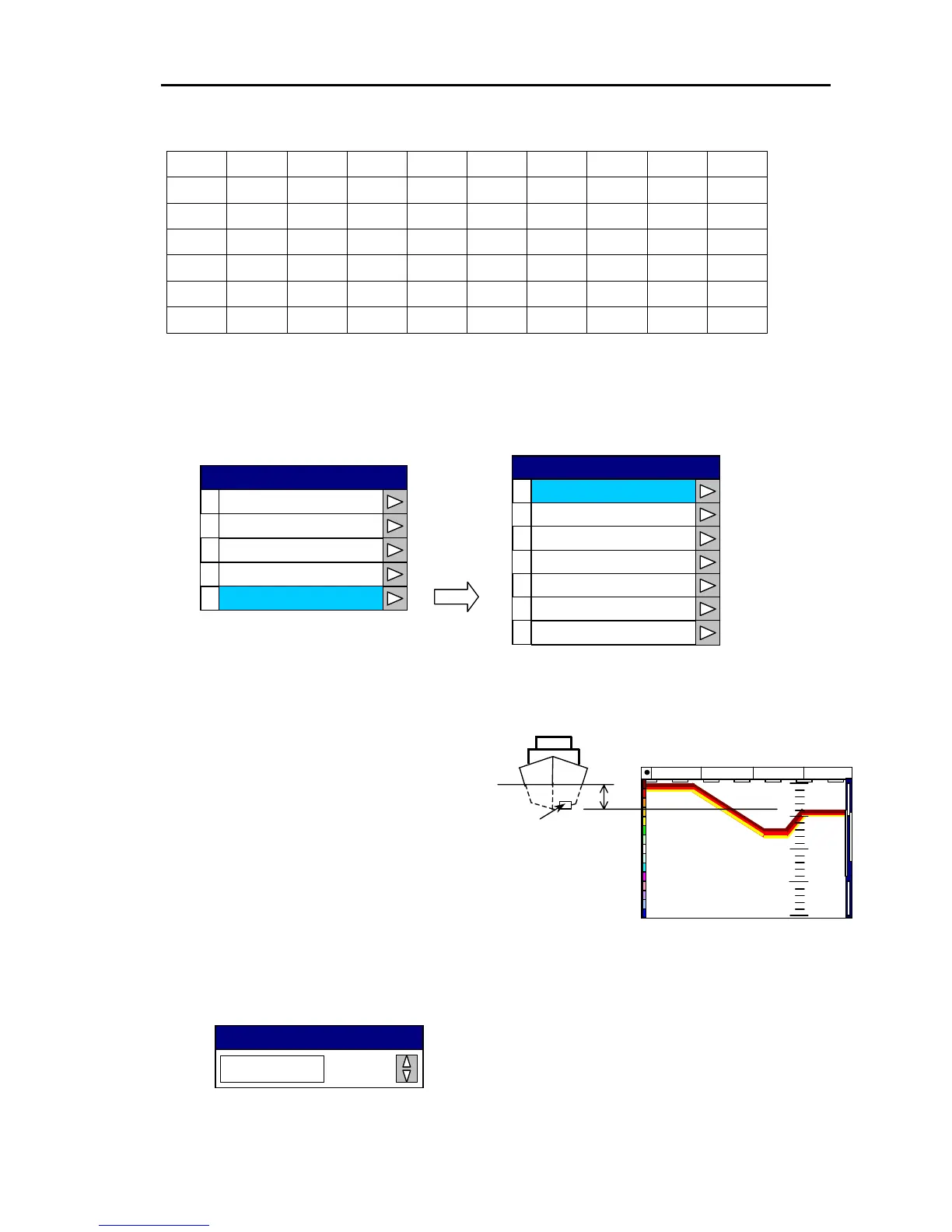
(1) Draft Set
Sets up the amount of draft between
the sea surface and the transducer.
The screen image oscillation line is
compensated with the ship’s draft
value to adjust for the sea surface.
The target depth is displayed as the
depth from the sea surface to the
actual target.
Setting range:0〜25.5 (in 0.1 steps)
COG SOG
35
o
05.020N 135
o
27.611E 359.4
o
17.8 kt
0
20
15
10
5
Draft Set
Transducer
SOUNDER
0
1
2
Display
Image
Transmission
3
4
Depth Range Preset
Adjust
0
Draft Set
1
2
Bottom Det Start
Bottom Det Lvl (H)
3
4
Bottom Det Lvl (L)
Bottom Det Range
5
6
Depth
Sonic Correction
0.0
Draft Set
Adjust
0093161022-06 10-65



 To Next Page