Chapter 6 MDP-621/641/640
Plotter operation Operation manual
The scale can be changed by using “fixed-scale” and/or “auto-scale” from the soft menu.
Refer to “Operating via the soft menu”
Note: To read the map of a new place from the C-MAP card by using the network,
it will be displayed after a few seconds.
6.3 Screen shift
(1) When the cross cursor is off
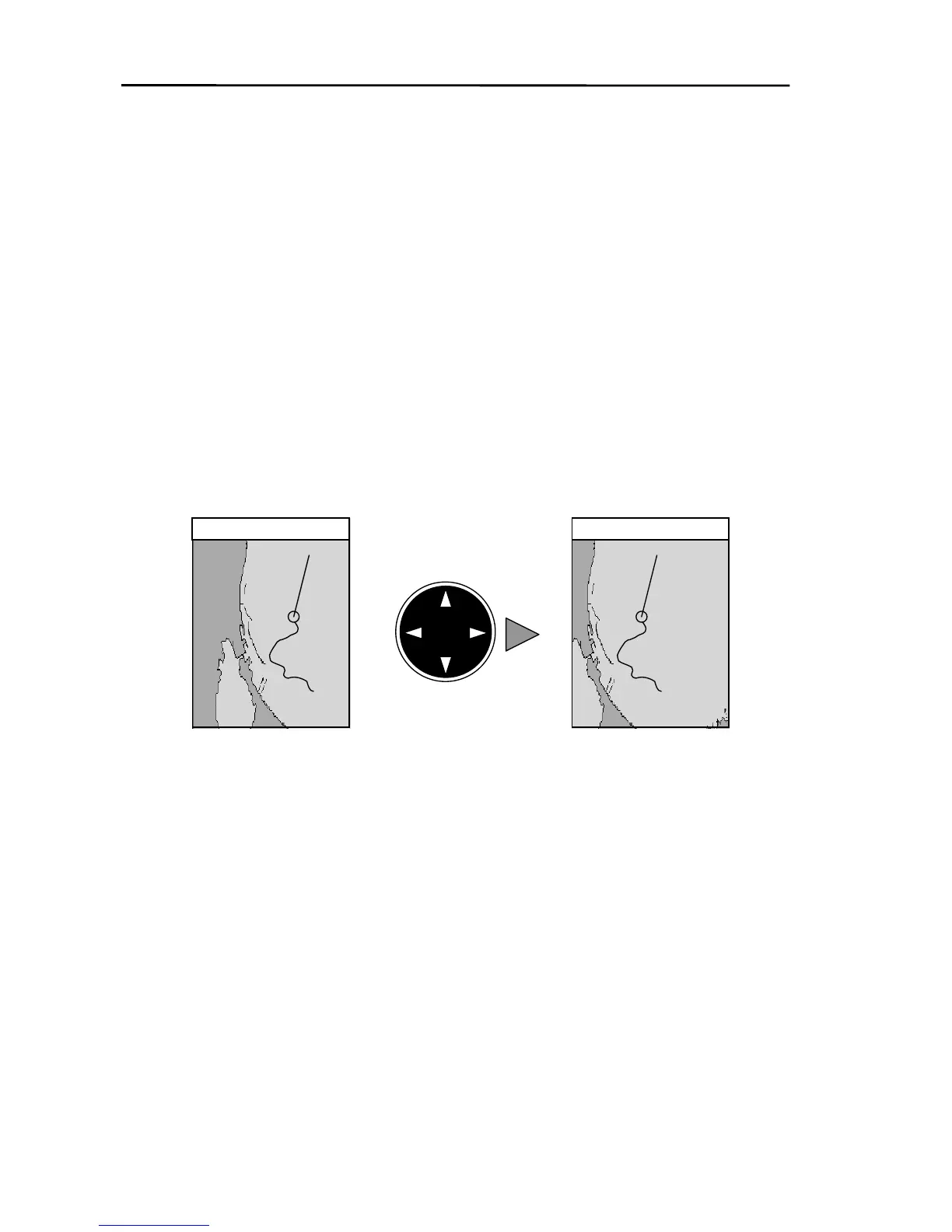
If the pointing keypad is operated when the cross cursor is not displayed, the screen moves so
that the area in the direction of the pointing keypad shifts more into view.
Movement is confined to the area that own ship’s position mark is displayed, inside the screen.
Use this feature if you want to view a large area around own ship.
Note: Operation cannot be performed when own ship’s mark is not inside the screen area.
Figure 6. 2 Moving the screen with the pointing keypad
In the diagram above, the area towards the right of the screen moves more into view when
the pointing keypad is moved to the right.
Do this operation if you want to view the vicinity of a faraway destination.
The map will move if the pointing keypad continues to be operated after the cross cursor has
reached the edge of the screen.
If the pointing keypad is operated when the cross cursor is turned on, the cross cursor will move
in the direction of the pointing keypad.
(2) When the cross cursor is on
6-2 0093161022-06



 To Next Page