MDP-621/641/640 Chapter 6
Operation manual Plotter operation
Chapter 6 Plotter Operation
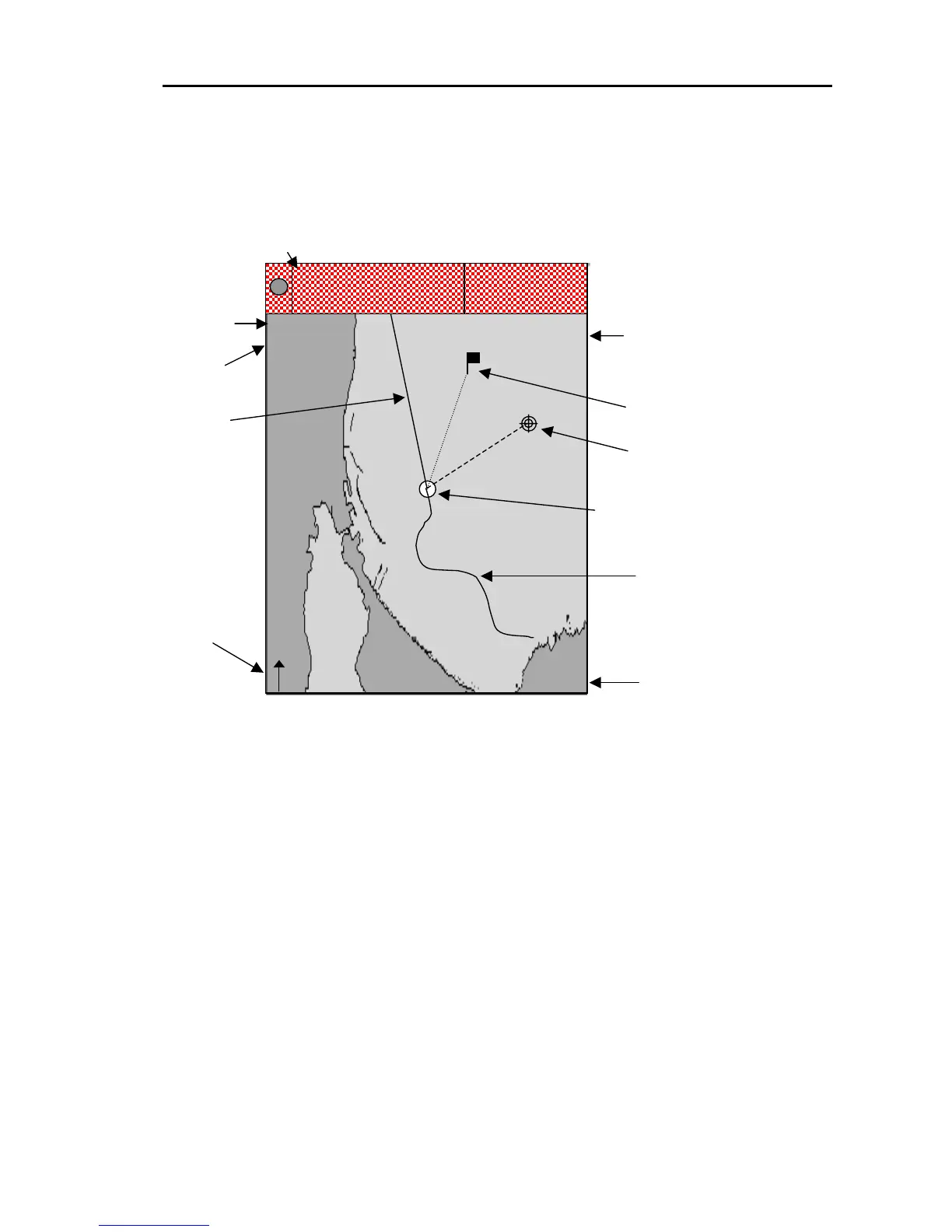
6.1 Plotter screen
T
in
Cross cursor information
rue North
dicator icon
Positioning
mode
Display
mode
(9) スケール表示
DGPS
NU(T)
0003
N
135
o
27.611E
210
o
2.3nm
35
o
05.123N
Destination mark
Cross cursor
Navigation data display area
Course
Current position (own ship’s position)
E
N
COG
SOG
15. 3
359. 5
Kt
°
38 05. 620
138 27. 311
Ship’s path
Number of points
on the track
Figure 6. 1 Plotter screen
Note: To read the map of a new place from the C-MAP card by using the network,
it will be displayed after a few seconds.
6.2 Changing the scale of the screen
The scale of the screen can be changed by carrying out the following procedure.
If the range-up “+” key is pressed the screen is zoomed out.
If the range-down “-” key is pressed the screen is zoomed in.
The zoom-in / zoom-out center position becomes;
the cursor position when the cross cursor is displayed.
own ship’s position when the cross cursor is not displayed.
0093161022-06 6-1



 To Next Page