Chapter 6 MDP-621/641/640
Plotter operation Operation manual
6.4.1 Registering the mark
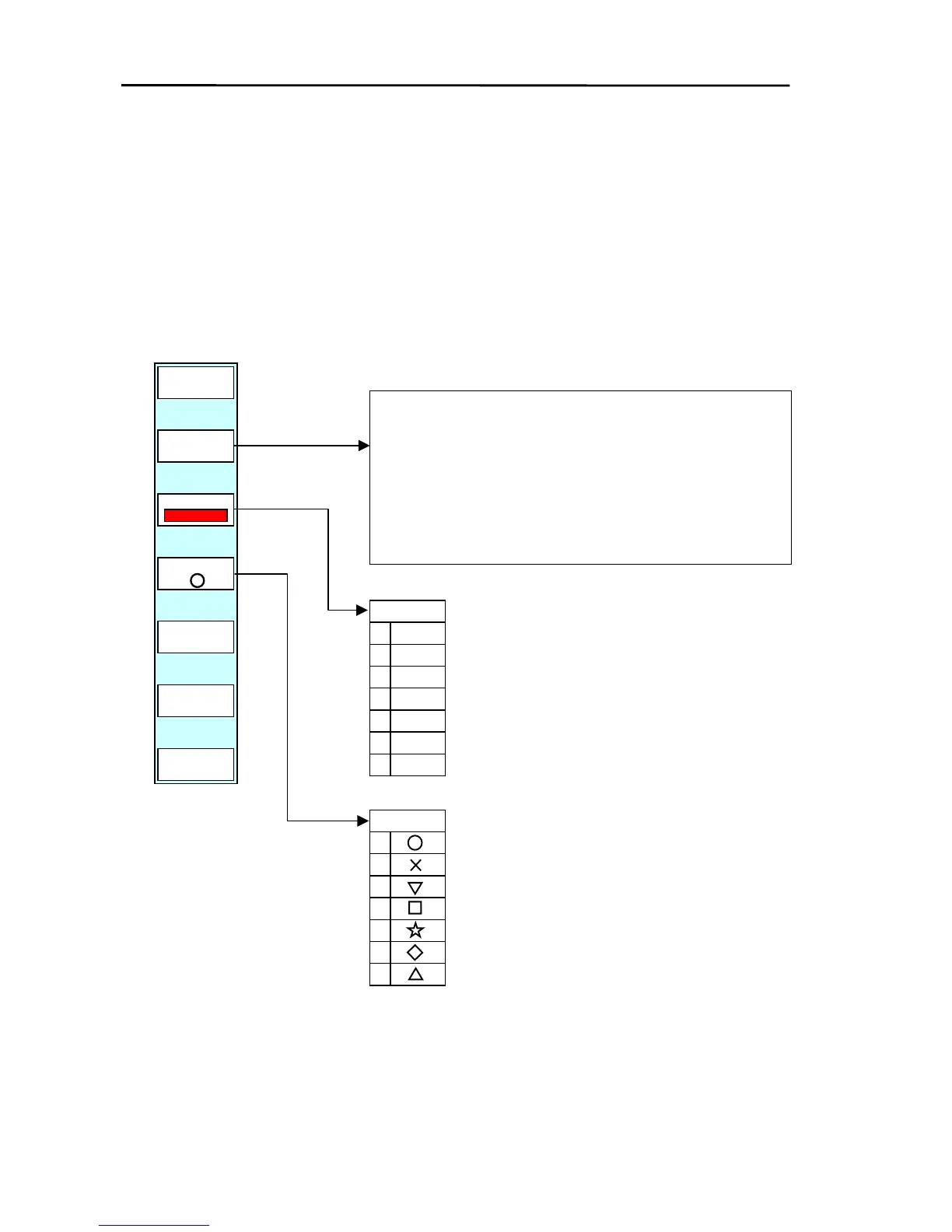
The system can register 8,300 points of mark data. All marks can be used in waypoint and route
navigation. When the cross cursor is ON, the mark is registered to the cursor position. Otherwise,
when the cross cursor is OFF, the mark is registered to own ship’s position.
To register the mark:
(1) Display the soft menu (PLOTTER/PAGE1) and press the “MARK” key.
(2) The menu containing details of the mark registration is displayed.
(3) Use the following diagram to register the mark.
PLOTTER/PAGE1/MARK
PLOTTER
PAGE1
COLOR
0
1
2
3
4
5
6
GRN
EL
DBL
BLU
PNK
WHT
“COLOR” selects the mark color.
If the key is pressed, the settings menu will be
displayed. Carry out the settings using the
pointing keypad or rotary control. The mar
color that has been setup is displayed in the
soft menu.
If the “ENTER” key is pressed, the mark is registered with the
color and shape that was setup in COLOR and SHAPE.
When the cross cursor is on: cross cursor position is
registered as the mark position.
When the cross cursor is off: own ship’s position is registered
as the mark position.
ENTER
RETURN
SHAPE
COLOR
SHAPE
0
1
2
3
4
5
6
If the key is pressed, the settings menu will be
displayed. Carry out the settings using the pointing
keypad or the rotary control. The mark shape tha
has been setup is displayed in the soft menu.
“SHAPE” selects the mark shape.
6-6 0093161022-06



 To Next Page