Chapter 8 MDP-1241/1240/1260/1210
Sounder operation Operation manual
8.3.3 Adjusting the STC
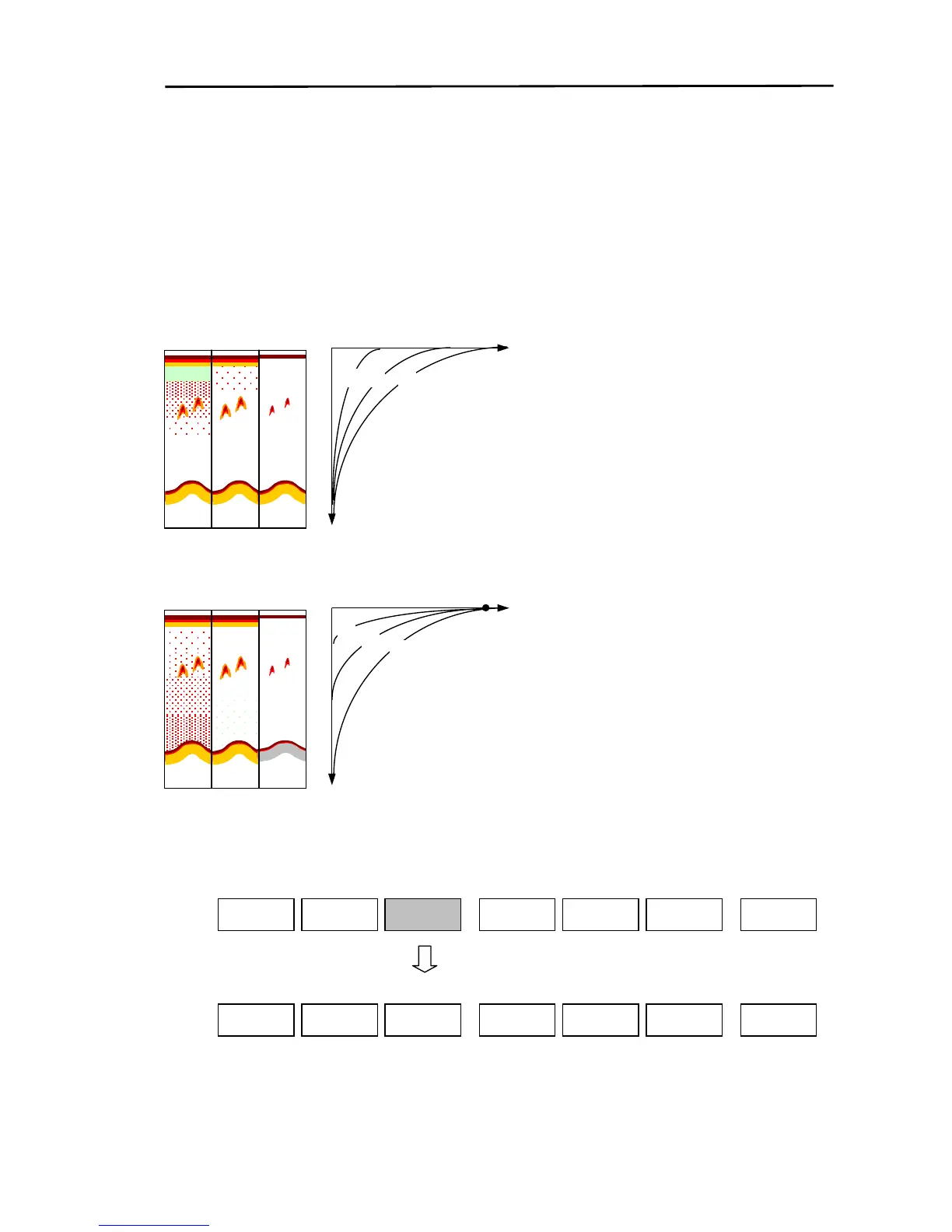
In relatively shallow areas containing lots of surface debris such as rubbish, plankton etc. the screen
display will show large red and yellow areas. If a school of fish enters this area, the unit may not be able
to distinguish the school from the debris. In this situation, adjust the STC so that the unwanted echoes
from the debris are suppressed, making the fish school more easily distinguishable. There are 2 types
of adjustments when adjusting the STC, amplitude adjust and depth adjust.
8.3.3.1 Amplitude adjust
Degree of STC effect
(Large)
The left image shows how the screen image changes
with each curve (A, B, C) in the graph on the right.
A: STC amplification has no effect, therefore surface
debris is displayed. (Adjustment value is 0)
B: STC amplification is perfect.
C: STC amplification is too strong and fish school
reflections are getting weak.
(Deep)
C B
STC depth
8.3.3.2 Depth adjust
The STC is effective until point P.
The left image shows how the screen image changes
with each curve (A, B, C) in the graph on the right.
A: STC depth is not enough therefore the surface
debris is displayed.
B: STC depth is perfect.
C: STC depth is too much and fish school reflections
are getting weak.、
(Deep)
Degree of STC effect
P
C
B
Y
Select either the low frequency depth/amplification or the high frequency depth/amplification and adjust
each individually.
8-8 0093161202-06



 To Next Page