MDP-1241/1240/1260/1210 Chapter 8
Operation manual Sounder operation
8-5
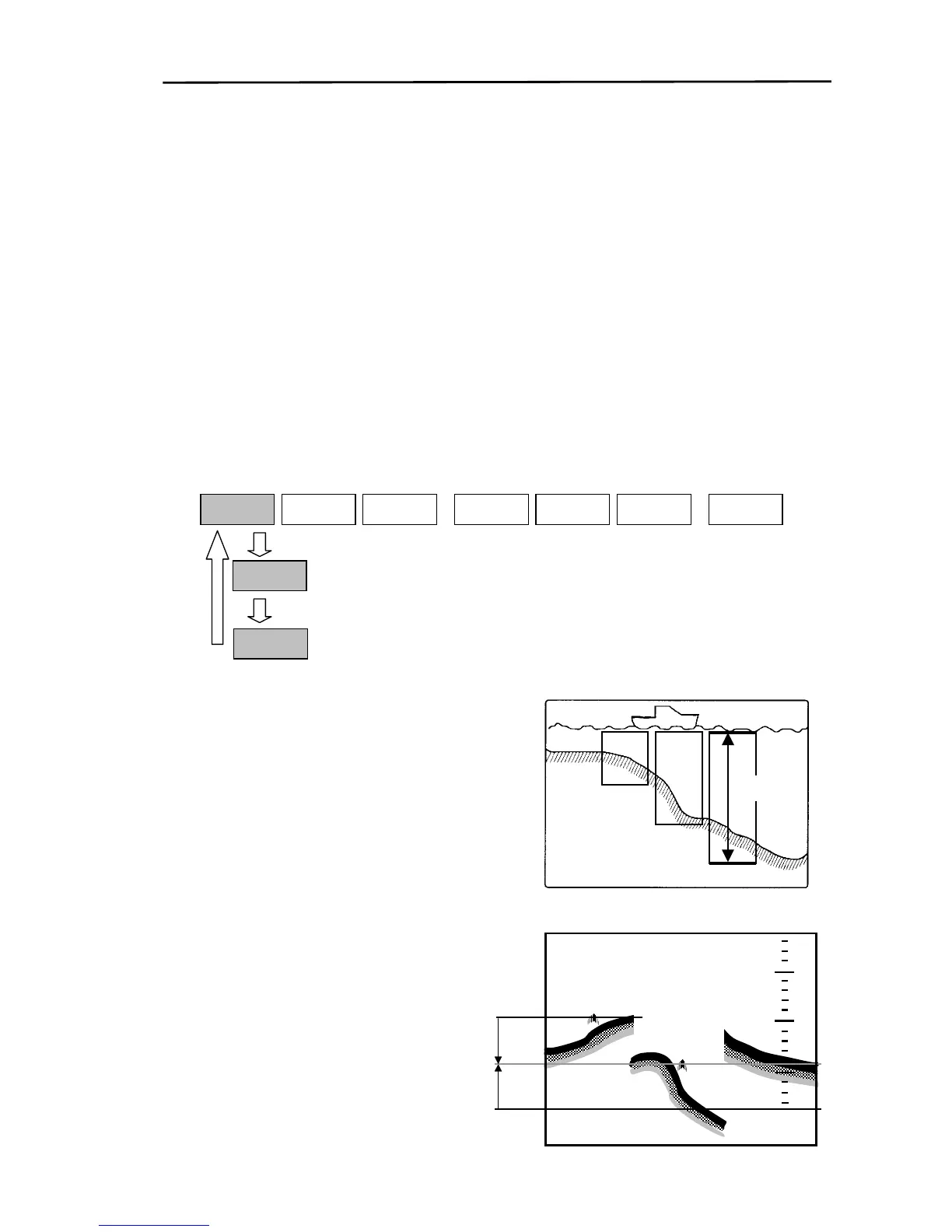
8.3.1 Setting up AUTO (Sounding range/shift)
Selects automatic sounding range, auto-shift or manual sounding range. The outline of each function is
as follows:
Automatic sounding range: The sounding range automatically changes to keep the sea bottom
displayed on the screen at all times.
Auto-shift: The shift position is automatically changed to keep the sea bottom displayed on the
screen at all times.
Manual sounding range: The sounding range is changed with the RANGE UP “+” and RANGE
DOWN“-” keys.
To select the function:
(1) Display the soft menu (SOUNDER/PAGE1).
(2) Every time the “AUTO”(MANUAL) key is pressed, the function changes from AUTO
RANGE→AUTO SHIFT→MANUAL→AUTO RANGE.
SOUNDE
NEXT
S FUNCSHIFT
OFF
STC
AUTO
SOUNDER/PAGE1
RANGE
AUTO
SHIFT
MANUAL
8.3.1.1 Automatic sounding range
Range
If AUTO RANGE is set, the area from the sea bottom to
the sea surface is displayed at all times.
Note: During the AUTO RANGE operation, the range
cannot be changed with the RANGE UP “+” and
RANGE DOWN “-” keys.
8.3.1.2 Auto-shift
If the Auto shift is set, the image is shifted so tha
the sea bottom is displayed at the bottom of the
screen. The image is shifted at the depth range
for the current setting.
1
1
4
4
7
7
Shifts image by 60% of the screen
2
2
0
0
95% of the screen
25%
The depth range can be changed with the
RANGE UP “+” and RANGE DOWN “-” keys.
The range from a preset lower depth to a prese
upper depth is displayed. Refer to the section
describing the fixed shift.
0093161202-06



 To Next Page