MDP-621/641/640 Chapter 10
Operation manual MENU operation
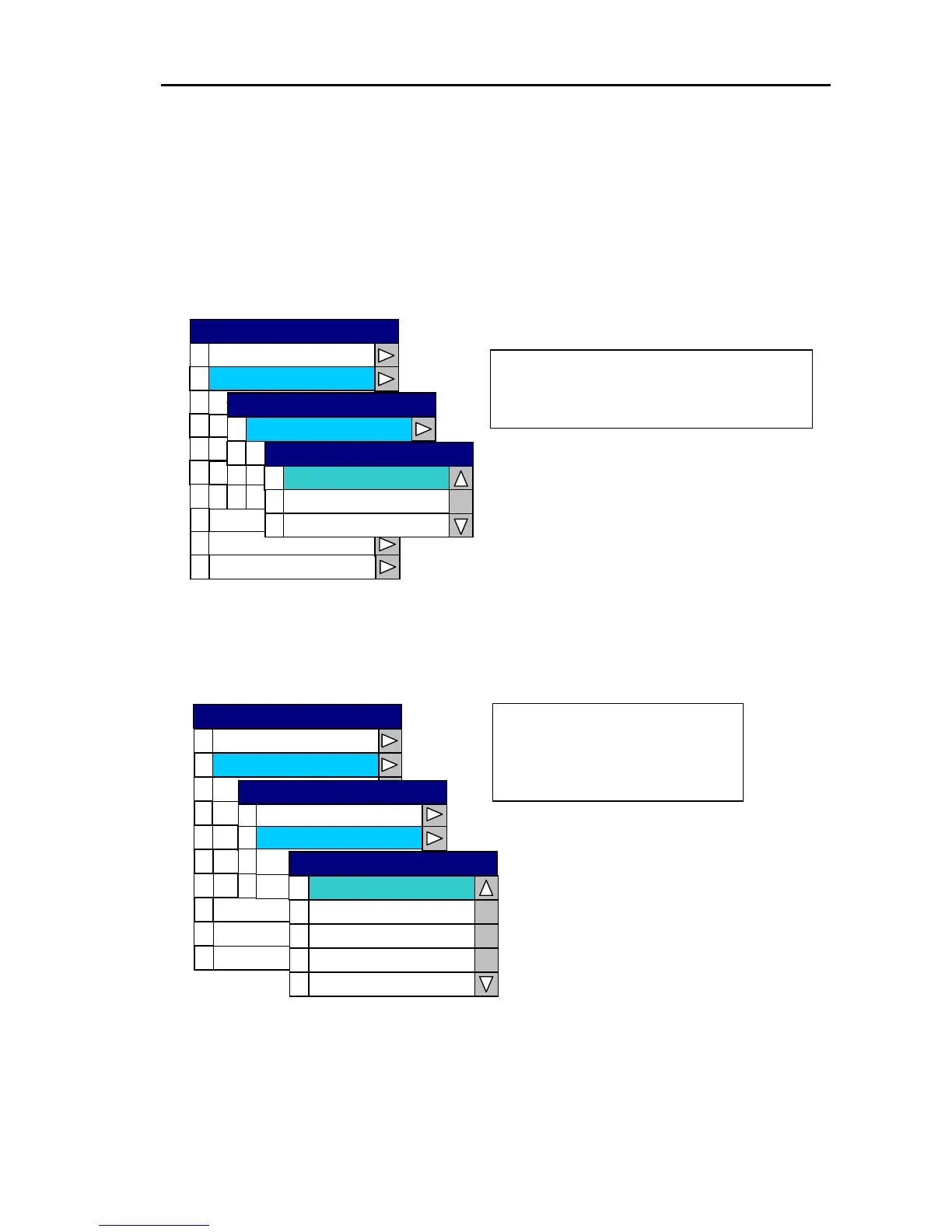
10.2.2 Setting the display
The range and speed units, depth units, water temperature units and position data display are set via
“1 Display” of the System menu.
(1) Setting the range and speed units
Open the System Menu → 1 Display → 0 Range & Speed Unit and select either nm / kt , sm /
mph or km / km/h.
0
1
2
3
4
5
6
7
8
9
Source Set
Co ecrr tion
Cursor Type
Ar Sea et
Sim lu ation
Language
Network Setup
0
1
Depth Unit
2
3
Tem e nit p rature U
Po tio si n Display
0
1
2
km / km/h
sm / mph
nm / kt
Range & Speed Unit
Range & Speed Unit
Display
System Check
Display
Buzzer Set
SYSTEM
Changes the range (scale) units & speed
units of the Plotter and Radar.
Changes between;
nm / kt
sm /mph
and
km / km/h
(2) Setting the depth units
Open the System Menu → 1 Display → 1 Depth Unit and select either m, ft, fm, I.fm or J.fm.
0
1
2
3
4
5
6
7
8
9
Source Set
Co crre tion
Cur rso Type
Sim lau tion
Language
Network Se p tu
System Che k c
0
1
Range & Speed Unit
Display
Depth Unit
3
Posit n splay io Di
0
1
2
fm
3
J . fm
4
I . fm
ft
m
Are Sa et
2
Temp erature Unit
Depth Unit
Display
Buzzer Set
SYSTEM
The Sounder’s depth range &
displayed depth units are
changed accordingly.
0093161022-06 10-5



 To Next Page