MDP-621/641/640 Chapter 10
Operation manual MENU operation
(5) Setting the speed correction
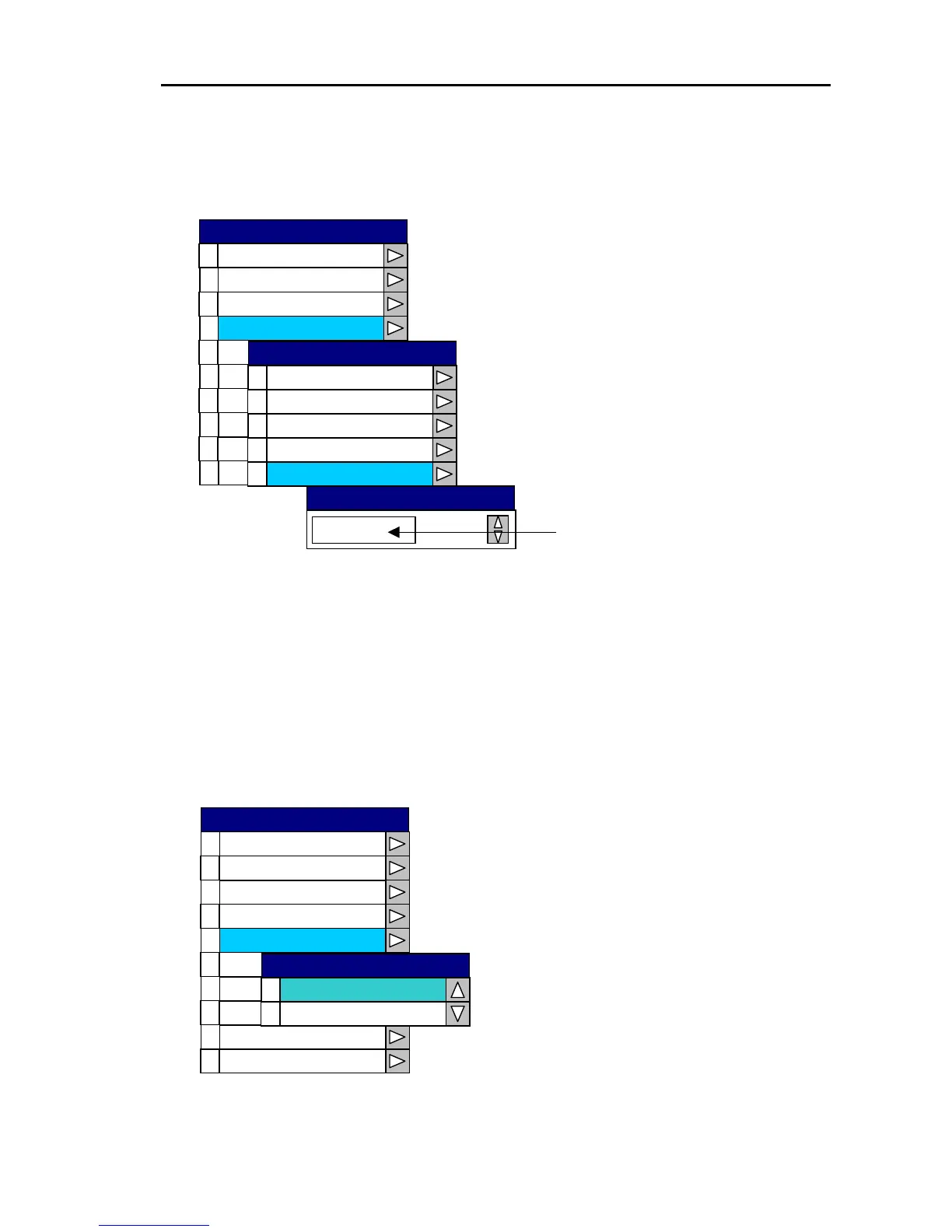
Open the System Menu→3 Correction →4 Boat Speed and set the correction value for the boat
speed.
Set the boat speed correction value
with the rotary control.
0
1
2
3
4
5
6
7
8
9
Cursor Type
Area e S t
Simu tla ion
Language
Netw kor Setup
System Check
kt
Setting range: -10 〜 +10kt
- 0.3
Boat Speed
0
1
2
3
4
Boat Speed
Water Temp
Magnetic Set
Magnetic Source
Magnetic
Correction
Correction
Source Set
Display
Buzzer Set
SYSTEM
10.2.5 Setting the cursor type
The cross cursor can be changed between Standard and Long Line in the “4 Cursor Type” window of
the System Menu.
Open the System Menu→4 Cursor Type and set the cursor to Standard or Long Line.
0
1
2
3
4
5
6
7
8
9
Correction
Cursor Type
Area Set
Simul oati n
Langu eag
System Check
Network Setup
0
1
Long Line
Standard
Cursor Type
Source Set
Display
Buzzer Set
SYSTEM
0093161022-06 10-11



 To Next Page