Chapter 6 MDP-621/641/640
Plotter operation Operation manual
6.4.5 Changing the screen display mode
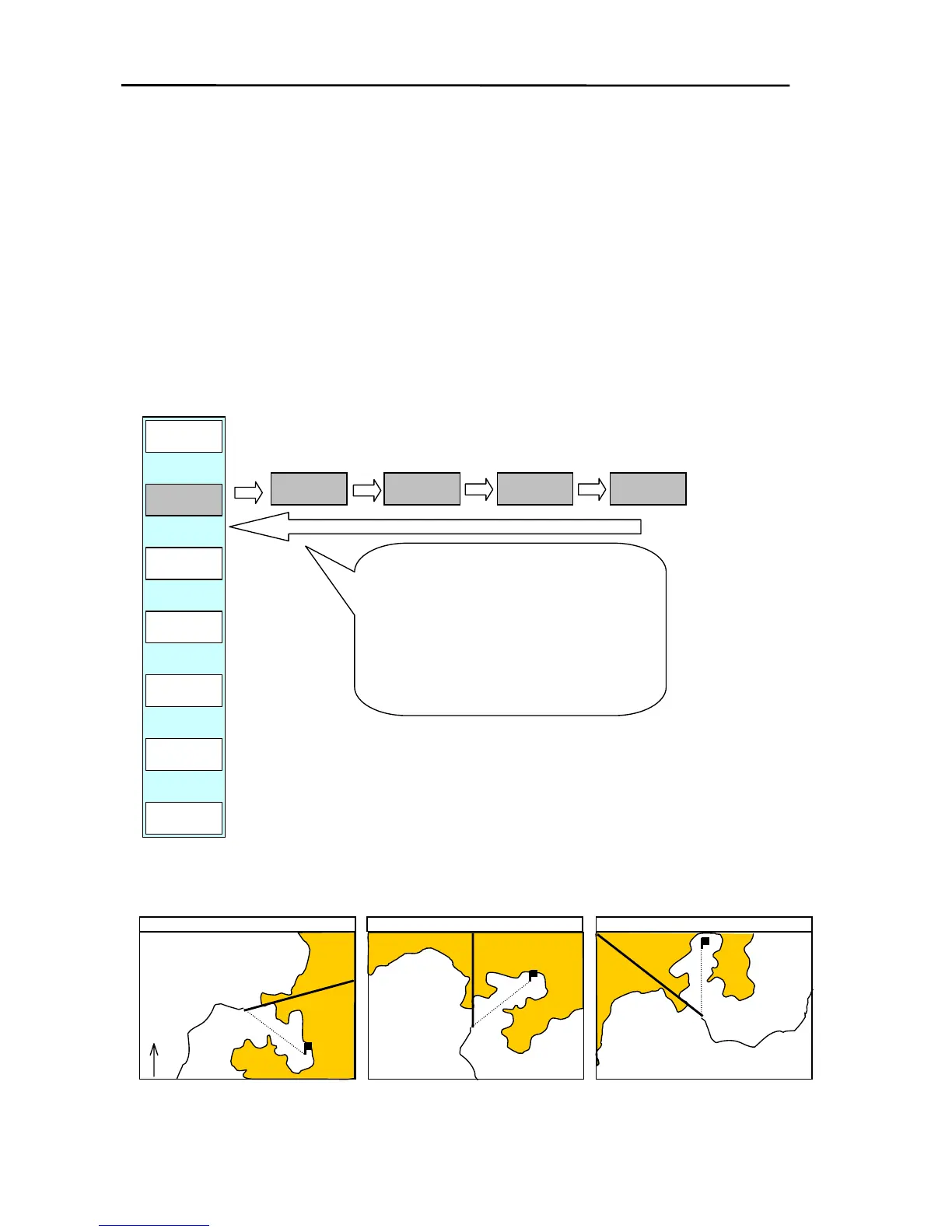
There are 3 different types of screen display modes available; NORTH-UP (N-UP) / SOUTH-UP
(S-UP), COURSE-UP (C-UP) and HEAD-UP (H-UP).
TRUE MOTION (map position fixed) and RELATIVE MOTION (own ship’s position fixed) can be
selected in N-UP as well as S-UP and C-UP modes.
N-UP or S-UP can be selected in the area settings of the SYSTEM MENU.
Display the soft menu (PLOTTER/PAGE2).
Every time the “D MODE” key is pressed, the display mode is changed.
PLOTTER/PAGE2
D MODE
N UP-R
D MODE
C UP-T
D MODE
C UP-R
D MODE
H UP
Every time the “D MODE” key is
pressed, the display mode changes
from N UP-T/S UP-T→N UP-R/S UP-R→
C UP-T→ C UP-R→ H UP→N UP-T/S
UP-T.
(Note) N UP can be changed to S UP in
the zone settings of the SYSTEM
MENU.
CENTER
D MODE
N UP-T
PLOTTER
PREV
P FUNC
FX SCL
XX
OFF-C
NORTH UP
HEAD UP
COURSE UP
N
Top of screen points to North.
Top of screen points to destination.
6-12 0093161022-06



 To Next Page