Chapter 8 MDP-1241/1240/1260/1210
Sounder operation Operation manual
8.3.6 Changing the frequency
Changes the sounding frequency between low frequency and high frequency.
If the frequency is changed while viewing the low frequency image, the image will be changed to the
high frequency image. If the frequency is changed while viewing the high frequency image, the image
will be changed to the low frequency image.
To change the frequency:
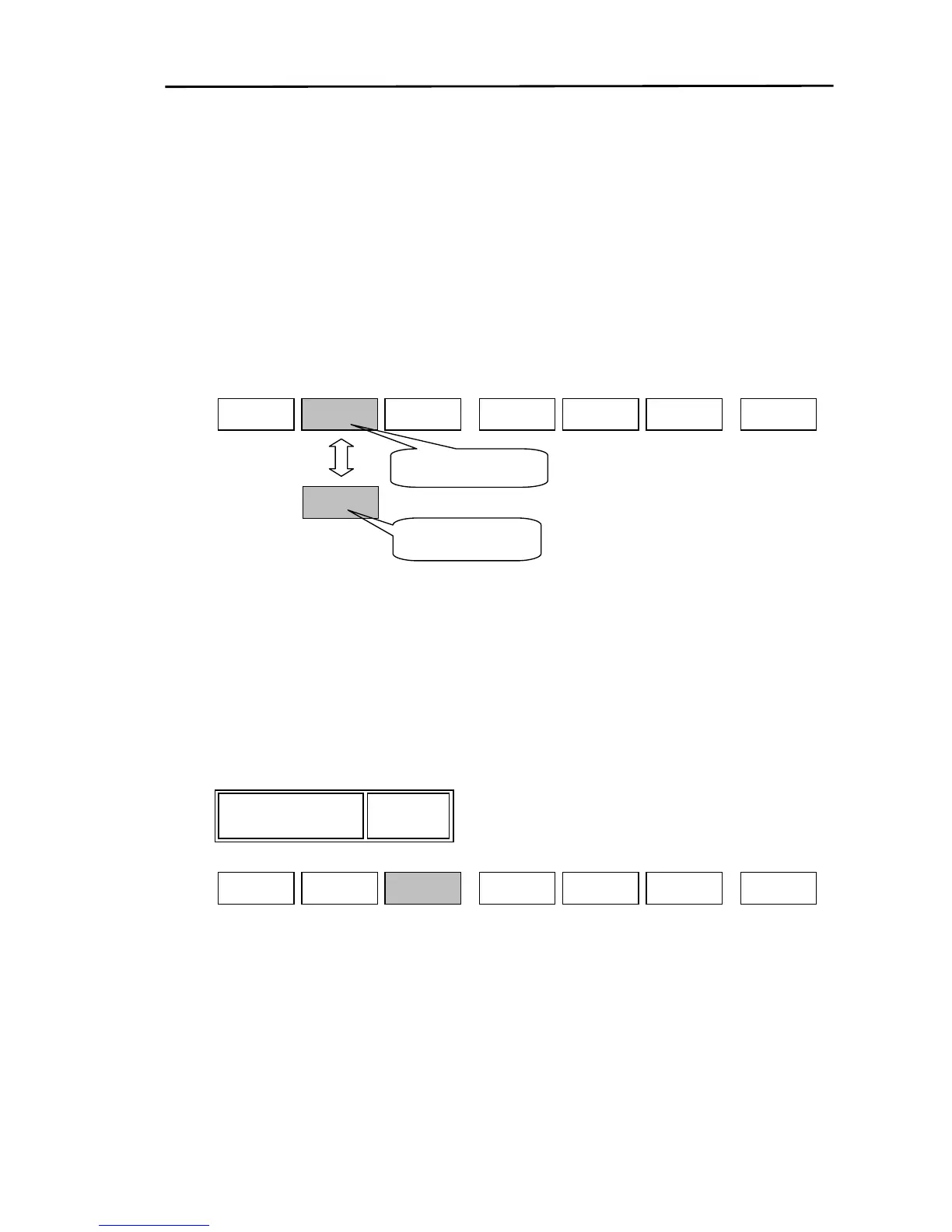
(1) Display the soft menu (SOUNDER/PAGE2/MODE).
(2) Every time the ”FREQ” key is pressed, the image changes between low frequency and high
frequency.
Z RNG
SOUNDER/PAGE2/MODE
FREQ
H
FREQ
Set to high frequency
L
Set to low frequency
D MODE
RETURN
SOUNDER
PAGE2
8.3.7 Setting up the zoom range
Sets up the zoom range via the zoom mode (Bottom zoom, Bottom fixed zoom, Bottom type zoom,
Zoom).
※ Each zoomed image is displayed within the same depth range.
Display the soft menu (SOUNDER/PAGE2/MODE) and press the “Z RNG” key.
The Z RNG settings box is displayed. Using the rotary control, select and set up the zoom range.
10
Z RNG
D MODE
SOUNDER/PAGE2/MODE
FREQ
H
RETURN
Z RNG
SOUNDER
PAGE2
Range settings:
In m, fm, J.fm, I.fm
2.5, 5, 7.5, 10, 15, 20, 25, 30, 35, 40, 45, 50, 55, 60, 65, 70,
80, 90, 100, 110, 120, 130, 140, 150, 160, 180, 200
In ft
10, 15, 20, 30, 40, 50, 60, 80, 100, 120, 140, 160, 180, 200
220, 240, 260, 280, 320, 360, 400, 450, 500, 550, 600, 650
8-12 0093161202-06



 To Next Page