MDP-621/641/640 Chapter 6
Operation manual Plotter operation
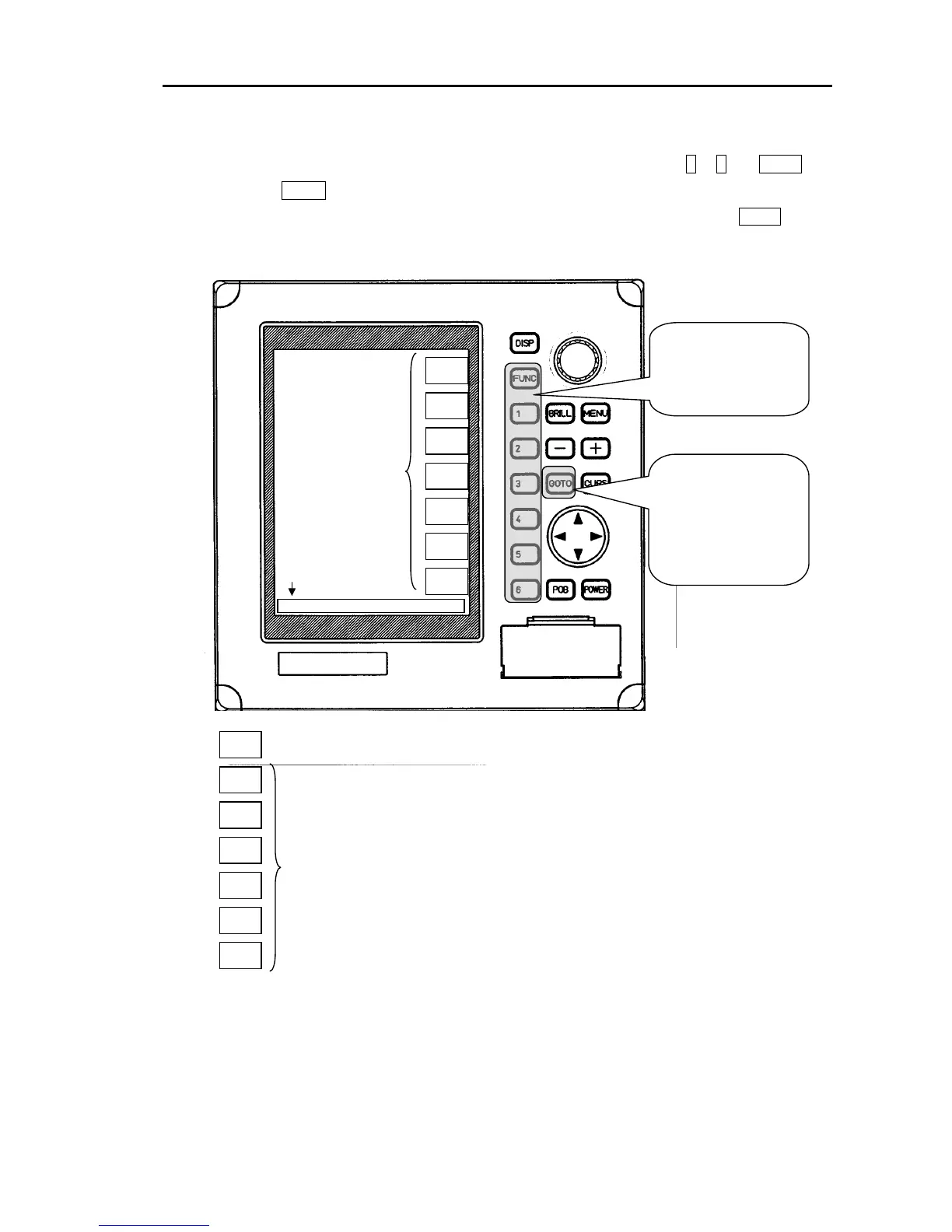
(2)Displaying the soft menu
The soft menu is displayed at the right of the screen by pressing a soft key 1 to 6, the FUNC key
and then the GOTOkey.
When the soft menu for Radar, Sounder and NAV DATA is displayed and the FUNC key is
pressed the menu changes to Plotter.
PLOTTER
MARK
MARK
ERASE
TRACK
TRACK
ERASE
P FUNC
NEXT
The operating screen changes in accordance with the FUNC key.
TRACK ERASE: Erases ship’s track.
P FUNC: Displays the Plotter function group.
NEXT: Displays page 2 of top group.
TRACK: Sets up ship’s track.
MARK ERASE: Erases mark.
MARK: Input mark.
Corresponding to soft keys “1” to “6”, with graphics;
PLOTTER
MARK
MARK
ERASE
TRACK
TRACK
ERASE
P FUNC
NEXT
PLOTTER/PAGE1
Soft menu
Directory display
If the GOTO key is
pressed,
the destination / route
navigation soft menu
will be displayed.(See
page 6-21)
If soft key from 1 to 6
and the FUNC key is
pressed, the soft menu
will be displayed.
(3)Deleting the soft menu
Press the “MENU” key.
The soft menu disappears from the top of the screen approximately 30 seconds after finishing the
operation.After disappearing, if the soft menu is displayed again, the displayed menu will be the
previous soft menu.
0093161022-06 6-5



 To Next Page