MDP-621/641/640 Chapter 4
Operation manual Installation
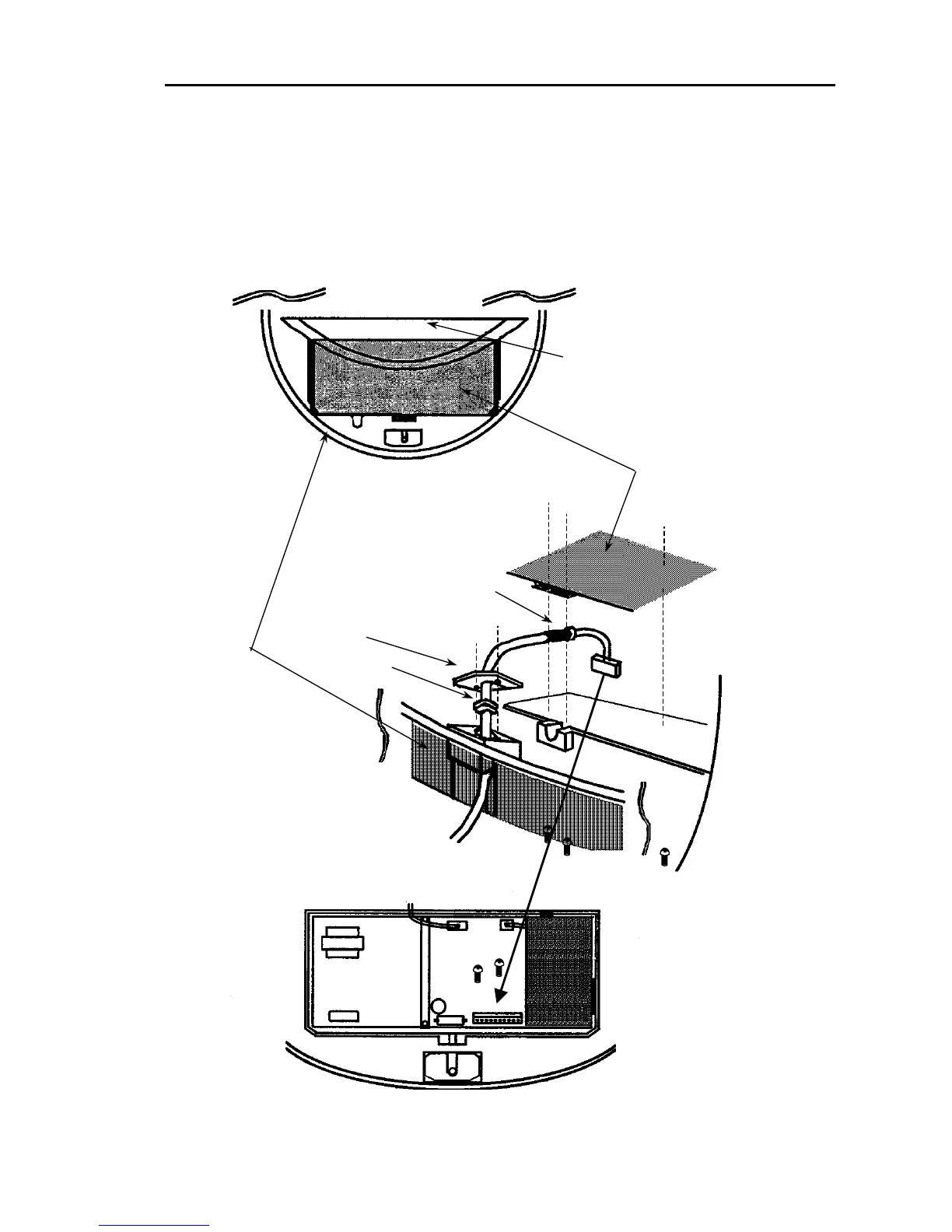
(6) Replace the aluminum cover. Lay the cable shield into the channel machined into the aluminum
housing. Be careful that the cable will not get caught up between the main unit and cover.
(7) Replace the upper part of the radome being careful not to bump it against the antenna. Make sure
that the cover is positioned in the correct direction as shown in Fig.4-10. The upper and lower parts
of the radome each have four alignment markings indicating screw positions.
Stern
Aerial
Shield cover
Shielding braid
Fixing plate
Rubber seal
Antenna cable
Radome (bottom)
Figure 4. 10 Installing the scanner unit
0093161022-06 4-9



 To Next Page