KRONE operation terminal Gamma
101
Pos: 26.30.5 /BA/I nfo-Center/Großpacken presse/Hauptmenüs/ Hauptmenü 1 Einstell ungen/Menü 1-2 „Knotersig nal“ @ 18\mod_12379670 11116_78.doc @ 211728
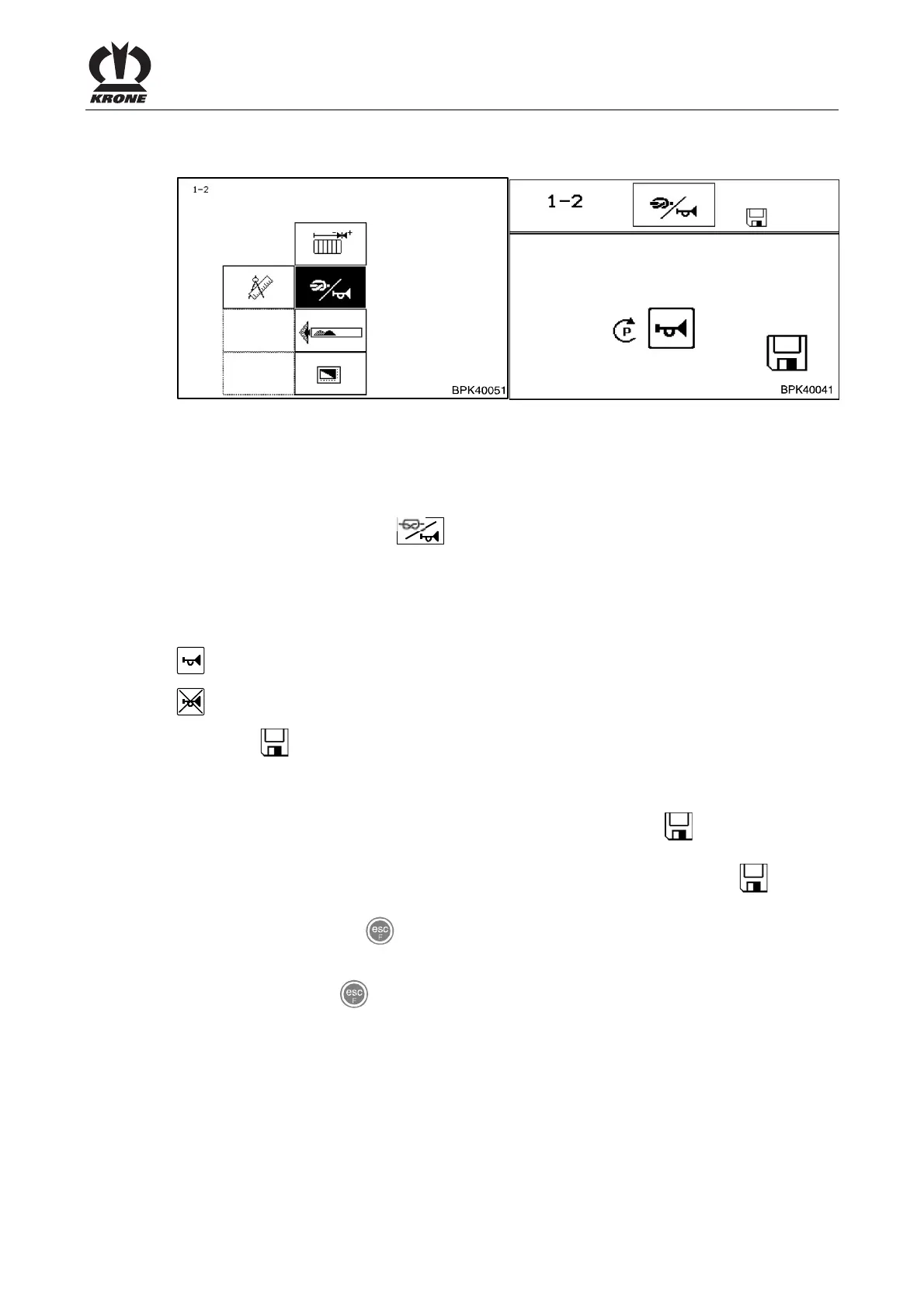
8.11.2 Menu 1-2 „Knotter signal“
Fig. 56
Activation/deactivation of the audio signal when a knot has been completed.
Calling the menu
Main menu 1 “Settings” is displayed.
• You can select menu 1-2
with the rotary potentiometer. The symbol is displayed
inversely
• Press the rotary potentiometer
The display shows menu 1-2 "Knotter signal".
The current status is displayed as a symbol:
= Knotter signal activated
= Knotter signal deactivated
The symbol
in the upper line indicates that the displayed status is saved.
Change and save status
• Set the desired status with the rotary potentiometer. The symbol
in the top line goes
out
• Press the rotary potentiometer. The set time delay is saved and the symbol
appears
in the upper line
• You can use the key
to close the menu currently displayed
The display shows menu level 1 "Settings".
• Pressing the key
twice brings up the basic screen
Pos: 26.30.6 /BA/-----Seitenumbruch------ @ 0\mod_1196175311226_0.doc @ 4165









 To Next Page