KRONE operation terminal Gamma
112
Pos: 26.30.28 /BA/I nfo-Center/Großpacke npresse/Hauptmenü s/Hauptmenü 1 Einstel lungen/Menü 1-7 „Masseinh eit“ @ 18\mod_1237988 674756_78.doc @ 212090
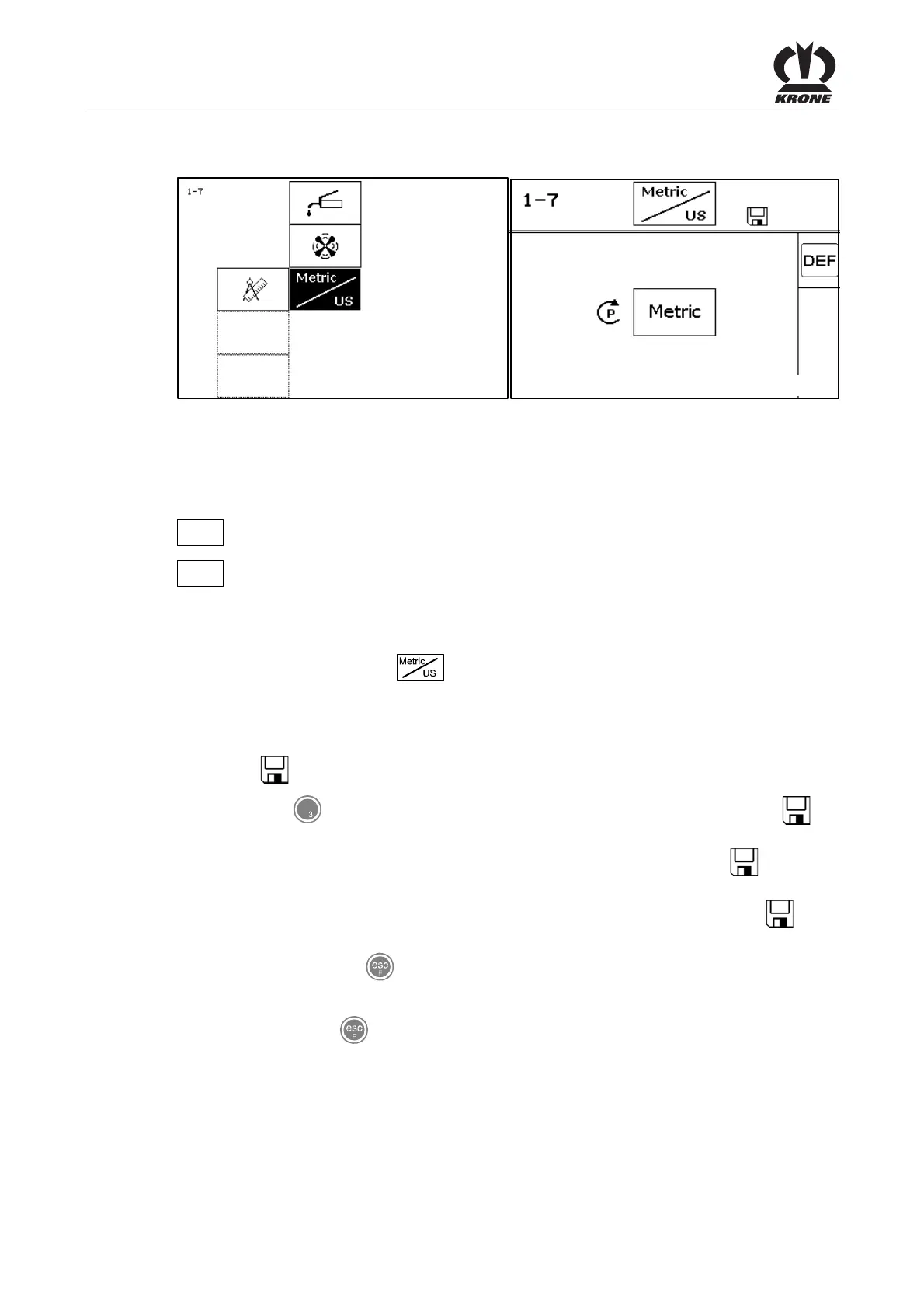
8.11.7 Menu 1-7 „Unit of measurement“
BPK40656
BPK40657
Fig. 65
(On machines with electronic knotter triggering)
Switch the unit of measure from Metric to US or vice versa.
Meaning of the symbols:
Metric
Unit of measurement metric
US
Unit of measurement US
Calling the menu
Main menu 1 “Settings” is displayed.
• You can select menu 1-7
with the rotary potentiometer. The symbol is shown in
reverse colours
• Press the rotary potentiometer
The display shows menu 1-7 "Unit of measurement".
The symbol
in the upper line indicates that the displayed status is saved.
• Press key
for softkey DEF: the factory setting value is accepted. The symbol in
the upper line may go out
• Set the desired unit of measure with the rotary potentiometer. The symbol
in the top
line disappears
• Press the rotary potentiometer. The set contrast value is saved and the symbol
appears in the upper line
• You can use the key
to close the menu currently displayed
The display shows menu level 1 "Settings".
• Pressing the key
repeatedly brings up the basic screen
Pos: 26.31.1 /BA/I nfo-Center/Großpacken presse/Hauptmenüs/ Hauptmenü 2 Zähler/ Hauptmenü 2 Zähler @ 18\mod_123 8050811722_78.doc @ 212632









 To Next Page