KRONE ISOBUS-Terminal CCI 100
165
Pos: 28.67 /BA/Inf o-Center/CC-ISOBUS- Terminal/CCI-Bi G Pack/Hauptmenüs/Haupt menü 1 Einstellungen/ Menü 1-6-1 „Hübe / Blasen“ @ 44\ mod_1275378978859_78. doc @ 391232
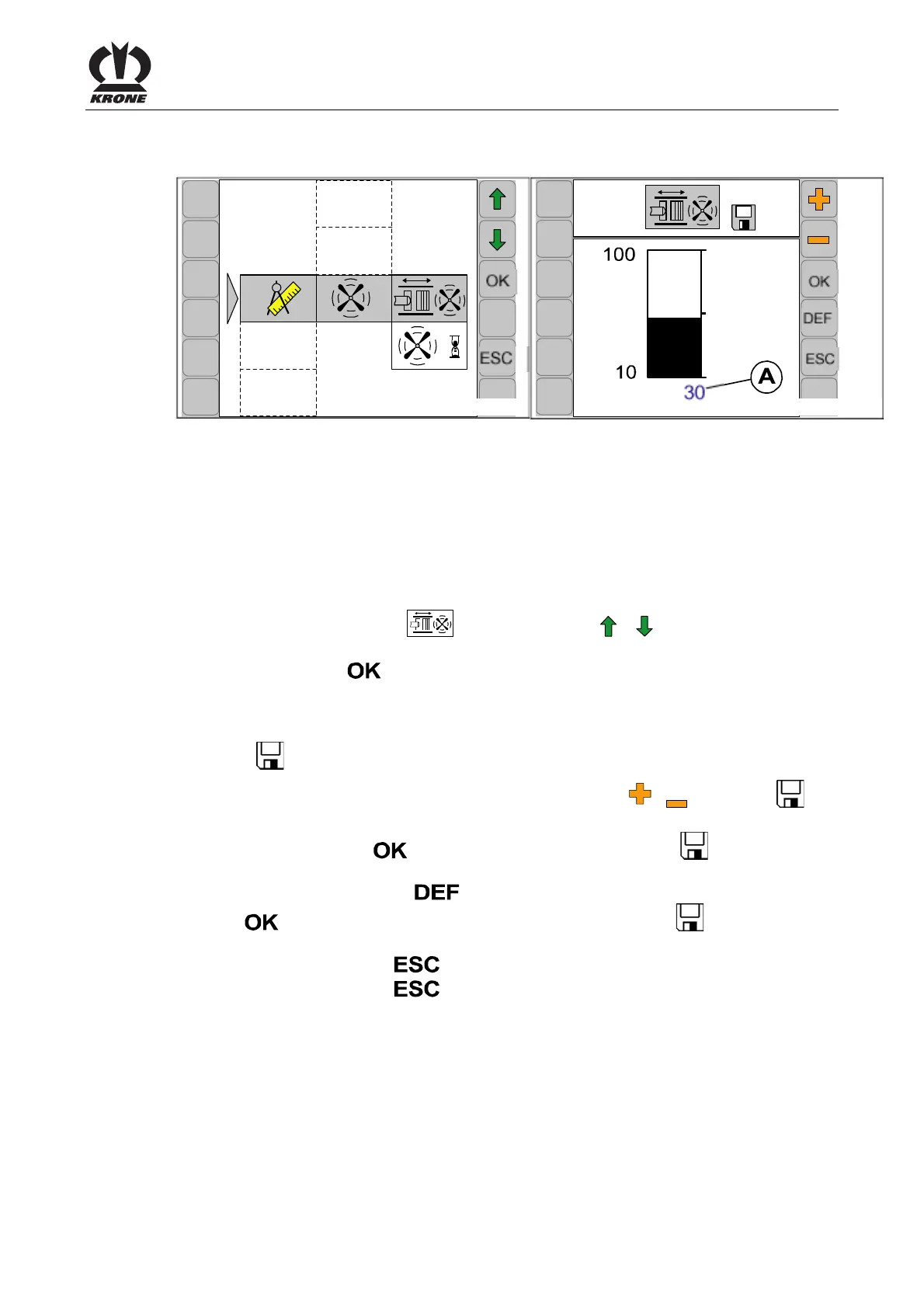
9.9.5.1 Menu 1-6-1 „Strokes / blow“
CC000059
1-6-1
CC000033
1-6-1
Fig. 109
(On machines without electronic knotter triggering)
Dust and accumulated crop material is removed from the knotters by compressed air at regular
intervals (depending on the number of plunger strokes completed).
Adjusting the number of plunger strokes.
Calling the menu
Main menu 1-6 "Knotter blowing" appears.
• You can select menu 1-6-1
with the function key or . The symbol is shown in
reverse colours
• Press function key
The display shows menu 1-6-1 "Strokes / blow".
The bar display and value (A) indicate the number of plunger strokes completed.
The symbol
in the upper line indicates that the displayed value is saved.
• Set the desired number of plunger strokes with function key
or . The symbol in
the top line disappears
• Press the function key
. The set value is saved and the symbol appears in the
upper line
• By pressing the function key
the value of the factory setting appears (press function
key
, the value of the factory setting will be saved, the symbol appears in the
upper line)
• Pressing the function key
closes the called up menu
• Pressing the function key
and holding it down brings up the basic screen
Pos: 28.68 /BA/-----Seitenumbruch------ @ 0\mod_1196175311226_ 0.doc @ 4165









 To Next Page