KRONE operation terminal Gamma
118
Pos: 26.32.3 /BA/I nfo-Center/Großpacken presse/Hauptmenüs/ Hauptmenü 4 Service/ Menü 4-2 Sensortest Hand @ 47\ mod_1284962155250_78. doc @ 454975
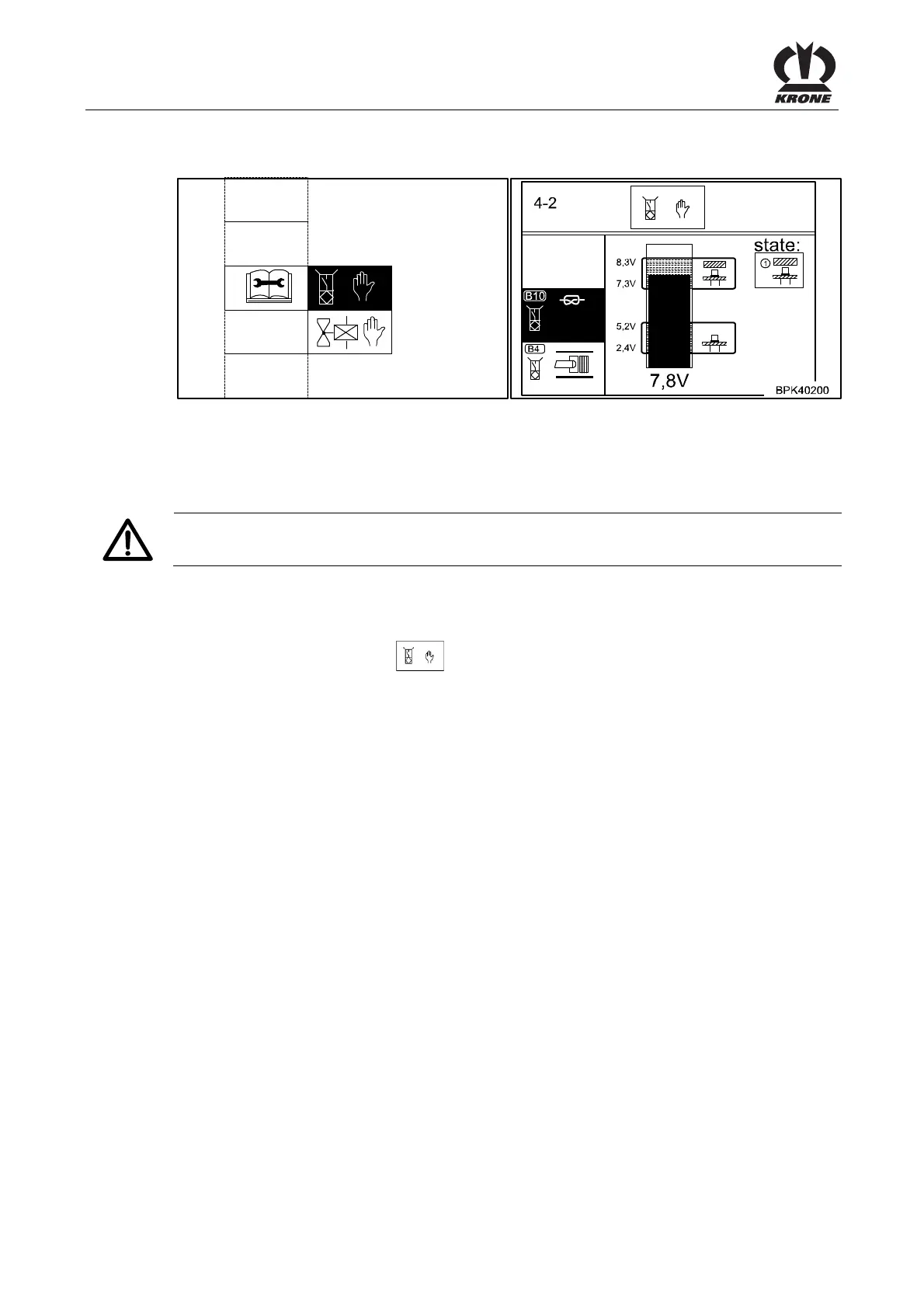
8.13.1 Menu 4-2 "Manual Sensor Test"
BPK40190_1
4-2
Figure. 71
In the manual sensor test, the sensors that are installed on the machine are checked for errors.
In addition, the sensors can be correctly adjusted in the manual sensor test. There is no
guarantee the machine is working correctly until after the sensors have been adjusted.
Caution!
The PTO must not be turning during the sensor test.
Displaying the menu
Main menu 4 "Service" is called.
• You can select menu 4-2
with the rotary potentiometer. The icon is shown in
reverse colours.
• Press the rotary potentiometer.
The display shows menu 4-2 "Manual sensor test".
Selecting the sensor
• Select the sensor with the rotary potentiometer.
The selected sensor is shown in reverse colours and is tested.
Pos: 26.32.4 /BA/I nfo-Center/Großpacken presse/Hauptmenüs/ Hauptmenü 4 Service/ Einstellwerte Sensort est Hand @ 19\mod_12380697 56191_78.doc @ 213845
Setting values:
The minimum and maximum setting values with the sensor alive (metal in front of the sensor)
are shown in the upper part of the bar display. The current setting value (actual value) is
displayed under the bar display.
The distance from the sensor to the metal must be adjusted so that in the alive state the bar is
in the upper mark. Next check whether the bar is in non-alive state in the lower marked area.
Pos: 26.32.5 /BA/-----Seitenumbruch------ @ 0\mod_1196175311226_0.doc @ 4165









 To Next Page