KRONE operation terminal Gamma
81
Pos: 26.4.3 /Überschr iften/Überschr iften 2/A-E/Beschr eibung der Tasten @ 6\mod_12150 69821134_78.doc @ 98445
8.3 Description of the keys
Pos: 26.4.4 /BA/I nfo-Center/Großpackenpr esse/Übersicht/ Beschreibung der Tast en 1-8 Bild @ 18\mod_123728836 5221_78.doc @ 209665
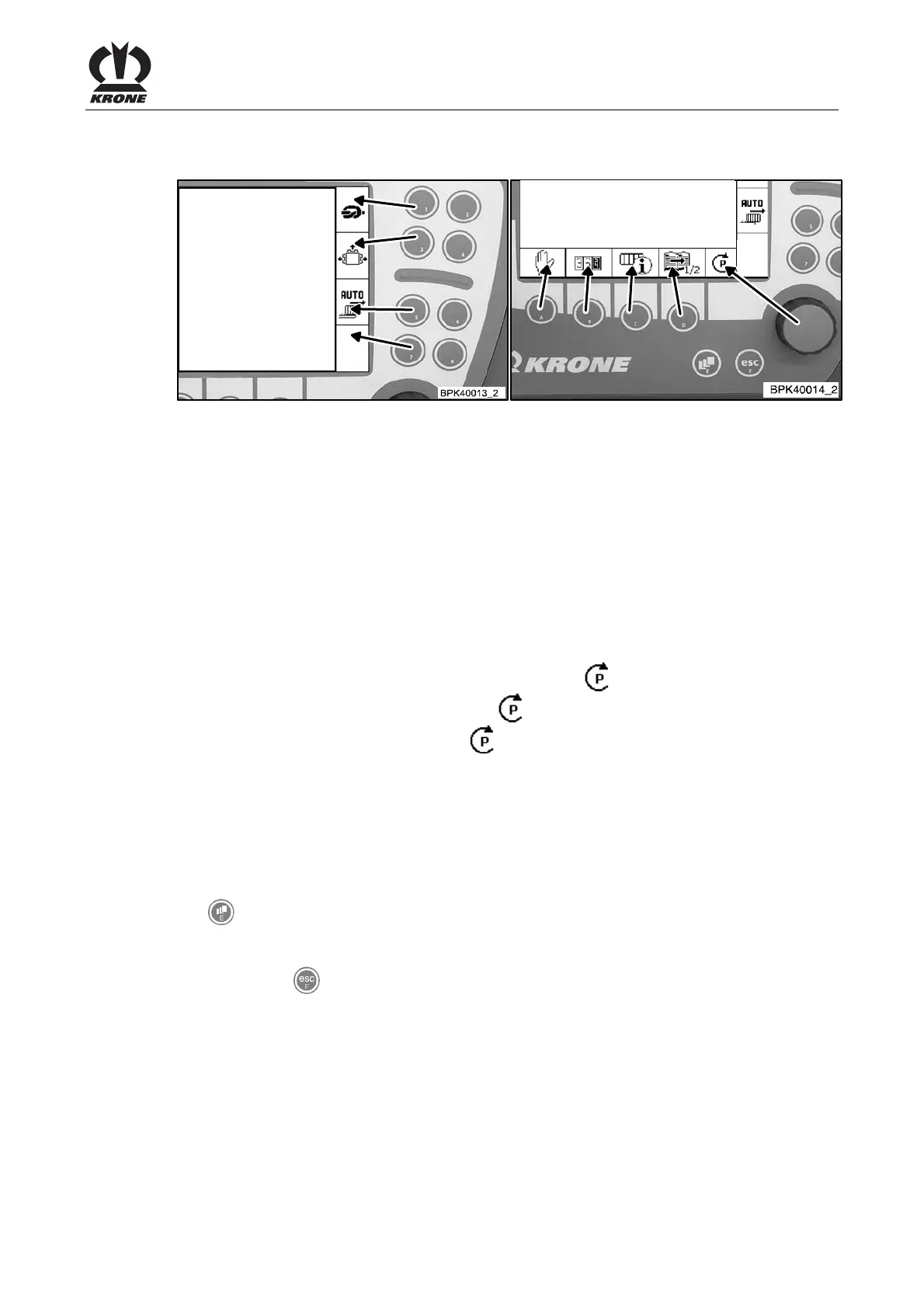
Fig. 40
Pos: 26.4.5 /BA/I nfo-Center/Beschr eibung der Tasten 1-8 Text @ 6\mod_1 215069859962_78.doc @ 98465
Keys 1-8
Keys 1-8 are used to activate the softkeys located in the right column. For the assignment of the
keys, see the two illustrations. If there is no softkey next to the key, it has no function.
Rotary potentiometer
The rotary potentiometer has two functions:
1. The rotary potentiometer can be turned to change settings and to select the desired menu in
the menu level.
2 Pressing the rotary potentiometer saves the settings.
Pos: 26.4.6 /BA/I nfo-Center/Großpackenpr esse/Übersicht/ Beschreibung Drehpoti Zusatz @ 18\mod_123728 8066800_78.doc @ 209641
If a number of settings are possible in the display, the icon “ “jumps to the next setting
possibility. During ongoing operation, the icon “
“ should be in the parking position to prevent
settings from being changed accidentally. “
“skips automatically into parking position after 15
s of non-activation.
Pos: 26.4.7 /BA/I nfo-Center/Beschr eibung der Tasten A-F @ 6\mod_121506 9984165_78.doc @ 98485
Keys A-D
The keys A-D are used to activate the softkeys located in the line just above them. For the
assignment of the keys, see the illustration. If there is no softkey above the key, it has no
function.
Key E
The
key can be used to bring up the menu level.
Key F
You can use the
key to go to the previous screen or the menu level above the current one.
Holding the key down slightly longer takes you back to the basic screen.
Pos: 26.4.8 /BA/- ----Seitenumbruch- ----- @ 0\mod_119617531122 6_0.doc @ 4165









 To Next Page